| Version 321 (modified by , 8 years ago) ( diff ) |
|---|
Languages:
Main Help
Welcome to the JOSM Help! The Introduction will guide you to your first successful edit. The How Tos deal with some use cases.
Interface
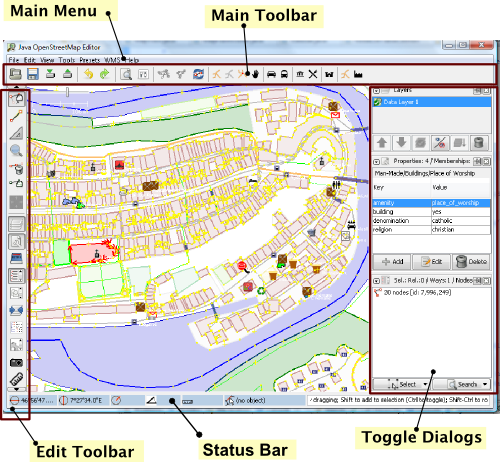
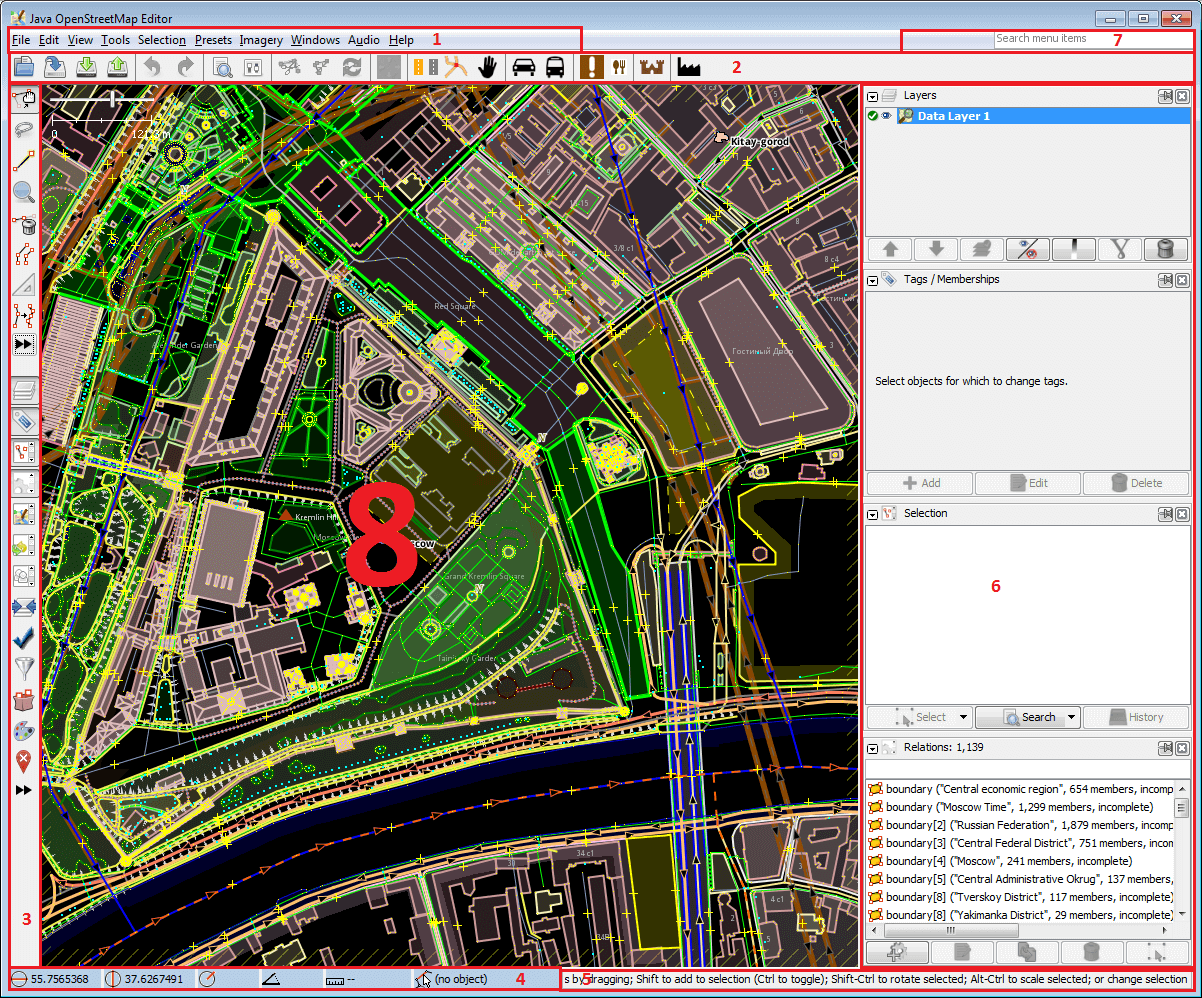
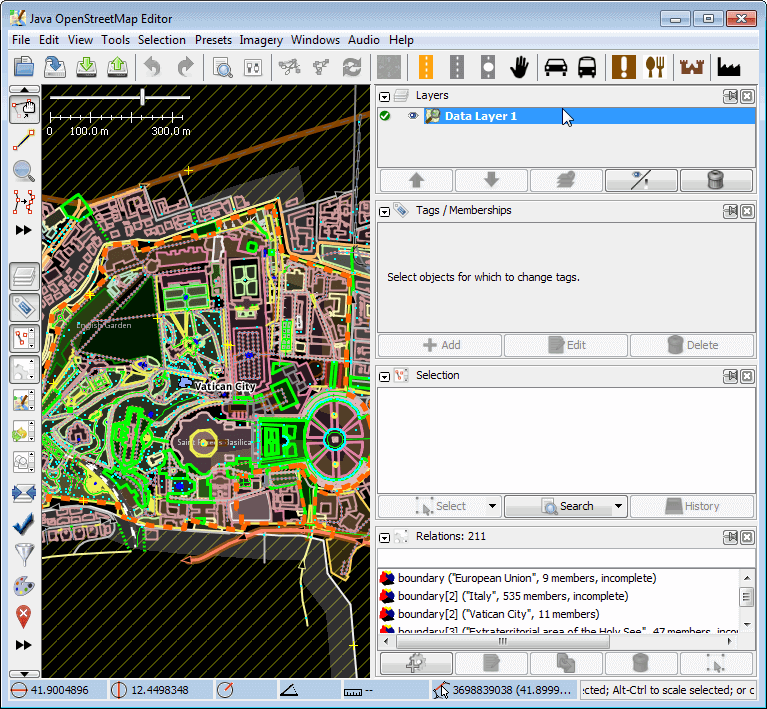
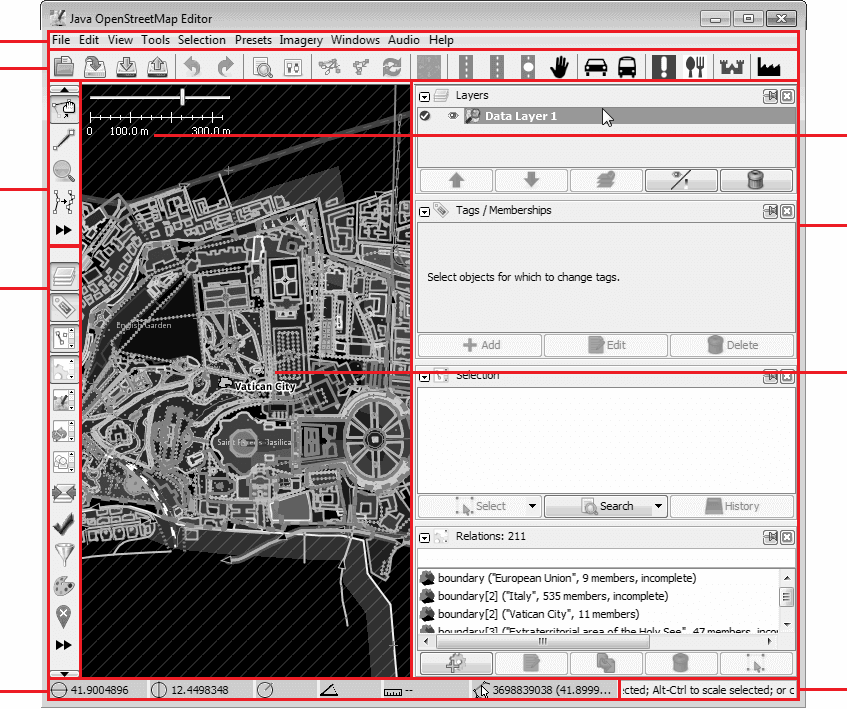
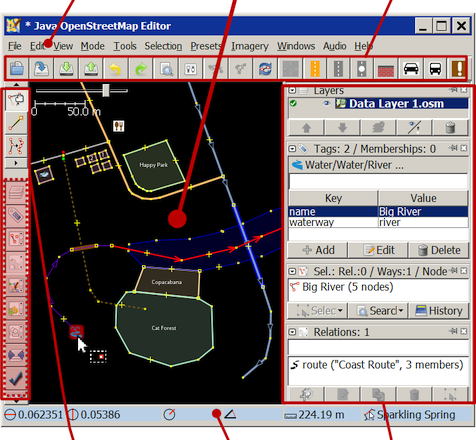
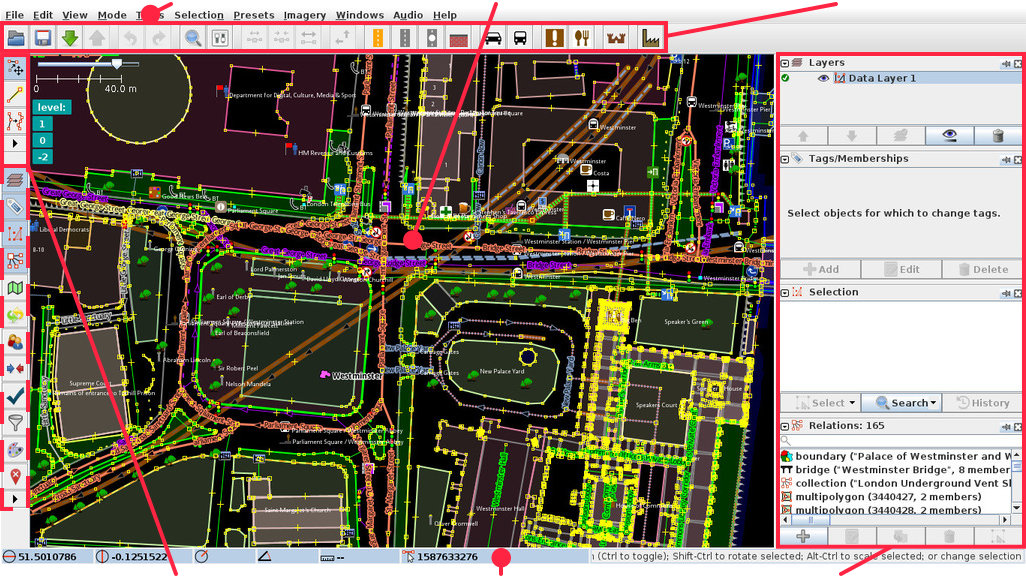
The Main menu offers under File, Edit, View, Tools, Selection, Presets, Imagery, Windows, Audio and Help all actions possible in JOSM. A search finds every menu item.
On the Map view all mouse clicks depend on the Working mode previously entered. New objects are created in Draw mode. In other modes objects are selected and edited.
- The Main Toolbar has buttons for actions and presets,
- while the panels in the sidebar called Toggle Dialogs inform about the Selection,
- the Status Bar shows the drawing position and
- the Working mode is controlled in the Edit Toolbar. Therefore the buttons in its upper part are the most important elements on the screen.
| Main menu | Map view | Main toolbar |

| ||
| Edit toolbar | Statusbar | Toggle Dialogs |
All screen elements have an own help context in JOSM. Further dialogs not shown here for setting Preferences, for managing Changesets, for resolving Conflicts and the Relation Editor are explained in their help.
See also
The power of JOSM lays in its flexibility to allow every user to download, create and publish:
- Presets to create a rich map with common objects types,
- Rules to tag according to guidelines,
- Styles to change the way the maps are painted,
- Plugins to extent JOSMs functionality and
- Keyboard shortcuts of his choice.
JOSM can handle all Map Features. Growing next to the Openstreetmap since 2005 the growth rate was fast. Sometimes even faster than the speed of writing documentation, so you are invited to contribute here to keep the docs up to date and translated.
Here is Main Help
Attachments (10)
- josm-screen-commented2.png (148.6 KB ) - added by 12 years ago.
-
9229-en.2.png
(33.1 KB
) - added by 11 years ago.
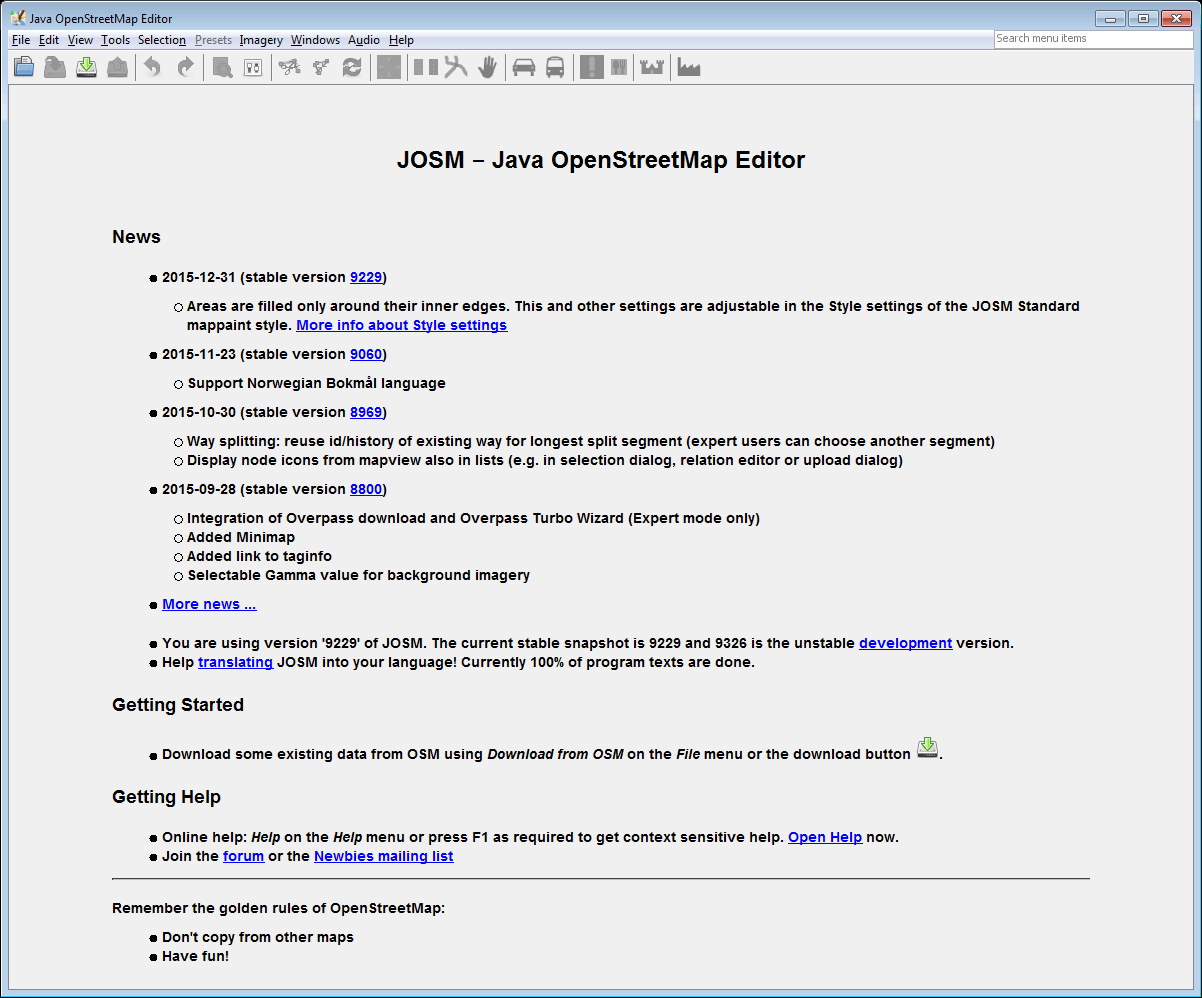
default view differs from what experienced users with enabled Help/ExpertMode expect to see
-
9229-en.png
(33.1 KB
) - added by 11 years ago.
default view differs from what experienced users with enabled Help/ExpertMode expect to see
-
9229-en-expert-false-Moscow Kremlin.png
(313.3 KB
) - added by 11 years ago.
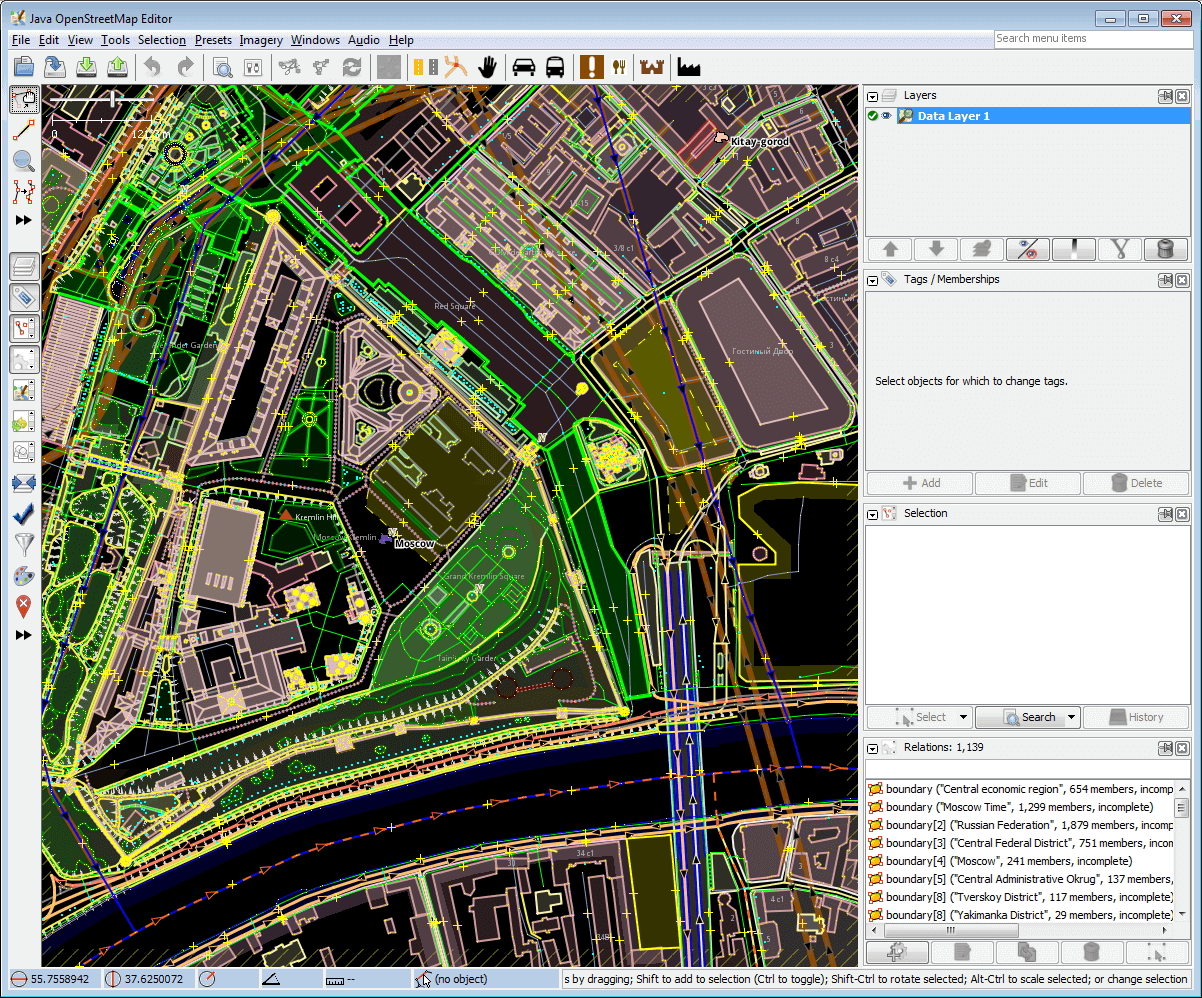
Moscow Kremlin was opened using Help/Action/Download dialog; note a few tools at left panel
-
9229-en-expert-true-Moscow Kremlin.png
(325.9 KB
) - added by 11 years ago.
Moscow Kremlin was opened using Help/Action/Download dialog; note more tools at left panel because of Help/ExpertMode
-
9229-en-expert-true-Moscow Kremlin-terminology.png
(318.1 KB
) - added by 11 years ago.
we will explain interface elements counterclockwise
- 10168-en-expert-false-Vatican.png (92.5 KB ) - added by 10 years ago.
- 10168-en-expert-false-Vatican-arrows.png (84.1 KB ) - added by 10 years ago.
- MenuBarsMapview.png (156.4 KB ) - added by 7 years ago.
-
Josm_main.jpg.svg
(532.5 KB
) - added by 5 years ago.
New screenshot
Download all attachments as: .zip