| Version 72 (modified by , 9 years ago) ( diff ) |
|---|
Languages:
Table of Contents
Preferences dialog > Advanced Preferences tab

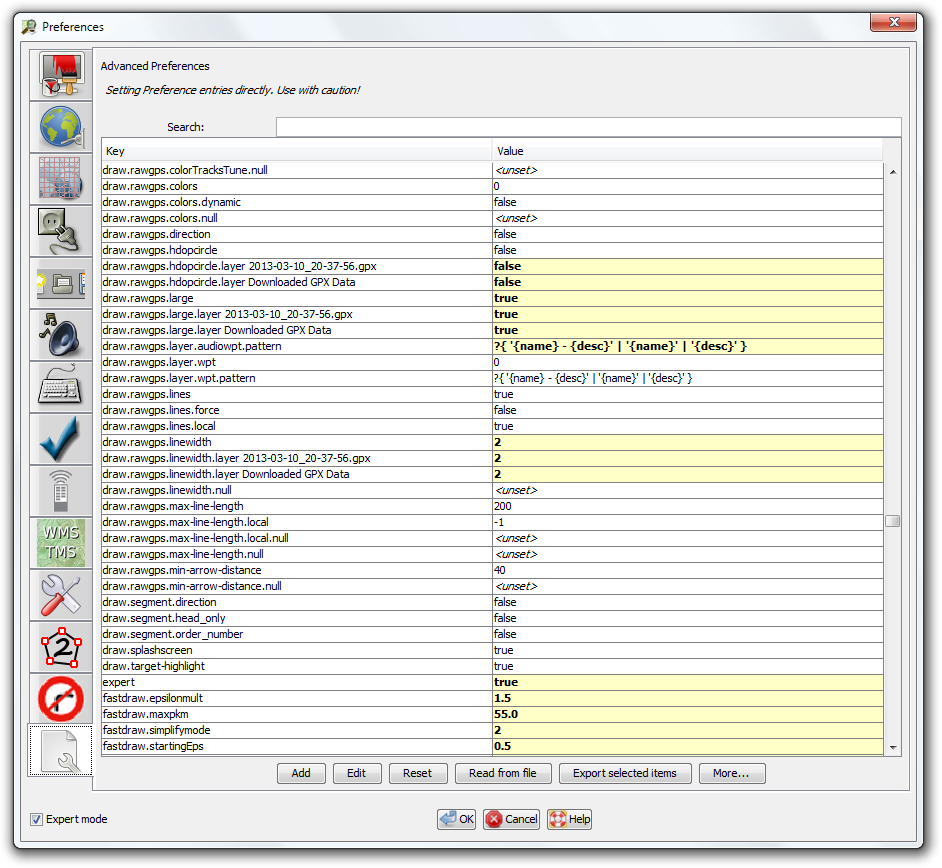
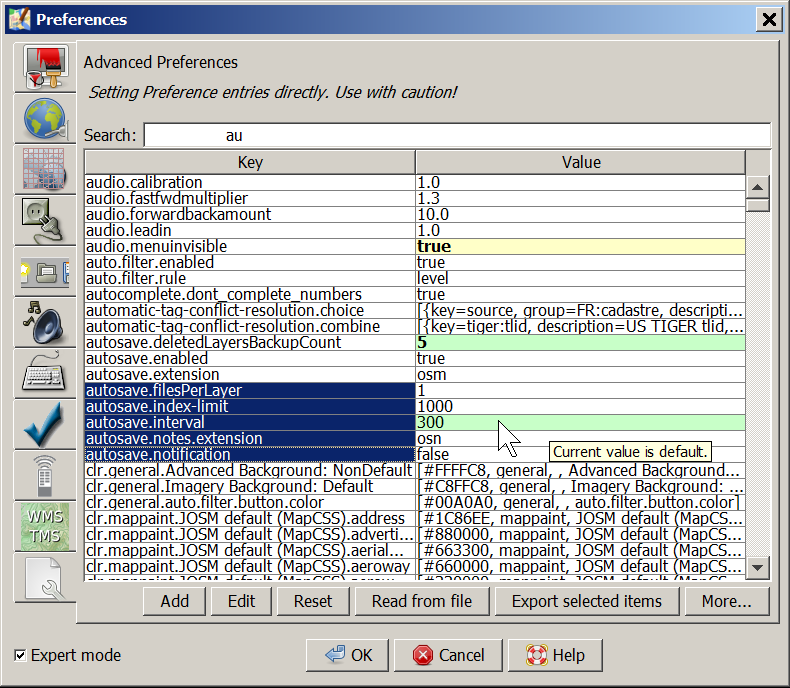
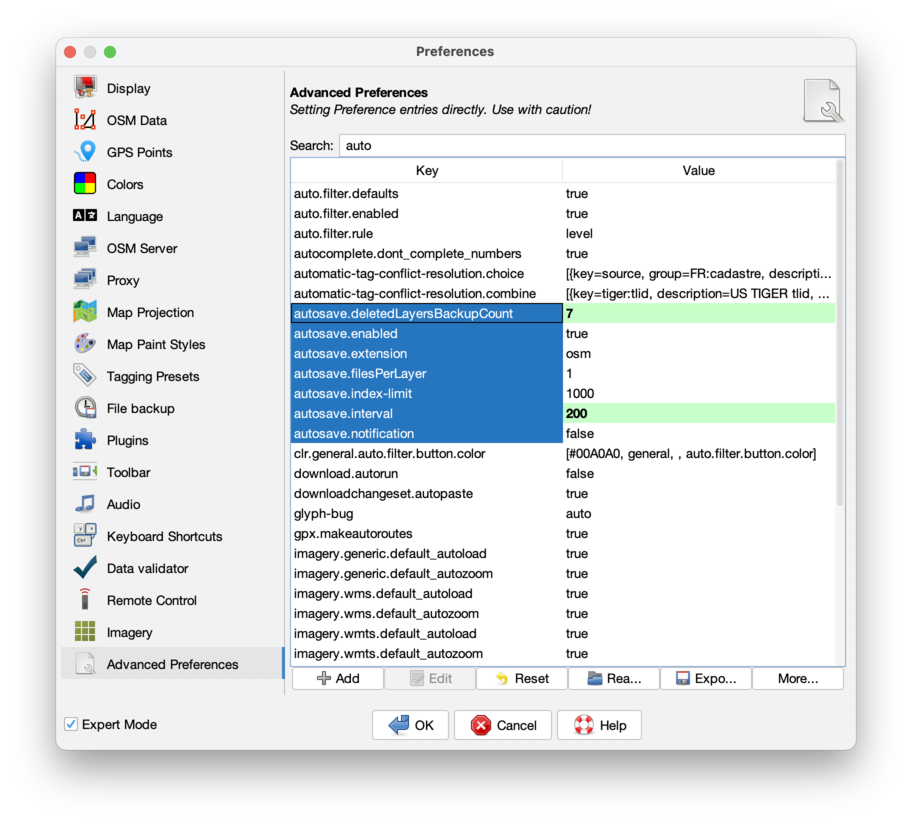
The Advanced Peferences tab shows all raw settings and allows to manipulate them. It is visible in expert mode only.
Most settings can more easily and safely be modified via the other tabs of this dialog box. Normally you should not need to use this display. Do so with caution. Invalid settings can cause errors and/or loss of data. You may be instructed to edit here in order to access experimental features. See more about user settings in the Preferences Overwiew.
Search
Use the Search field to quickly access values and keys grouped by namespace.
List colors
Bold on yellow- value has changed at least once.Bold on green- value was changed in this dialog.Normal on green- value was reset to default in this dialog.
After JOSM being restarted the preferences equal to their default will loose all markings.
Buttons
- Add
- To add keys with simple values and with a XML structure.
- Edit
- To edit one selected key/value pair.
- Reset
- Sets all selected key/value pairs to their default value.
- Read from file
- Imports a JOSM custom configuration XML file.
That can contain preferences modifications, commands to download some files or plugins, and even JavaScript code.
After file import is complete, you can see a detailed log and the changed preferences will be represented. You can reject these changes by pressing Cancel button. Caution: You can not undo reject file or plugin operations (download, delete, etc.), so be careful and do not open scripts from untrusted sources!
- Export selected items
- Generates a custom configuration XML file automatically. When reading this file, the key-value pairs will replace existing ones or be appended to them (in case of properties containing lists or maps). You can use it together with the Search field to find all preferences you need to backup or share.
- More…
- launches the popup menu with additional actions:
- Save ... profile - saves part of preferences related to shortcuts, colors, toolbar and imagery to a separate custom configuration XML files.
- Load profile - replace existing part of preferences with previously saved fragment (for example, reset all shortcuts to default and then load them from file). User should press OK to confirm changes.
- Reset preferences - reset all preferences by deleting the preferences.xml file. See Reset preferences also.

Explanation
The table below contains settings not accessible in the GUI:
| Single key or group? | Key | Values | Default | Description |
| group | changesetdialog.buttonhiding; commandstack.buttonhiding; conflict.buttonhiding; filter.buttonhiding; layerlist.buttonhiding; mapstyle.buttonhiding; notes/note_open.buttonhiding; propertiesdialog.buttonhiding; relationlist.buttonhiding; selectionlist.buttonhiding; userlist.buttonhiding; validator.buttonhiding | DYNAMIC or ALWAYS_HIDDEN or ALWAYS_SHOWN | DYNAMIC | explained at JOSM interface customization |
| group | changesetdialog.minimized; commandstack.minimized; conflict.minimized; filter.minimized; layerlist.minimized; mapstyle.minimized; notes/note_open.minimized; propertiesdialog.minimized; relationlist.minimized; selectionlist.minimized; userlist.minimized; validator.minimized | true or false | false | explained at JOSM interface customization |
| group | changesetdialog.docked; commandstack.docked; conflict.docked; filter.docked; layerlist.docked; mapstyle.docked; notes/note_open.docked; propertiesdialog.docked; relationlist.docked; selectionlist.docked; userlist.docked; validator.docked | true or false | false | explained at JOSM interface customization |
| group | menu.always-visible; sidetoolbar.always-visible; statusbar.always-visible; toolbar.always-visible | true or false | true | explained at JOSM interface customization |
| group | gui.geometry; org.openstreetmap.josm.actions.SessionSaveAsAction$SessionSaveAsDialog.geometry; org.openstreetmap.josm.gui.dialogs.DeleteFromRelationConfirmationDialog.geometry; org.openstreetmap.josm.gui.dialogs.properties.TagEditHelper$AddTagsDialog.geometry; org.openstreetmap.josm.gui.dialogs.properties.TagEditHelper$EditTagDialog.geometry; org.openstreetmap.josm.gui.dialogs.relation.GenericRelationEditor.geometry; org.openstreetmap.josm.gui.download.DownloadDialog.geometry; org.openstreetmap.josm.gui.help.HelpBrowser.geometry; org.openstreetmap.josm.gui.history.HistoryBrowserDialogManager.geometry; org.openstreetmap.josm.gui.io.UploadDialog.geometry; org.openstreetmap.josm.gui.preferences.PreferenceDialog.geometry; org.openstreetmap.josm.gui.preferences.advanced.ListEditor.geometry | unset | JOSM interface customization | |
| group | starts with draw.anglesnap. and probably keys starting with color.draw.angle.snap | mixed | mixed | should be explained at Help/Action/Draw under "Angle snapping" section |
| Single key or group? | Key | Values | Default | Description |
| single | edit.initial-move-threshold | pixels | was explained at Help/Action/Select#Advanceddetails | |
| single | edit.initial-move-delay | ms | was explained at Help/Action/Select#Advanceddetails | |
| single | draw.fullscreen | true or false | false | Help/Action/FullscreenView and JOSM interface customization |
| single | createcircle.nodecount | Help/Action/CreateCircle#AdvancedPreferences | ||
| single | zoom.undo.delay | Help/Action/ZoomToPrevious#AdvancedPreferences | ||
| single | zoom.undo.max | Help/Action/ZoomToPrevious#AdvancedPreferences | ||
| single | properties.presets.top | true | Help/Dialog/TagsMembership#AdvancedPreferences | |
| single | url.openstreetmap-wiki | https://wiki.openstreetmap.org/wiki/ | Help/Dialog/TagsMembership#AdvancedPreferences | |
| single | selectaction.cycles.multiple.matches | true or false | false | Help/Action/Select#Selectingsingleobjects |
| single | osm.notes.daysClosed | -1, 0 or positive integer | 7 | Help/Dialog/Notes#AdvancedPreferences |
| single | osm.notes.downloadLimit | from ... to 10000 | 1000 | Help/Dialog/Notes#AdvancedPreferences |
| single | latlon.dms.decimal-format | Help/StatusBar#AdvancedPreferences | ||
| single | latlon.dm.decimal-format | Help/StatusBar#AdvancedPreferences | ||
| single | statusbar.decimal-format | Help/StatusBar#AdvancedPreferences | ||
| single | statusbar.distance-threshold | Help/StatusBar#AdvancedPreferences | ||
| single | simplify-way.max-error | integer, meters | 3 | Help/Action/SimplifyWay#AdvancedPreferences |
| single | message.way.split.segment-selection-dialog | true or false | false | Help/Action/SplitWay#AdvancedPreferences |
| single | mappaint.wireframe.use-antialiasing | true or false | false | Help/Action/WireframeToggle#AdvancedPreferences |
| single | curves.circlearc.angle-separation | 20 | Action/CreateCircleArc#AdvancedPreferences | |
| single | merge-nodes.mode | 0 or 1 or 2 | 0 | Action/MergeNodes#AdvancedPreferences |
| single | upload.comment.max-age | integer | 4 * 3600 * 1000 | Help/Concepts/Changeset#AdvancedPreferences |
| group | mappaint.fillalpha, mappaint.showicons and couple others | Styles#AdvancedPreferences | ||
| single | message.movedManyElements | true or false | unset | "Move multiple objects at once message" at Select,move,rotate page |
Details
The list of preferences is build like this:
- Not all possible available keys are listed at the beginning.
- Whenever JOSM internally requests the value of a particular setting, it remembers the key and the default value.
- Note that a setting is not saved in the preference file, unless the value is different from the default. However JOSM will remember all keys and their default values which were previously requested.
- This means, that settings related to download may not be in the list, before you did your first download. However, if you already know the key, you can still set it explicitly.
- Back to Preferences dialog
- Back to Main Help
Attachments (3)
- AdvancedPreferences.png (131.9 KB ) - added by 12 years ago.
- AdvancedPreferencesTab.png (96.0 KB ) - added by 8 years ago.
-
PreferencesAdvancedPreferences.png
(223.7 KB
) - added by 5 years ago.
new screenshot
Download all attachments as: .zip