| Version 11 (modified by , 7 years ago) ( diff ) |
|---|
Languages:
Tools > Simplify Way
 Keyboard shortcut:
 Shift+Y
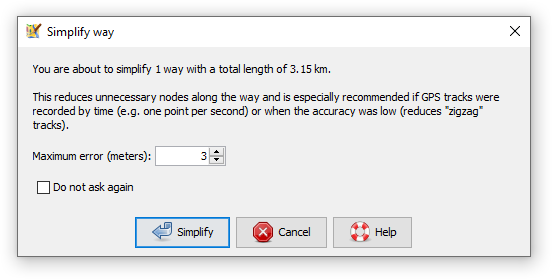
Reduce the number of nodes in a way, but keep the general shape.
Implementation details
After simplification, all of the deleted nodes will be closer than 3 m to the simplified way. In other words, the old and the new way will never be more than 3 m apart.
The tool uses the Ramer–Douglas–Peucker algorithm for way simplification, but makes sure that tagged nodes and nodes with more than one parent way are not deleted.
Advanced Preferences
You can configure the distance between two nodes in the advanced preferences (simplify-way.max-error, in meters, default value is 3). A lower threshold makes the simplification less aggressive.
See also
 SimplifyArea plugin - despite the name, also simplifies ways. Uses a different algorithm and has more parameters for tuning. In particular for nodes A, B, C the node B is not deleted unless
- area of the triangle ABC is lower than 5 m2
- distance of B to the line AC is lower than 3 m
- angle ABC doesn't deviate more than 10° from 180°
 Distribute Nodes

Back to Menu Tools
Back to Main Help
Attachments (1)
- Simplify_way.png (14.0 KB ) - added by 7 years ago.
Download all attachments as: .zip
Note:
See TracWiki
for help on using the wiki.