| Version 12 (modified by , 7 years ago) ( diff ) |
|---|
Languages:
Tools > Simplify Way
 Keyboard shortcut:
 Shift+Y
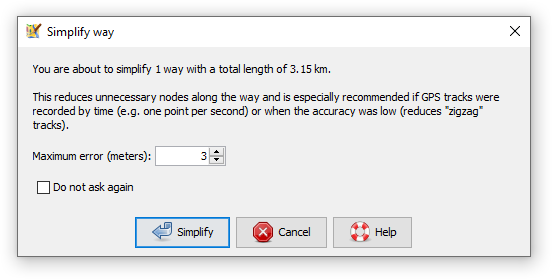
Reduce the number of nodes in a way, but keep the general shape.
Implementation details
After simplification, all of the deleted nodes will be closer than the in the popup specifed distance (e.g. 3 m) to the simplified way. In other words, the old and the new way will never be more than e.g. 3 m apart.
The tool uses the Ramer–Douglas–Peucker algorithm for way simplification, but makes sure that tagged nodes and nodes with more than one parent way are not deleted.

See also
 SimplifyArea plugin - despite the name, also simplifies ways. Uses a different algorithm and has more parameters for tuning. In particular for nodes A, B, C the node B is not deleted unless
- area of the triangle ABC is lower than 5 m2
- distance of B to the line AC is lower than 3 m
- angle ABC doesn't deviate more than 10° from 180°
 Distribute Nodes

Back to Menu Tools
Back to Main Help
Attachments (1)
- Simplify_way.png (14.0 KB ) - added by 7 years ago.
Download all attachments as: .zip
Note:
See TracWiki
for help on using the wiki.