


| Version 8 (modified by , 8 years ago) ( diff ) |
|---|
Translation is incomplete.
他の言語:
ノードを描画
 ショートカットキー:
 A — 動作モードの一つです
このツールは使い方により挙動が変わります。
試してみよう
josmwiki-actiondraw.osmを"ファイル > 場所を開く ..." (Ctrl+L)から開いてみよう。
標準モード
ノードの作成
何も選択していない状態で、画面の空白部分をクリックすると既存のウェイと関係の無い新しいノードを追加します:
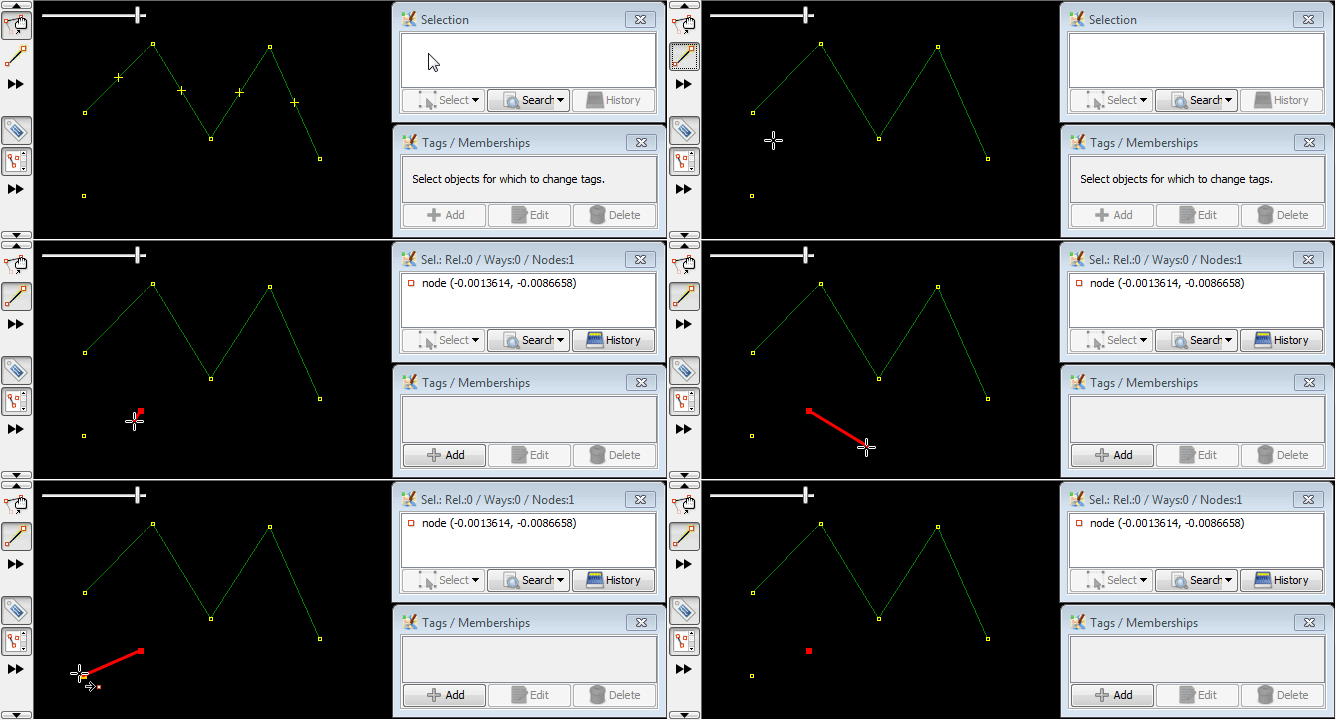
ノード上でクリックすると描画モードが終了します
描画モードを止めるには、選択したオブジェクト(ノード)をサイドクリックします。これはとても素早くでき、ダブルクリックと混同するユーザーもいます。いいえ、ダブルクリックは不要です:
セグメントの描画
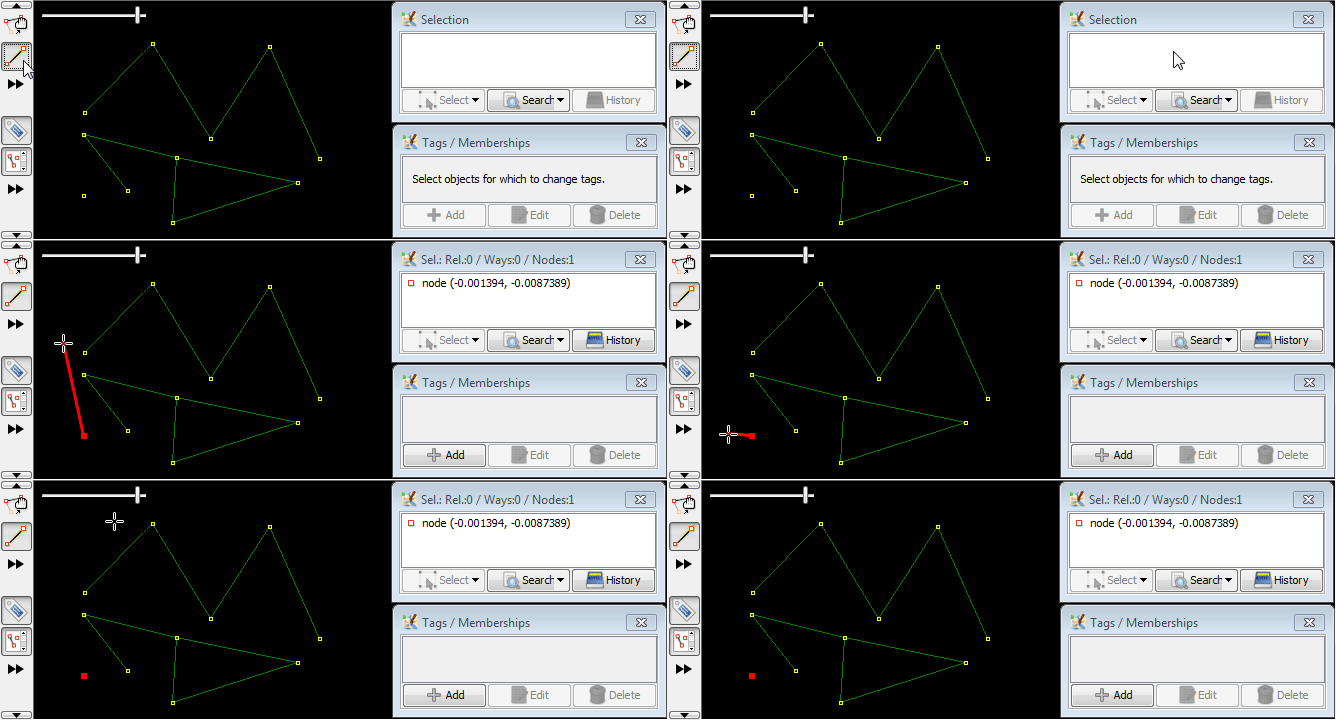
何も選択していない状態で、一つのノードをクリックしてさらに画面の空白部分をクリックすると、新しいノードが追加され新規のウェイになります(セグメントの一つです):
注意:二つ目のノードをクリックすると描画モードが終了します
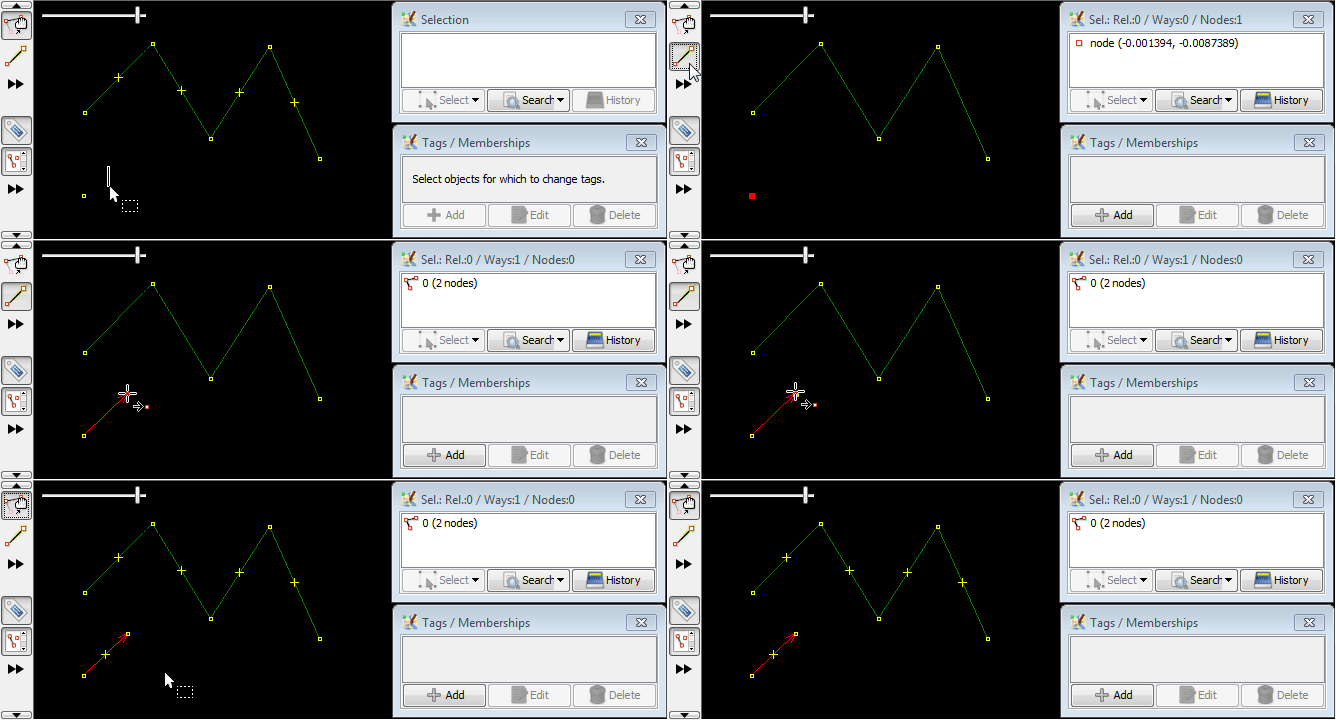
ノードをクリックすると空白部分と同じように新しいセグメントができます
- If you are currently not drawing, then you can select node with a left mouse click
- If the node is an end node of a line then also the line gets selected (leaf node + way in selection); this will be explained in #Continuousdrawing
In demo below, left mouse click was used to select first drawing mode, then clicked 6 times at nodes:

Common nodes
This is often necessary when you edit highways or streams of the river.
If a node is previously selected and you click between two nodes in an existing way the new node is added on the existing way, between two existing nodes, and a way is drawn between the previously selected node and the new node.
The new node will belong to both ways. It's often refereed as "common node".
Simplest scenario:
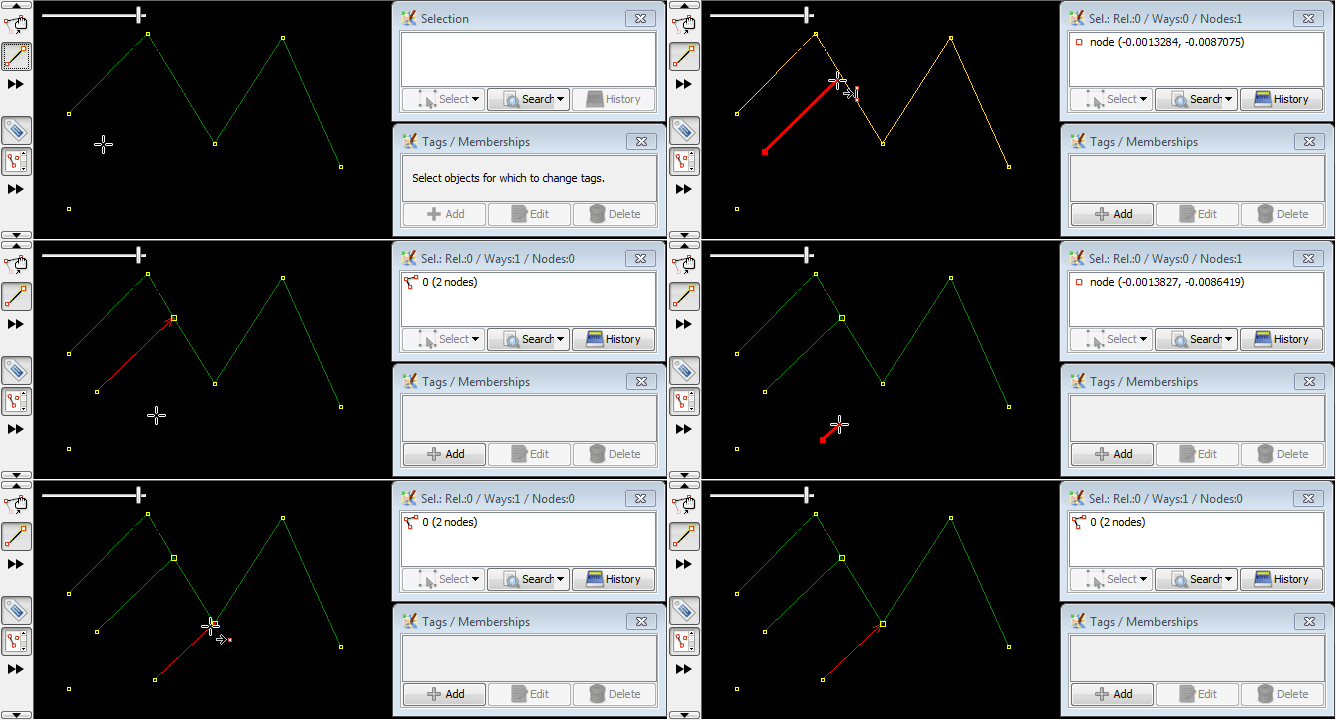
Common nodes are bigger
It help you distinguish them from other nodes.
First drawn way have a common nodes with old way and second drawn way has no common nodes (details how second way was drawn will be explained below):
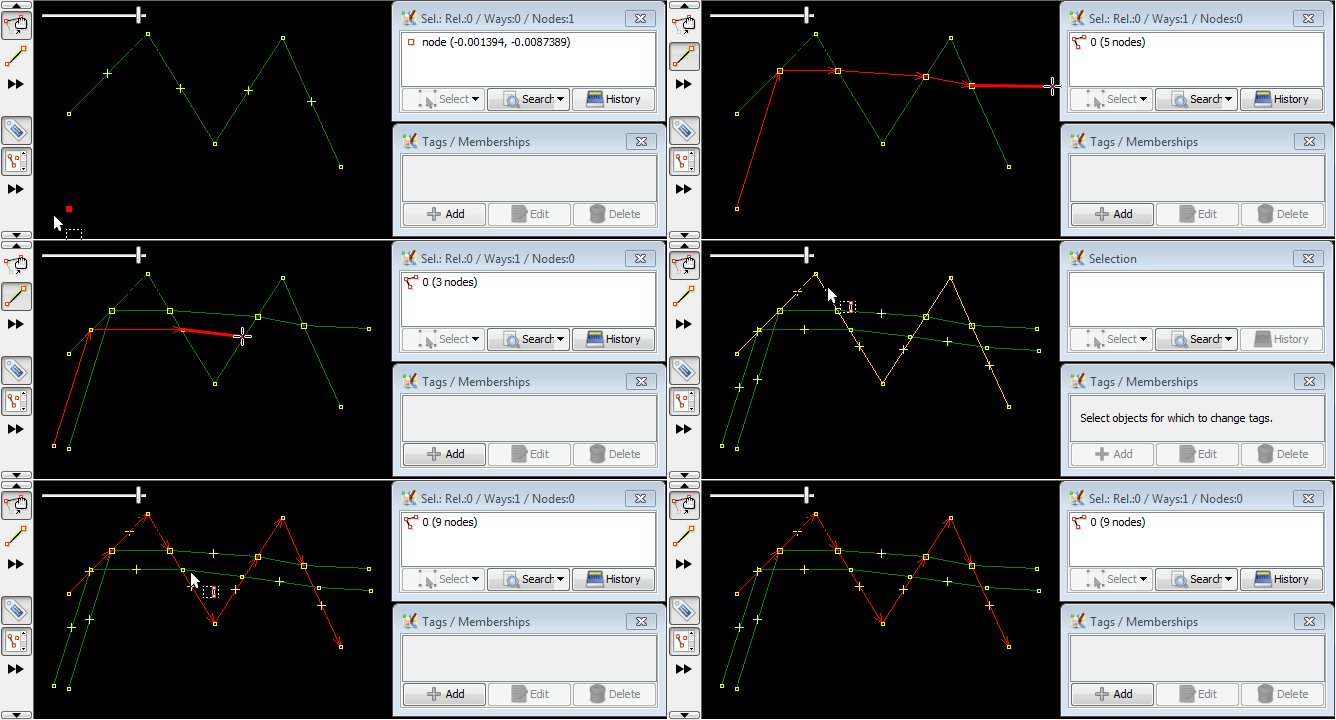
Left mouse click will add nodes on overlapping ways
If two ways overlap, single mouse click will create a common point.
(stub)
Double click stops drawing on leaf node
Drawing stops, if you make a double click when creating the last node. This way you don't have to click on last node, but you have to know about this special case:
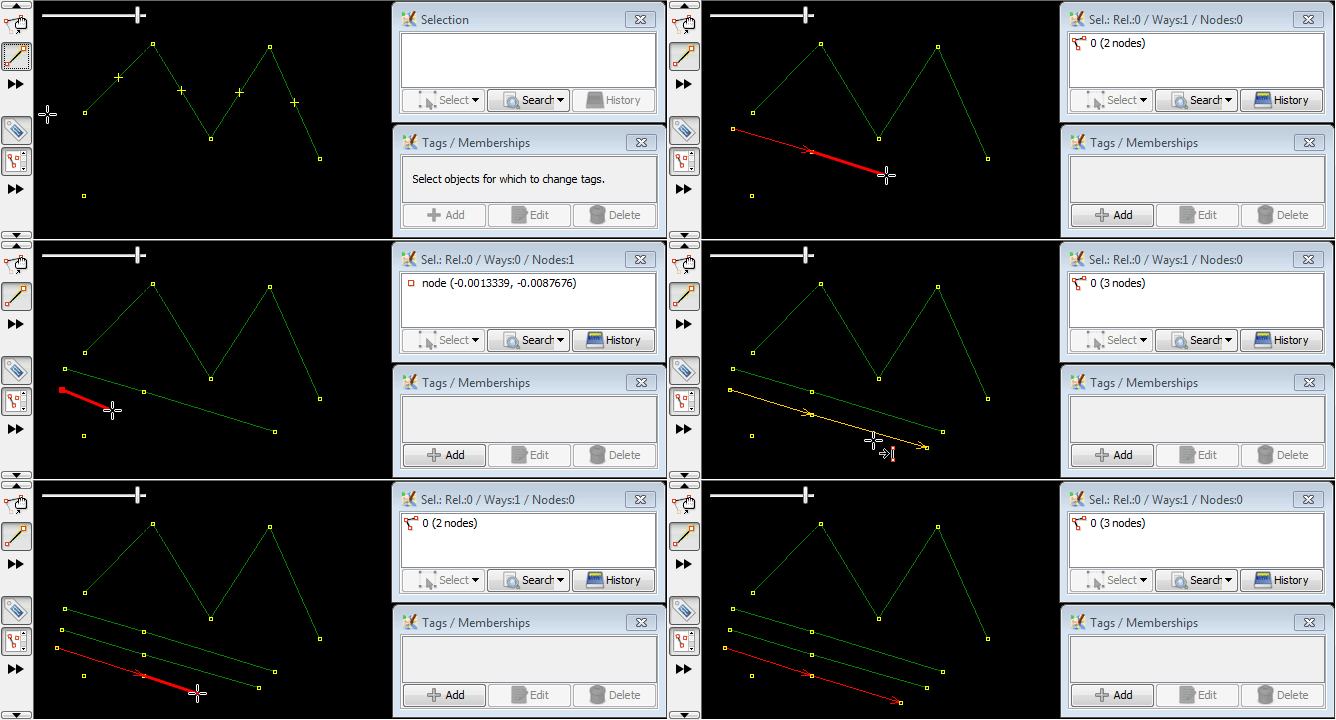
Continuous drawing
Previous way will be continued if both are true:
- nothing was selected OR way in question was selected
- draw mode applied to leaf nodes
If draw mode applied to non-leaf nodes, it will create a new way instead of continuing old one:
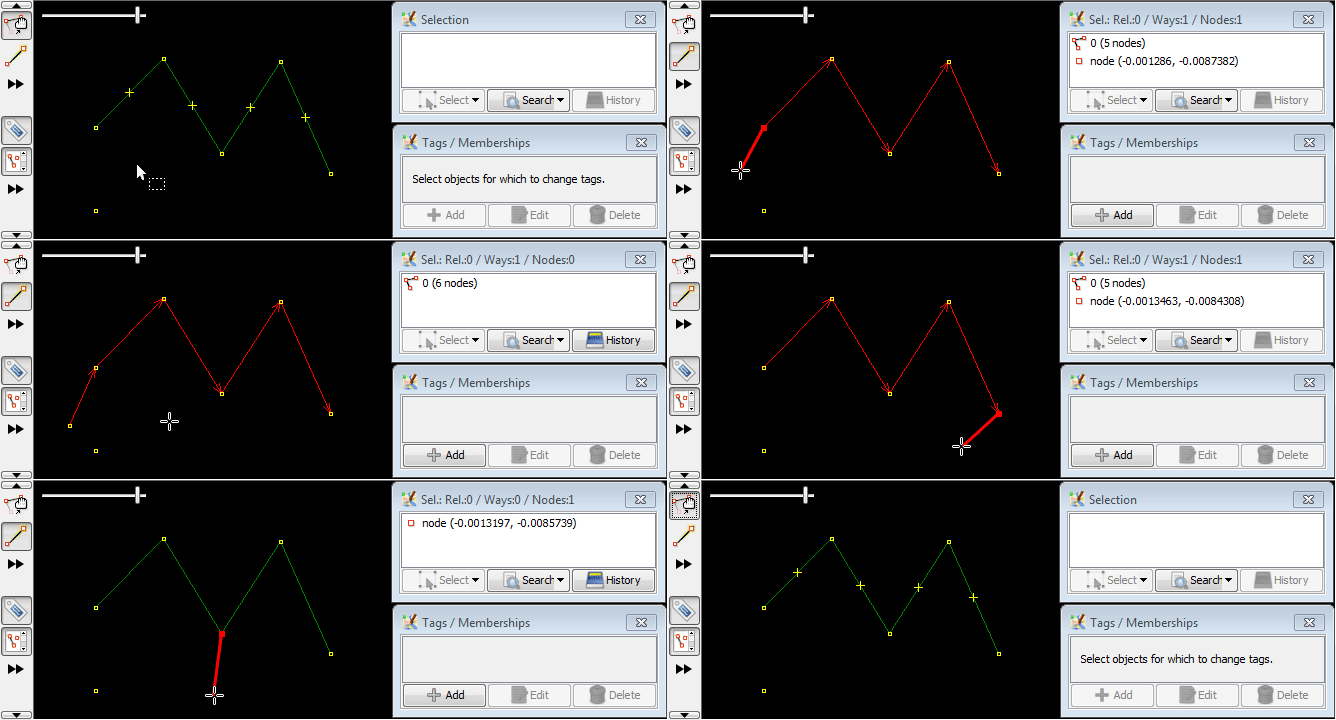
Left click on drawn way will stop continuous drawing
It doesn't matter if you click on nodes or create a new node in a way:
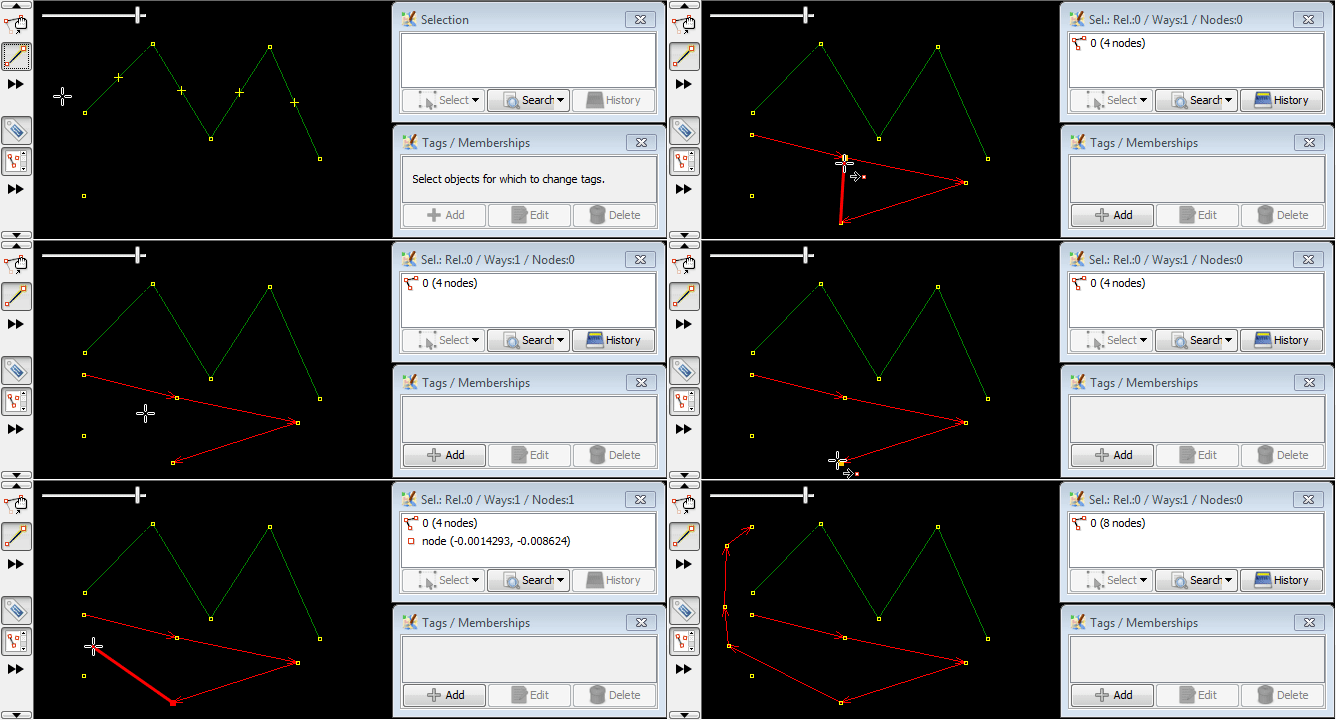
Snaps to existing nodes or ways
Note how nodes and way change colour to yellow when hovering over them:
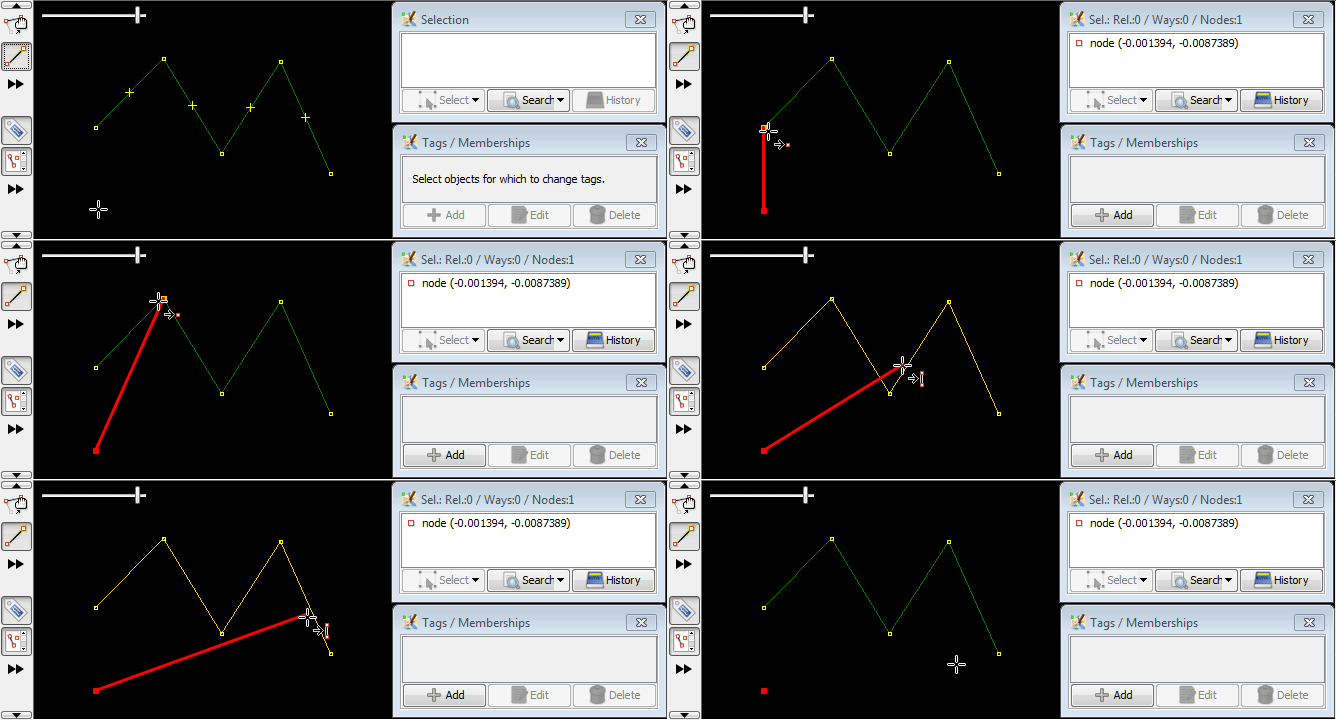
If you click near an existing node it draws a "segment" between what was previously selected and the existing node, and this allows you to re-use existing nodes to make a new way / area (so that certain nodes and "segments" can be reused in more than one way/ area):
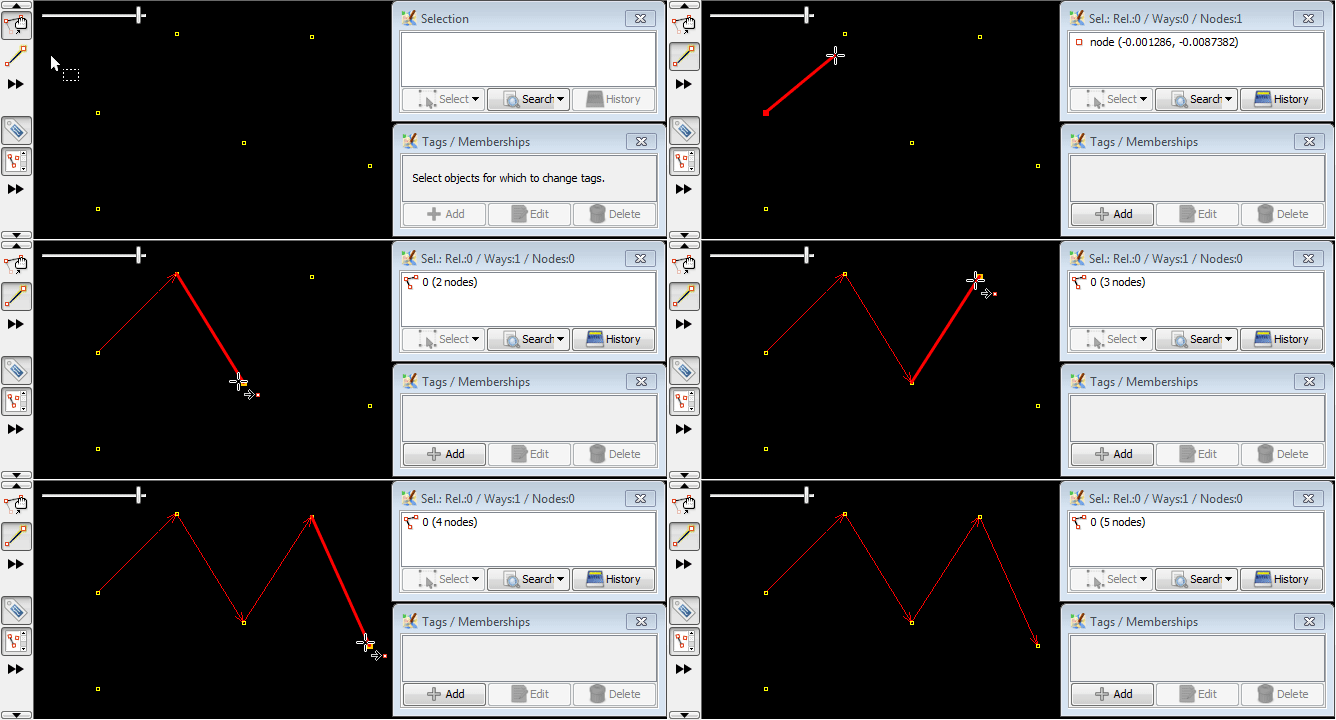
Angle snapping
Often necessary when editing barriers, fences, walls, non-trivial buildings, indoor features and other man-made objects, covered here: Help/Action/Draw/AngleSnap.
修飾キー
Alt修飾キー
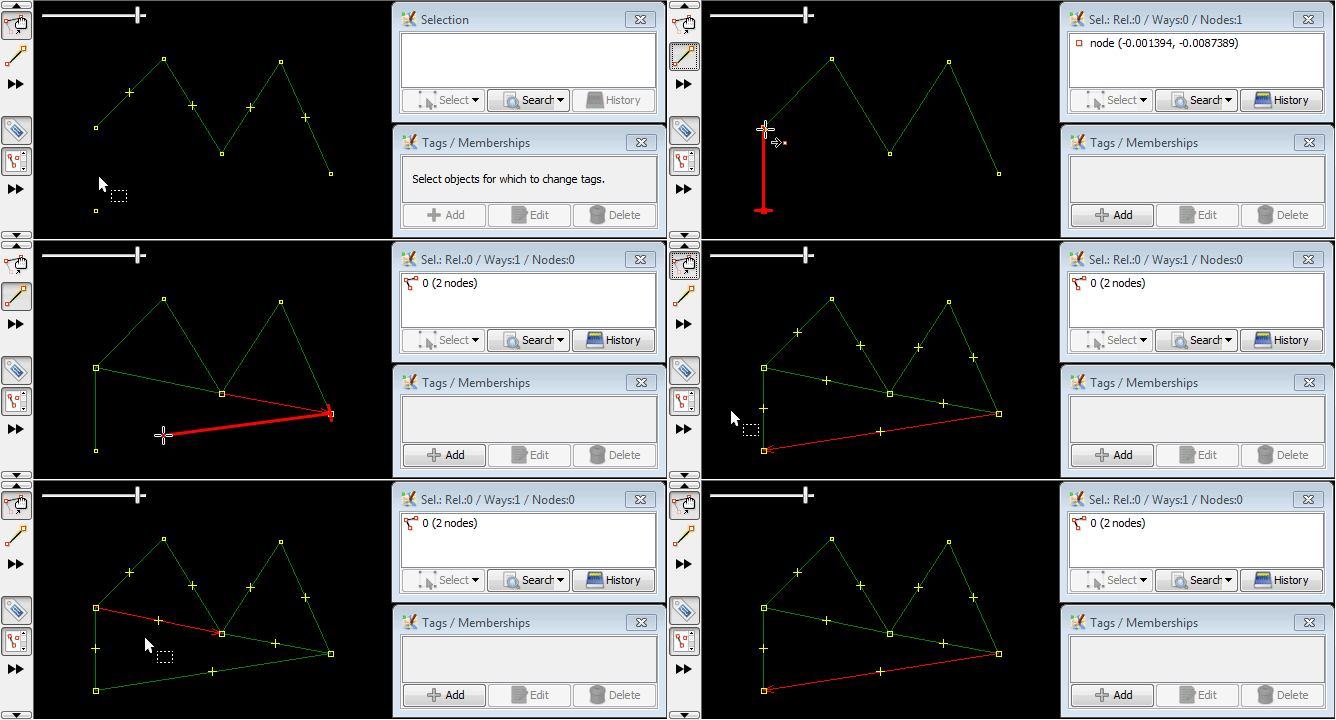
Altキーを押したままこのツールを使うと新しいウェイを開始します。既存のウェイを延ばすことはありません。
Shift修飾キー
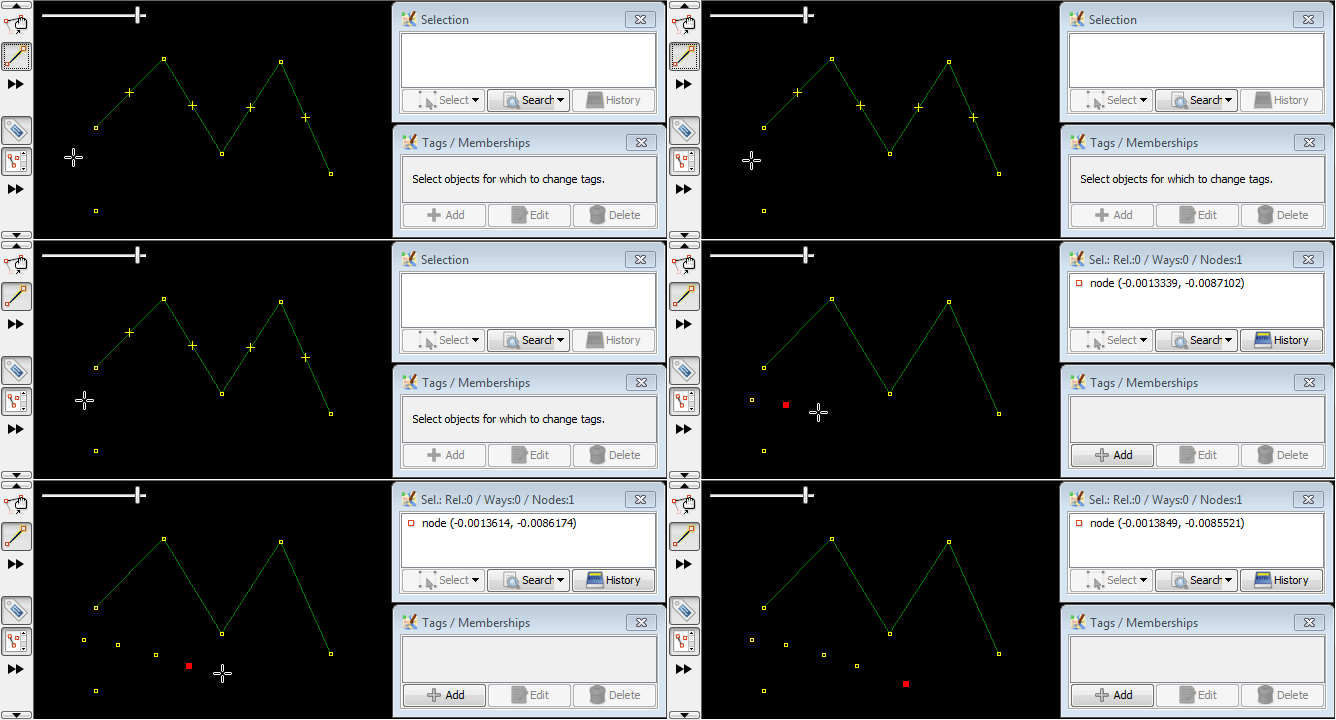
Shiftキーを押したままこのツールを使うと"自動接続"機能を無効にできます。新しいノード間にセグメントは引かれません。
Ctrl修飾キー
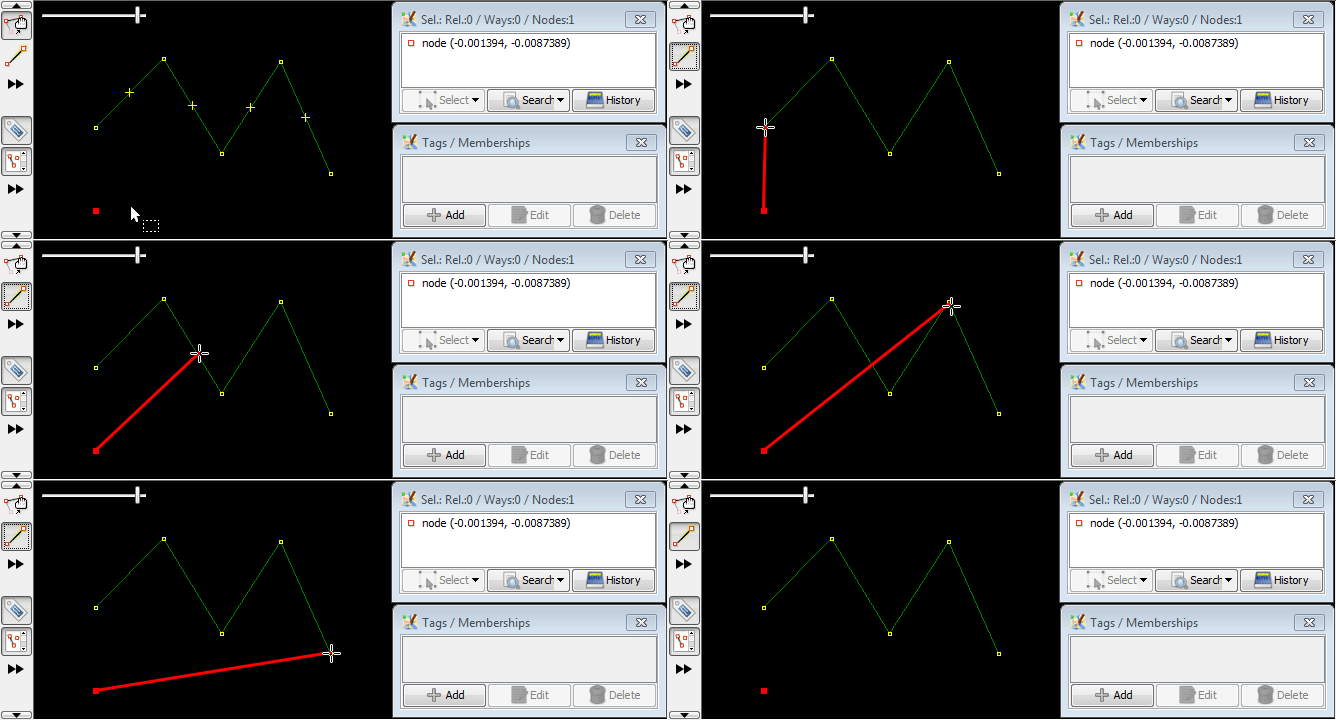
Ctrlキーを押したままこのツールを使うと、既存のウェイへのスナップが無効になります。既存のウェイの近くでも、そのウェイの一部にならないようノードを描くことができます。
修飾キーの組み合わせ
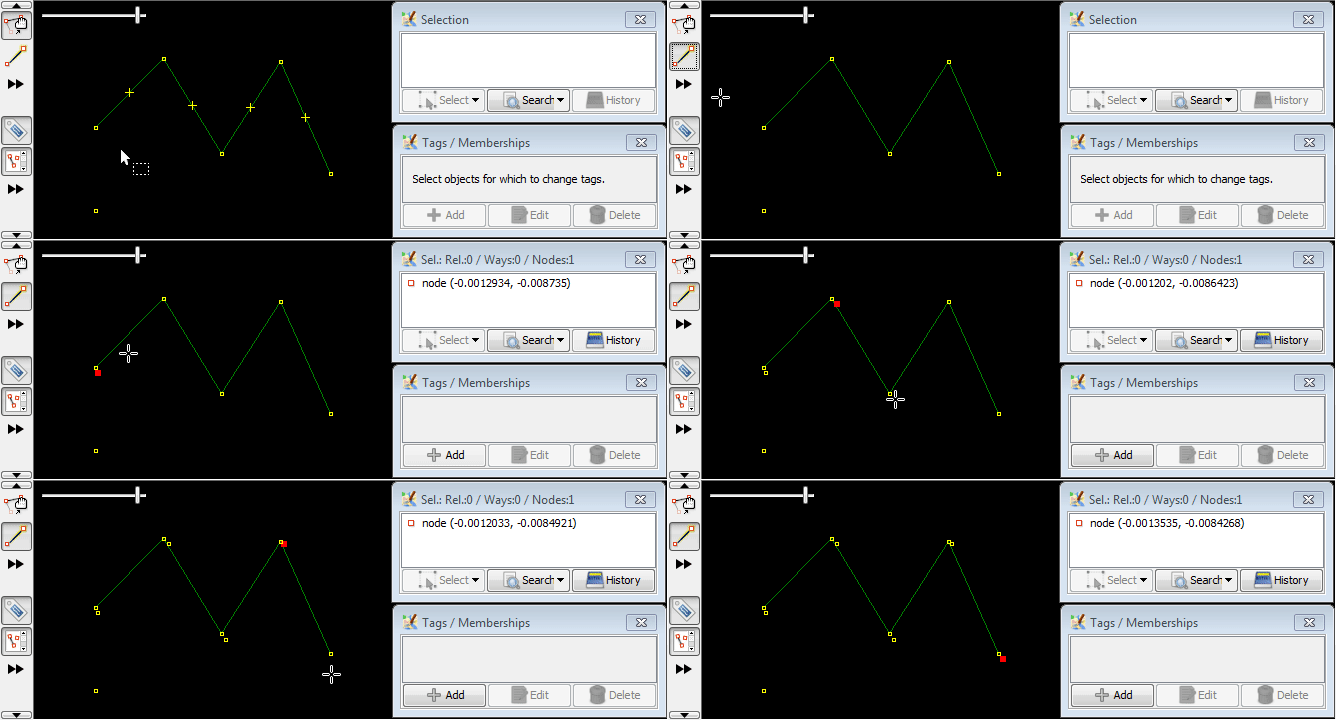
希望する結果を得るためには一つまたはそれ以上のキーを使用するかもしれません。
ここではShiftキーとCtrlキーを一度に使用しています:
関連事項


Edit Toolbarへ戻る
ヘルプへ戻る
