| Version 7 (modified by , 15 years ago) ( diff ) |
|---|
Languages:
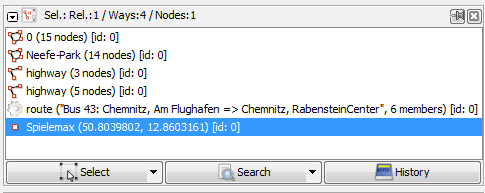
Selection List Dialog
This list shows the currently selected items (nodes, segments, ways).
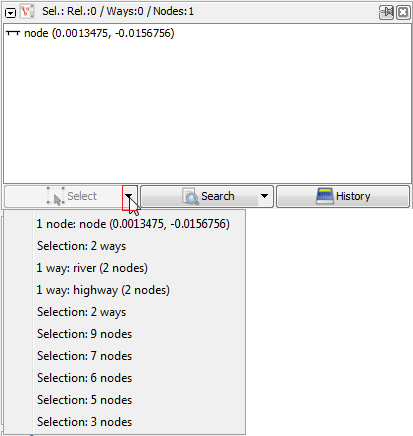
A very powerful tool is the selection history. Click on the small triangle on the  Select button. There you can restore any previous selection.
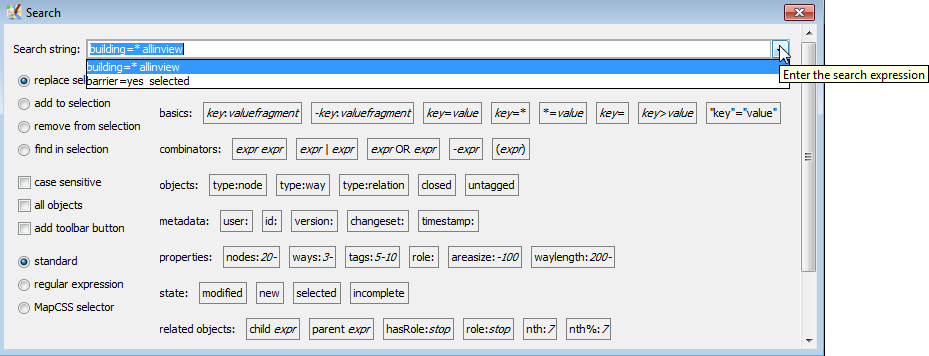
An often unseen feature is the Search button here: it allows a very sophisticated search. See also Search.
Back to Toggle Dialogs
Back to Main Help
Attachments (6)
-
selection_dialog.png
(9.9 KB
) - added by 11 years ago.
screenshot
- 9900-en-selection-history.png (19.8 KB ) - added by 10 years ago.
- 9900-en-Search button-triangle.png (10.6 KB ) - added by 10 years ago.
- 9900-en-Search button-triangle-autocomplete in search action.png (27.1 KB ) - added by 10 years ago.
- selection-context-menu-right-click-menu.png (6.6 KB ) - added by 10 years ago.
- filters warning.png (2.3 KB ) - added by 10 years ago.
Download all attachments as: .zip
Note:
See TracWiki
for help on using the wiki.