| Version 8 (modified by , 9 years ago) ( diff ) |
|---|
This page is incomplete. The option need some more explanation.
Languages:
GPX Layer > Customize track drawing
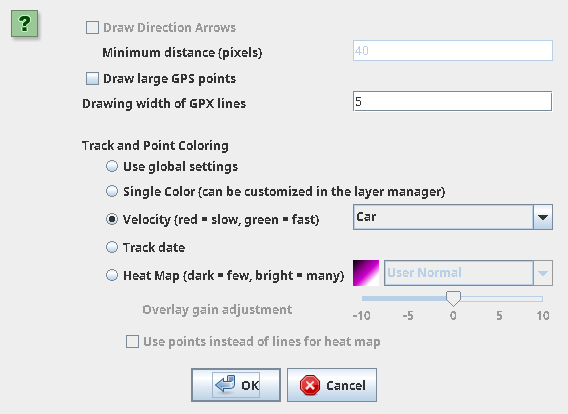
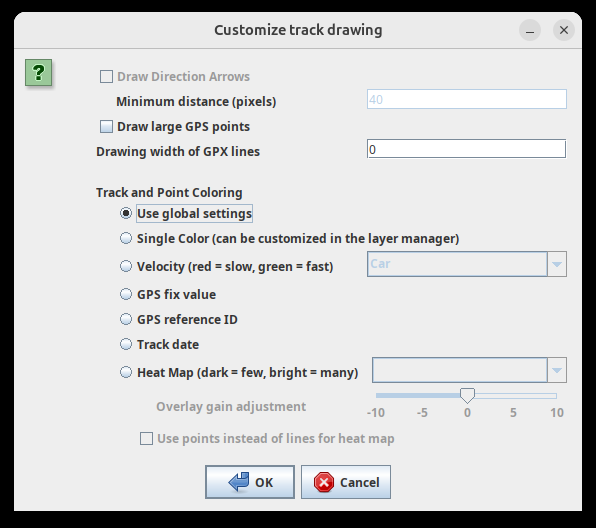
Customize track drawing for the selected layer.
The number of settings which are displayed depends on if expert mode is enabled. Global settings can be set in the preferences.
Back to GPX Layer
Back to Toggle Dialogs
Back to Main Help
Attachments (5)
-
ContextMenuGPXLayer_CustomizeLineDrawing_screenshot.png
(188.5 KB
) - added by 15 years ago.
screenschot
- 2020-08-11-205742_568x414_scrot.png (10.5 KB ) - added by 6 years ago.
- 2020-08-11-205725_568x821_scrot.png (18.7 KB ) - added by 6 years ago.
- gpx_track_drawing_basic_19405.png (42.4 KB ) - added by 15 months ago.
- gpx_track_drawing_expert_19405.png (80.7 KB ) - added by 15 months ago.
Download all attachments as: .zip
Note:
See TracWiki
for help on using the wiki.