| Version 7 (modified by , 9 years ago) ( diff ) |
|---|
This page is incomplete. The option need some more explanation.
Languages:
GPX Layer > Customize track drawing
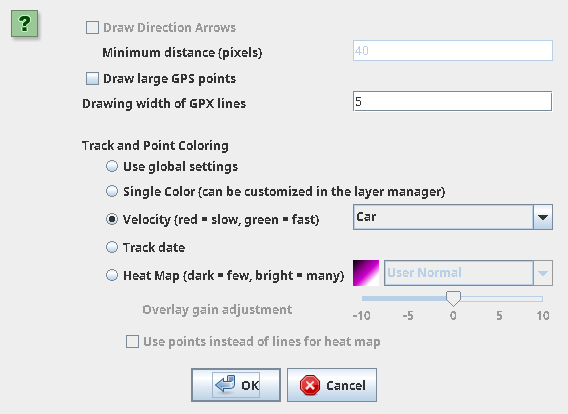
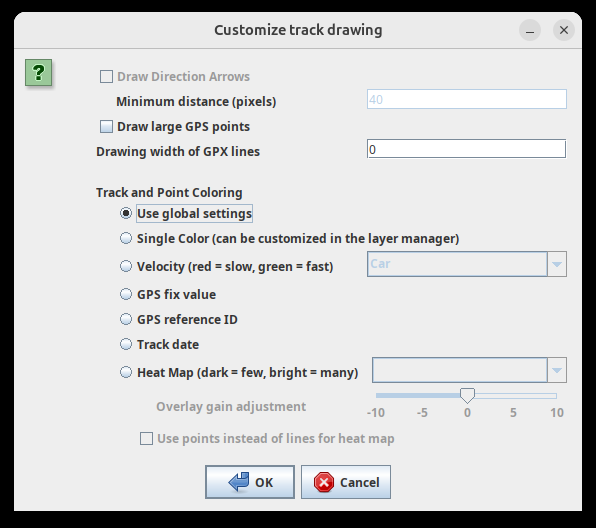
Customize track drawing for selected layer. Following three options are offered:
- Use global settings.
- Draw lines between points for this layer.
- Do not draw lines between points for this layer.
Back to GPX Layer
Back to Toggle Dialogs
Back to Main Help
Attachments (5)
-
ContextMenuGPXLayer_CustomizeLineDrawing_screenshot.png
(188.5 KB
) - added by 15 years ago.
screenschot
- 2020-08-11-205742_568x414_scrot.png (10.5 KB ) - added by 6 years ago.
- 2020-08-11-205725_568x821_scrot.png (18.7 KB ) - added by 6 years ago.
- gpx_track_drawing_basic_19405.png (42.4 KB ) - added by 15 months ago.
- gpx_track_drawing_expert_19405.png (80.7 KB ) - added by 15 months ago.
Download all attachments as: .zip
Note:
See TracWiki
for help on using the wiki.