| Version 17 (modified by , 8 years ago) ( diff ) |
|---|
Languages:
Layer > Convert To Data Layer

This feature is available for  GPX Layers and
  Marker Layers and converts gpx data into osm data.
GPX Layers
Creates a new OSM Data Layer comprising a  way for each track in the GPX data, consisting of a
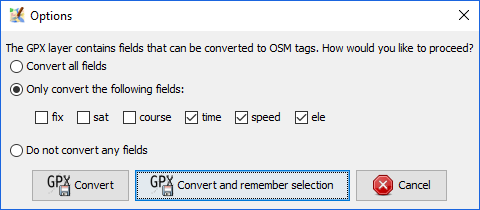
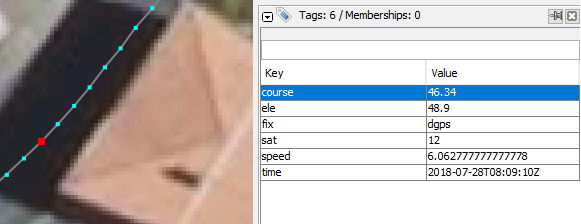
  node in sequence for each track point. Some data are extracted from each positions and converted to a tag:
| course (bearing) |
| elevation |
| fix mode |
| number of satellite used |
| speed |
| time |
If you want to use this way as a new OpenStreetMap's highway, this is very much only a starting point. You will need to split the ways up, connect them with correct topology, move nodes around, thin them out, remove the unwanted tags, tag them and so on. Never upload raw converted ways!
Marker Layers
When converting a Marker Layer the following "tags" of the marker will be converted to osm tags:
| marker tag | osm tag |
|---|---|
| name | name |
| desc | description |
| cmt | note |
| src | source |
| sym | gpxicon |
You can adjust or enhance this list by modifying the key gpx.to-osm-mapping in the advanced preferences. The key gpxicon is intended for custom icon display within JOSM, so make sure to not upload any keys which should not be part of the OSM database. (See also ticket #13717, the implementation of this feature.)
Attachments (2)
-
gpx_convert.png
(11.5 KB
) - added by 8 years ago.
from #16572
-
gpx_track_point.PNG
(24.3 KB
) - added by 8 years ago.
from #14103 by StephaneP, cutted
Download all attachments as: .zip