


Opened 6 years ago
Last modified 4 years ago
#19435 closed defect
Authentication failed dialog window remains hidden under the OAuth window — at Version 5
| Reported by: | jBeata | Owned by: | team |
|---|---|---|---|
| Priority: | normal | Milestone: | |
| Component: | Core | Version: | latest |
| Keywords: | template_report oauth semi-automatic focus | Cc: |
Description (last modified by )
What steps will reproduce the problem?
- Open JOSM
- Logg-out from JOSM
- Download OSM data and MapWithAI layer from your area of choice
- Add any missing element to OSM
- Select Upload Data Button
- Complete data upload related details - comment, source
- Select Upload Changes button
- Select OAuth -> Semi-automatic authorisation procedure
- Select Retrieve Request Token
What is the expected result?
The https://www.openstreetmap.org/oauth/authorize? with the corresponding oauth_token is opened.
What happens instead?
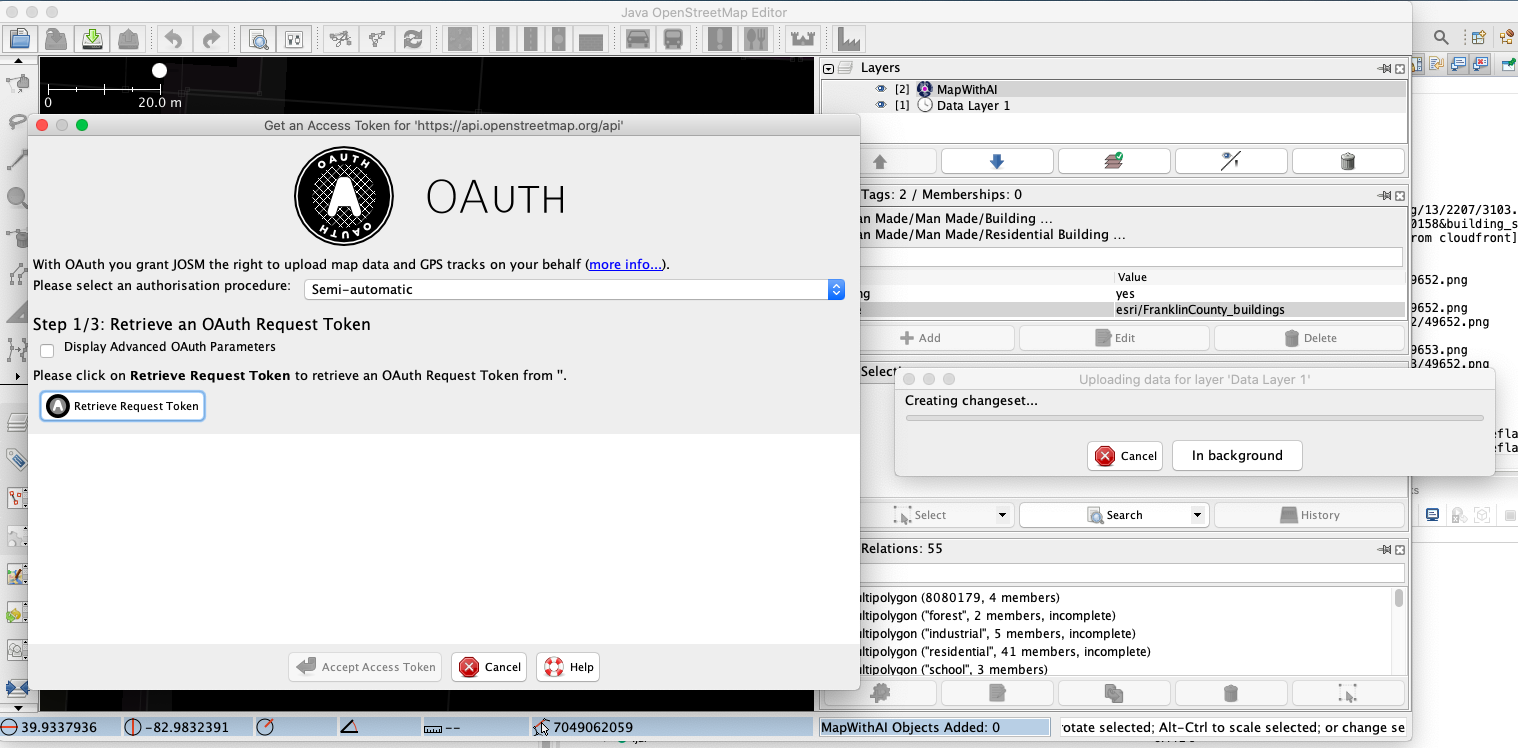
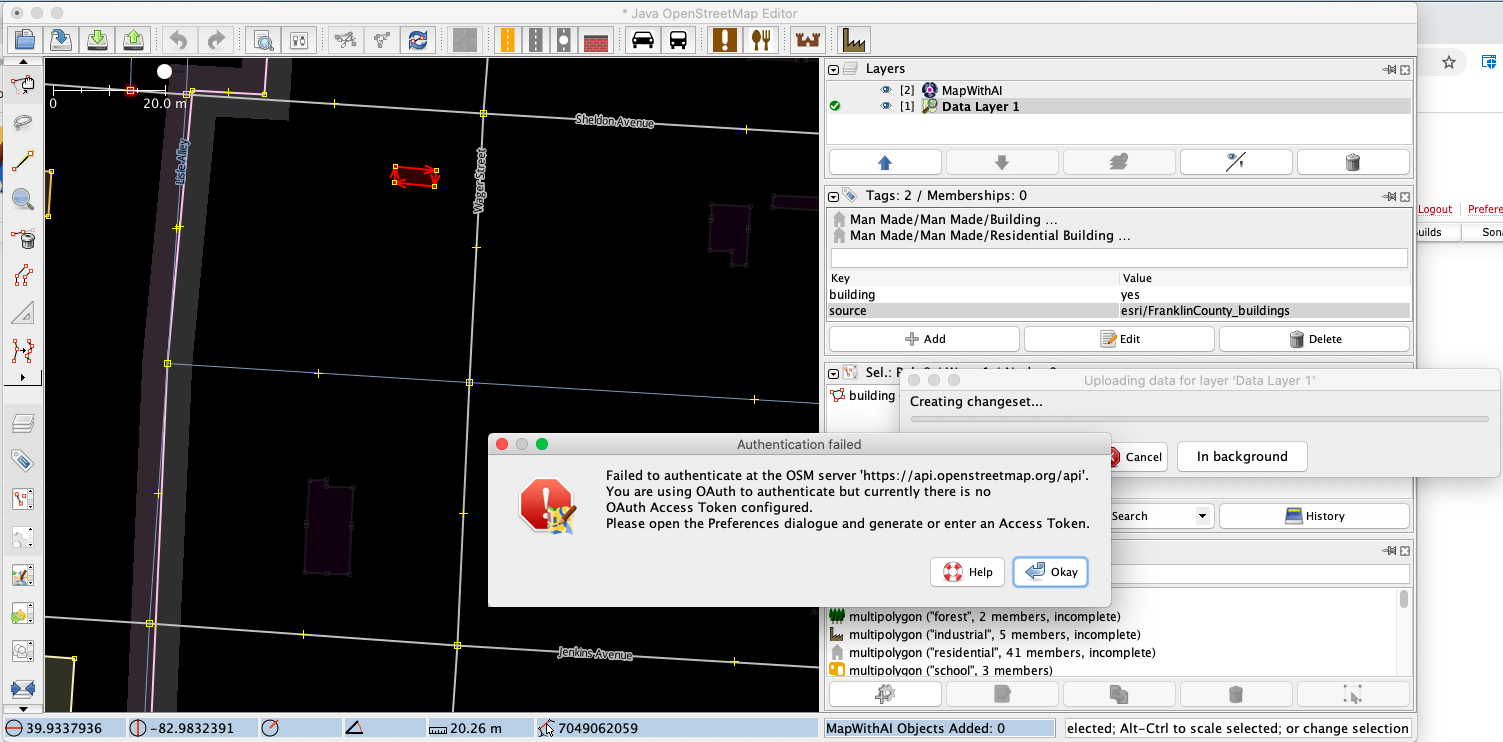
The https://www.openstreetmap.org/oauth/authorize? page is not opened, even if the Retrieve Access Token is selected several times. The "Creating changeset" dialog window changes focus for a short period of time with the OAuth window.
If you close the OAuth window the "Authentification failed" message pops-up.
Please provide any additional information below. Attach a screenshot if possible.


URL:https://josm.openstreetmap.de/svn/trunk
Repository:UUID: 0c6e7542-c601-0410-84e7-c038aed88b3b
Last:Changed Date: 2020-06-21 21:06:50 +0200 (Sun, 21 Jun 2020)
Build-Date:2020-06-22 01:30:49
Revision:16703
Relative:URL: ^/trunk

Identification: JOSM/1.5 (16703 en_GB) Mac OS X 10.15.5
OS Build number: Mac OS X 10.15.5 (19F101)
Memory Usage: 1632 MB / 3641 MB (1057 MB allocated, but free)
Java version: 1.8.0_232-b09, AdoptOpenJDK, OpenJDK 64-Bit Server VM
Look and Feel: com.apple.laf.AquaLookAndFeel
Screen: Display 188942015 1920x1080 (scaling 1.0x1.0), Display 69734662 1792x1120 (scaling 1.0x1.0)
Maximum Screen Size: 1920x1120
Best cursor sizes: 16x16 -> 16x16, 32x32 -> 32x32
VM arguments: [-ea, -Dfile.encoding=UTF-8]
Program arguments: [--debug]
Dataset consistency test: No problems found

Plugins:
+ mapwithai-dev (unknown)
+ utilsplugin2 (35487)

Map paint styles:
+ https://josm.openstreetmap.de/josmfile?page=Styles/MapWithAI&zip=1

Last errors/warnings:
- W: java.net.SocketTimeoutException: Read timed out. Cause: java.net.SocketTimeoutException: Read timed out
- W: java.net.SocketTimeoutException: Read timed out. Cause: java.net.SocketTimeoutException: Read timed out
- W: java.net.SocketTimeoutException: Read timed out. Cause: java.net.SocketTimeoutException: Read timed out
- W: java.net.SocketTimeoutException: Read timed out. Cause: java.net.SocketTimeoutException: Read timed out
- W: java.net.SocketTimeoutException: Read timed out. Cause: java.net.SocketTimeoutException: Read timed out
- W: java.net.SocketTimeoutException: Read timed out. Cause: java.net.SocketTimeoutException: Read timed out
- W: java.net.SocketTimeoutException: Read timed out
- E: org.openstreetmap.josm.io.MissingOAuthAccessTokenException
- E: Authentication failed - <html>Failed to authenticate at the OSM server 'https://api.openstreetmap.org/api'.<br>You are using OAuth to authenticate but currently there is no<br>OAuth Access Token configured.<br>Please open the Preferences dialogue and generate or enter an Access Token.</html>
Change History (7)
by , 6 years ago
| Attachment: | Screenshot 2020-06-25 at 17.58.01.png added |
|---|
comment:1 by , 6 years ago
| Description: | modified (diff) |
|---|
comment:2 by , 6 years ago
What is your login status on the OSM-Website, see #14091. I seldomly use semi-auto, these days.
comment:3 by , 6 years ago
| Description: | modified (diff) |
|---|---|
| Keywords: | oauth semi-automatic added |
| Version: | → latest |
comment:4 by , 6 years ago
| Description: | modified (diff) |
|---|
comment:5 by , 6 years ago
| Description: | modified (diff) |
|---|
Note:
See TracTickets
for help on using tickets.

Upload1