


#18720 closed enhancement (fixed)
Automatically enable "Tile zoom offset" on macOS in HiDPI mode in Java 9+
| Reported by: | Stereo | Owned by: | Don-vip |
|---|---|---|---|
| Priority: | normal | Milestone: | 20.02 |
| Component: | Core imagery | Version: | |
| Keywords: | template_report macOS hidpi tile zoom offset | Cc: |
Description (last modified by )
What steps will reproduce the problem?
- Under Imagery preferences / Tab Settings / Tiles zoom offset, set a zoom offset of 1 or 2, as described on https://josm.openstreetmap.de/wiki/Help/HiDPISupport
- Restart JOSM
- Create a new layer
- Add an imagery layer
What is the expected result?
Imagery layer is displayed in high dpi mode
What happens instead?
No visible difference
Please provide any additional information below. Attach a screenshot if possible.
See ticket, difference between the lat/lon (good) and the imagery (bad)

URL:https://josm.openstreetmap.de/svn/trunk
Repository:UUID: 0c6e7542-c601-0410-84e7-c038aed88b3b
Last:Changed Date: 2020-02-01 01:10:57 +0100 (Sat, 01 Feb 2020)
Build-Date:2020-02-01 00:12:46
Revision:15806
Relative:URL: ^/trunk

Identification: JOSM/1.5 (15806 en_GB) Mac OS X 10.15.2
OS Build number: Mac OS X 10.15.2 (19C57)
Memory Usage: 886 MB / 1820 MB (527 MB allocated, but free)
Java version: 1.8.0_241-b07, Oracle Corporation, Java HotSpot(TM) 64-Bit Server VM
Screen: Display 69733632 1680x1050
Maximum Screen Size: 1680x1050
VM arguments: [-Djava.library.path=/Applications/JOSM.app/Contents/MacOS, -DLibraryDirectory=${HOME}/Library, -DDocumentsDirectory=${HOME}/Documents, -DApplicationSupportDirectory=${HOME}/Library/Application Support, -DCachesDirectory=${HOME}/Library/Caches, -DApplicationDirectory=${HOME}/Applications, -DAutosavedInformationDirectory=${HOME}/Library/Autosave Information, -DDesktopDirectory=${HOME}/Desktop, -DDownloadsDirectory=${HOME}/Downloads, -DMoviesDirectory=${HOME}/Movies, -DMusicDirectory=${HOME}/Music, -DPicturesDirectory=${HOME}/Pictures, -DSharedPublicDirectory=${HOME}/Public, -DSystemLibraryDirectory=/Library, -DSystemApplicationSupportDirectory=/Library/Application Support, -DSystemCachesDirectory=/Library/Caches, -DSystemApplicationDirectory=/Applications, -DSystemUserDirectory=/Users, -DUserHome=${HOME}, -DSandboxEnabled=true, -DLaunchModifierFlags=0, -DLaunchModifierFlagCapsLock=false, -DLaunchModifierFlagShift=false, -DLaunchModifierFlagControl=false, -DLaunchModifierFlagOption=false, -DLaunchModifierFlagCommand=false, -DLaunchModifierFlagNumericPad=false, -DLaunchModifierFlagHelp=false, -DLaunchModifierFlagFunction=false, -Dapple.laf.useScreenMenuBar=true, -Dcom.apple.macos.use-file-dialog-packages=true, -Dcom.apple.macos.useScreenMenuBar=true, -Dcom.apple.mrj.application.apple.menu.about.name=JOSM, -Dcom.apple.smallTabs=true]
Dataset consistency test: No problems found

Plugins:
+ AddrInterpolation (35248)
+ CommandLine (35297)
+ ImportImagePlugin (35248)
+ Mapillary (1.5.20)
+ MovementAlert (1511141840)
+ OpeningHoursEditor (35250)
+ PicLayer (35313)
+ ShapeTools (1240)
+ alignways (35248)
+ apache-commons (35092)
+ apache-http (35092)
+ areaselector (359)
+ austriaaddresshelper (57)
+ buildings_tools (35248)
+ changeset-viewer (22)
+ conflation (0.6.4)
+ continuosDownload (91)
+ contourmerge (v0.1.6)
+ ejml (35122)
+ geotools (35169)
+ jaxb (35092)
+ jna (35092)
+ jogl (1.2.3)
+ jts (35122)
+ log4j (35092)
+ opendata (35313)
+ openqa (0.1.9)
+ public_transport (35313)
+ reltoolbox (35313)
+ reverter (35313)
+ rex (53)
+ splinex (35248)
+ terracer (35325)
+ todo (30306)
+ turnrestrictions (35313)
+ undelete (35313)
+ utilsplugin2 (35248)
+ wikipedia (1.1.3)

Tagging presets:
+ https://josm.openstreetmap.de/josmfile?page=Presets/NewTags&zip=1
+ https://josm.openstreetmap.de/josmfile?page=Presets/BicycleJunction&preset&zip=1
+ http://osmtools.de/josm/steps.xml
+ https://josm.openstreetmap.de/josmfile?page=Presets/Historic_Stone&zip=1
+ https://josm.openstreetmap.de/josmfile?page=Presets/LaneAttributes&preset&zip=1
+ https://josm.openstreetmap.de/josmfile?page=Presets/Towers&zip=1
+ https://josm.openstreetmap.de/josmfile?page=Presets/Golf_Course&zip=1
+ https://josm.openstreetmap.de/josmfile?page=Presets/PublicTransportOneClick&zip=1
+ https://josm.openstreetmap.de/josmfile?page=Presets/Bus_lanes&zip=1
+ https://josm.openstreetmap.de/josmfile?page=Presets/Heritage&zip=1
+ https://josm.openstreetmap.de/josmfile?page=Presets/Historical_Objects&zip=1
+ https://josm.openstreetmap.de/josmfile?page=Presets/public_bookcase&zip=1
+ https://josm.openstreetmap.de/josmfile?page=Presets/Stolpersteine&zip=1
+ https://josm.openstreetmap.de/josmfile?page=Presets/BuildingPreset&zip=1
+ https://gitlab.com/k127/josm-presets/raw/master/diplomatic.xml

Map paint styles:
- https://josm.openstreetmap.de/josmfile?page=Styles/Lit&style&zip=1
- https://josm.openstreetmap.de/josmfile?page=Styles/ParkingLanes&style&zip=1
- https://josm.openstreetmap.de/josmfile?page=Styles/Surface&style&zip=1
- https://josm.openstreetmap.de/josmfile?page=Styles/Maxspeed&style&zip=1
- https://josm.openstreetmap.de/josmfile?page=Styles/Modified&style&zip=1
- https://josm.openstreetmap.de/josmfile?page=Styles/LessObtrusiveNodes&style&zip=1
- https://josm.openstreetmap.de/josmfile?page=Styles/AddressValidator&style&zip=1
- https://josm.openstreetmap.de/josmfile?page=Styles/Noname&style&zip=1
- https://josm.openstreetmap.de/josmfile?page=Styles/Power&style&zip=1
- https://josm.openstreetmap.de/josmfile?page=Styles/Surface-DataEntry&style&zip=1
- https://josm.openstreetmap.de/josmfile?page=Styles/PowerMapping&style&zip=1
- https://josm.openstreetmap.de/josmfile?page=Styles/Lane_and_Road_Attributes&zip=1
- https://josm.openstreetmap.de/josmfile?page=Styles/BesideTheRoad_Speed&zip=1
- https://josm.openstreetmap.de/josmfile?page=Styles/TreeCrownDiameter&style&zip=1
- https://josm.openstreetmap.de/josmfile?page=Styles/SlovakiaBicycleRoutes&style&zip=1
- https://github.com/simon04/coloured-addresses.mapcss/raw/master/dist/coloured-addresses.mapcss
- https://josm.openstreetmap.de/josmfile?page=Styles/Coloured_Streets&style&zip=1
- https://josm.openstreetmap.de/josmfile?page=Styles/Coloured_Suburb&style&zip=1
- https://josm.openstreetmap.de/josmfile?page=Styles/Cycleways&style&zip=1
- https://josm.openstreetmap.de/josmfile?page=Styles/SlovakiaBicycleRoutes&style&zip=1
- https://github.com/GlassOceanos/indoor-JOSM-style/archive/master.zip
- https://josm.openstreetmap.de/josmfile?page=Styles/PublicTransport&zip=1
- https://josm.openstreetmap.de/josmfile?page=Styles/PTStops&zip=1
- https://josm.openstreetmap.de/josmfile?page=Styles/SlovakiaBicycleRoutes&zip=1
- https://josm.openstreetmap.de/josmfile?page=Styles/SimpleRoofTags&zip=1
- https://josm.openstreetmap.de/josmfile?page=Styles/SimpleBuildingTags&zip=1
- https://josm.openstreetmap.de/josmfile?page=Styles/HiDPISupport&zip=1
- https://josm.openstreetmap.de/josmfile?page=Styles/NumberedCycleNodeNetworks&zip=1
- https://josm.openstreetmap.de/josmfile?page=Styles/NumberedWalkingNodeNetworks&zip=1
- https://josm.openstreetmap.de/josmfile?page=Styles/AddressValidator&zip=1
- https://josm.openstreetmap.de/josmfile?page=Styles/NewHighwayColors&zip=1
- https://josm.openstreetmap.de/josmfile?page=Styles/Noname&zip=1

Validator rules:
+ http://www.openrailwaymap.org/validator/openrailwaymap.validator.mapcss
+ https://josm.openstreetmap.de/josmfile?page=Rules/GermanySpecific&zip=1
+ http://www.openrailwaymap.org/validator/de-openrailwaymap.validator.mapcss
+ https://josm.openstreetmap.de/josmfile?page=Rules/MissingWeekdays&zip=1
+ https://raw.githubusercontent.com/nlehuby/transport_mapcss/master/transport.validator.mapcss

Last errors/warnings:
- W: Not a single layer for the name 'Bing Sat': []
- W: No configuration settings found.  Using hardcoded default values for all pools.
- W: Warning: Failed to scan file 'fr.datagouvfr.jar' for module information. Skipping.
Attachments (6)
Change History (23)
by , 7 years ago
| Attachment: | Screenshot 2020-02-16 at 13.45.13.png added |
|---|
comment:1 by , 7 years ago
| Description: | modified (diff) |
|---|
comment:2 by , 7 years ago
Do you get the same behaviour with Java 13? https://adoptopenjdk.net/?variant=openjdk13&jvmVariant=hotspot
comment:3 by , 7 years ago
| Component: | Core → Core imagery |
|---|---|
| Keywords: | hidpi added |
comment:4 by , 7 years ago
| Keywords: | javabug added |
|---|---|
| Resolution: | → invalid |
| Status: | new → closed |
Thanks, after installing adoptopenjdk from homebrew it looks a lot better!
comment:5 by , 7 years ago
| Keywords: | javabug removed |
|---|---|
| Resolution: | invalid |
| Status: | closed → reopened |
| Summary: | "Tile zoom offset" doesn't have any effect on macOS in HiDPI mode → Automatically enable "Tile zoom offset" on macOS in HiDPI mode in Java 13 |
In fact, it looks so good that I think JOSM should warn macOS users if they're still using Java 8, and zoom offset should be set automatically using the method described in https://stackoverflow.com/questions/20767708/how-do-you-detect-a-retina-display-in-java
comment:6 by , 7 years ago
Can you please share a screenshot with OpenJDK13, with and without the parameter enabled?
by , 7 years ago
| Attachment: | Screenshot 2020-02-19 at 12.02.20.jpg added |
|---|
Java 13 great text and way rendering
by , 7 years ago
| Attachment: | Screenshot 2020-02-19 at 12.02.20.2.jpg added |
|---|
Text/line rendering on Java 13
comment:7 by , 7 years ago
Here's Java 8.
Here's java 13 no overzoom, at roughly the same position. Imagery quality is the same. The overall rendering is already a lot better - compare the changeset button in the left toolbar in java 8 and 13, or the attribution text, for example.

This is Java 13 with overzoom set to 2 (I have no idea what the 'right' scale factor is for my display and resolution):

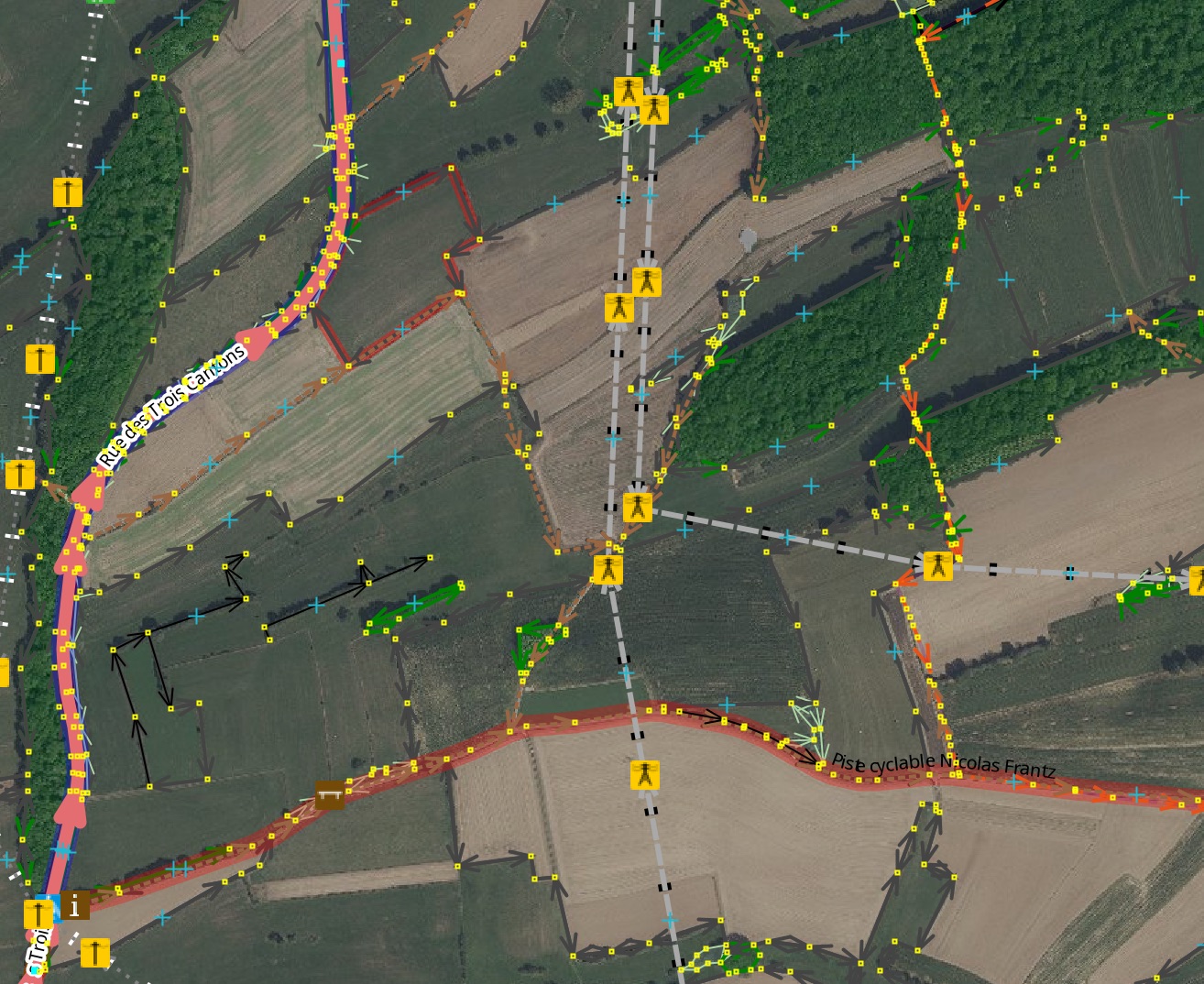
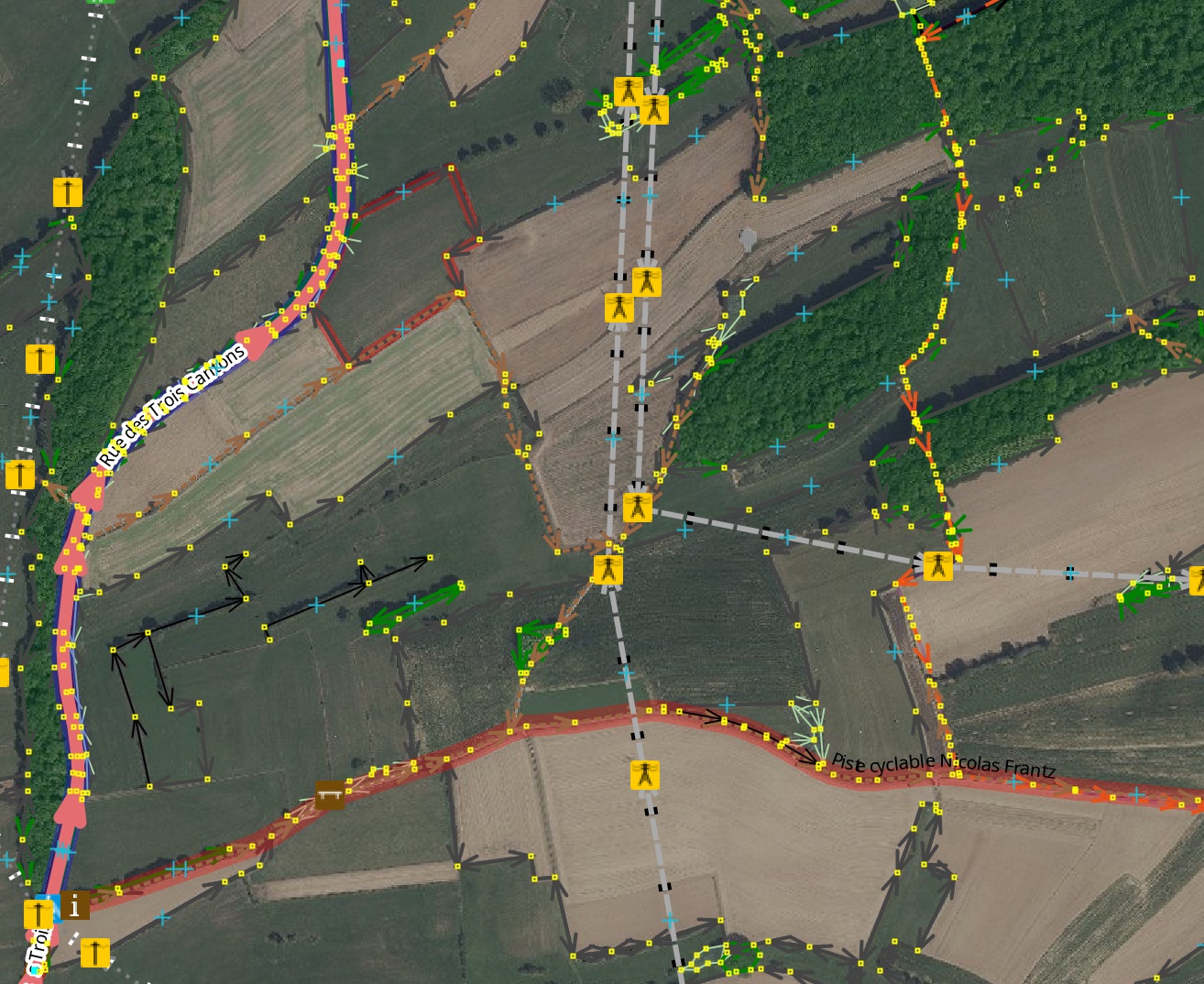
Text and line drawing looks a lot better on Java 13. I don't have a Java 8 screenshot and never want to reinstall it, so you'll just have to take my word for it :). This is the Potlatch style, which really shows off the quality of the text rendering. In Java 8, everything looked like that power tower icon.

I really, really, really like it.
comment:8 by , 7 years ago
| Milestone: | → 20.03 |
|---|---|
| Owner: | changed from to |
| Status: | reopened → new |
comment:9 by , 7 years ago
| Keywords: | tile zoom offset added |
|---|---|
| Type: | defect → enhancement |
comment:10 by , 7 years ago
| Summary: | Automatically enable "Tile zoom offset" on macOS in HiDPI mode in Java 13 → Automatically enable "Tile zoom offset" on macOS in HiDPI mode in Java 9+ |
|---|
comment:14 by , 7 years ago
| Milestone: | 20.03 → 20.02 |
|---|
by , 6 years ago
| Attachment: | default-zoom-offset-based-on-HiDPISupport.patch added |
|---|
Patch for setting the default zoom offset based on HiDPISupport class.
comment:15 by , 6 years ago
May I suggest to use the existing HiDPI infrastructure in the code, instead of adding PlatformHook.isHighDpiDisplay()?
In addition, always setting a zoom offset of 2 whenever the scaling is not exactly identity, falls short in many cases. See the attached patch for my suggested solution.
comment:16 by , 6 years ago
@johsin18, since ticket is assigned to the already finished milestone 20.02, please open a separate ticket. This allows to correctly assign improvements to the associated releases. Thanks!

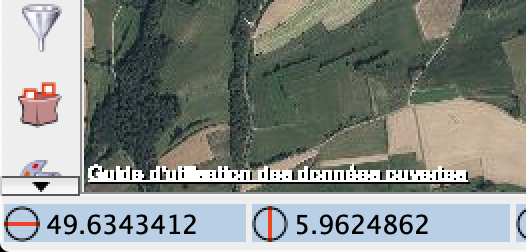
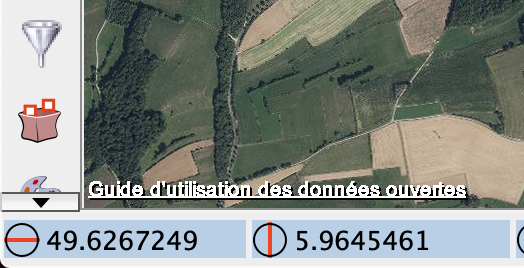


Screenshot showing lat/lon text (good) and imagery (big pixels)