


#17548 closed defect (worksforme)
font-size not working at node image
| Reported by: | Allroads | Owned by: | Allroads |
|---|---|---|---|
| Priority: | normal | Milestone: | |
| Component: | Core mappaint | Version: | tested |
| Keywords: | mapcss | Cc: |
Description (last modified by )

text: "maxheight";
text-color: #ff0000;
text-halo-color: #262626;
text-halo-opacity: 0.8 ;
text-halo-radius: 1.5;
text-anchor-horizontal: center;
text-anchor-vertical: below;
/* NO MAXHEIGHT height_restrictor, */
node|z18-["barrier"="height_restrictor"][!maxheight]{
text: tr("?");
font-size: 25;
text-color: #ffff00;
I can not make the text-size bigger.
This is on JOSM zoom level 25.
Thanks, for looking into it.
Attachments (1)
Change History (10)
by , 7 years ago
| Attachment: | fontsize.JPG added |
|---|
comment:1 by , 7 years ago
| Description: | modified (diff) |
|---|
comment:2 by , 7 years ago
| Owner: | changed from to |
|---|---|
| Status: | new → needinfo |
comment:3 by , 7 years ago
Then I have to investigate further.
The style I have only on my PC, with this section in it as development style.
Thanks.
comment:4 by , 7 years ago
You may also check the java console. When you save your local file and josm reloads it automatically it prints e.g. 2019-04-01 22:37:23.789 INFORMATION: Source new icons3 has been modified. Reloading it... in the console. If there are systanx errors in your style you will get a error message there.
comment:5 by , 7 years ago
| Description: | modified (diff) |
|---|
comment:6 by , 7 years ago
| Keywords: | mapcss added; mappaint removed |
|---|
comment:7 by , 7 years ago
I am working on the ROAD EXTENDED style
To see hints, what is tagged on the road way line.
[
http://mijndev.openstreetmap.nl/~allroads/JOSM/Styles/Road_Extended_JOSM_style.zip link zipfile]
still under construction
and legend on JOSM zoomlevel 25-26
There are other very nice styles, mostly full screen present, but I wanted hints, be careful to move a node, because we do not read the tag membership first, that well on the left and right of that node.
I put in extended parts in the elementstyle (default) JOSM.(Deleted, modified some)
comment:8 by , 7 years ago
| Resolution: | → worksforme |
|---|---|
| Status: | needinfo → closed |
comment:9 by , 7 years ago
Still working on it, alternative I used a text layer. Then it worked. But did not find the clue yet, without it.
Good your closed it!

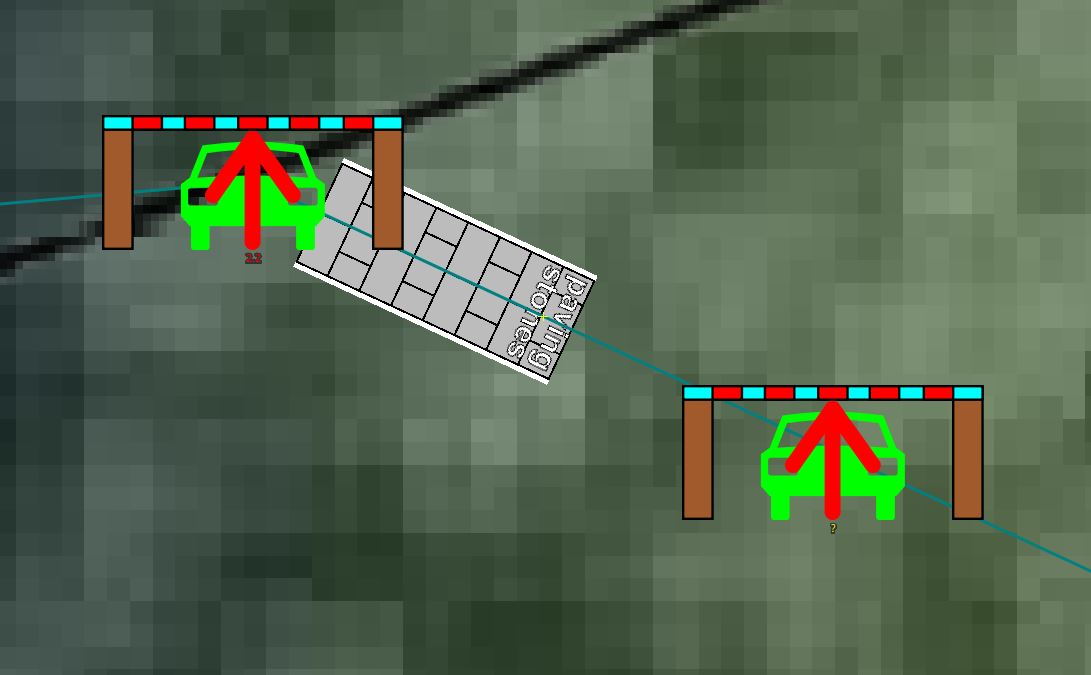
Works for me with the code snippets.
Attach your complete style and a sample osm file if further investigation is required. Also check other active styles and the order of your styles in your list of styles. An active style lower in the list will override a style higher in the list.