| Version 3 (modified by , 15 years ago) ( diff ) |
|---|
Languages:
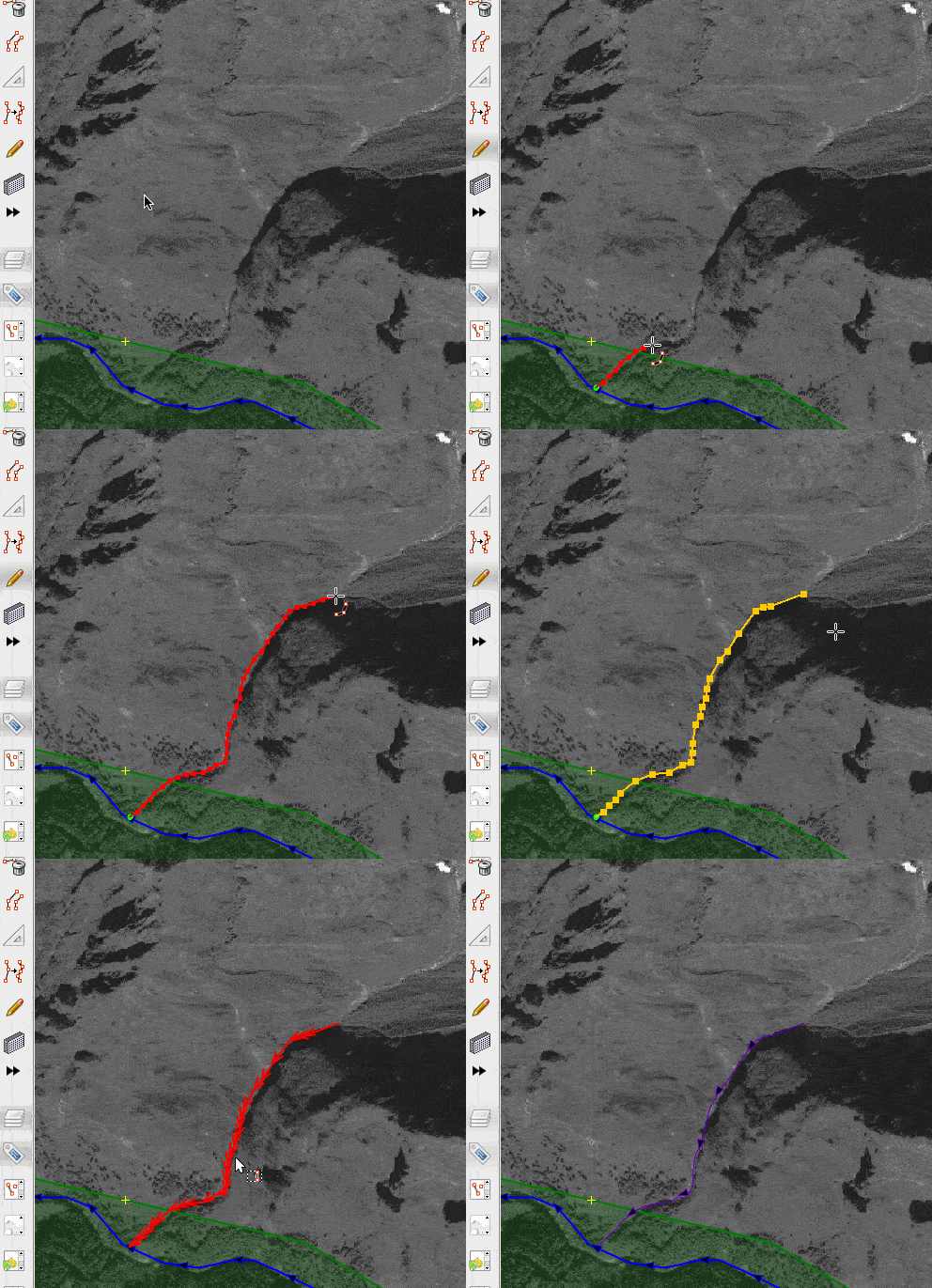
Fast Draw - creating lines with mouse or pen
Main area of usage - tracing forests, rivers, lakes, twisted roads etc. without too much clicking. It is a specialized alternative to standard drawing tool (A).
Plugin is in testing phase, you can add ticket with bug or enhancement at http://josm.openstreetmap.de/newticket.
Please use simplification and validator! Do not upload huge and self-intersecting lines.
Usage:
1) Enter the drawing mode (Shift-F or Pen toolbar icon)
2) Draw a line by mouse
3) Press enter. Line is simplified to reduce number of nodes. Tune simplification by pressing Up/Down buttons repeatedly.
4) Press enter again. Line (Way) is created and selected.
Drawing: 1) Use left mouse button clicks or drags to create draft contour.
2) Ctrl-Click adds fixed point that will not be affected by simplification. Use it for corners etc.
3) When dragging over existing nodes, they are included in new line automatically.
4) Clicking on the first point makes the line closed (no more adding points).
Editing in drawing mode:
1) Backspace - delete last added node, then previous etc.
2) Ctrl-Shift-Click - clears the scetch and start new one.
3) Ctrl-Click on fixed node makes it free, Ctrl-Click on free node makes it fixed (see marks).
4) Shift-Click - delete selected node (marked by red X) or selected fragment. Fragment is a line between two fixed nodes.
5) After deletion of the fragment you can redraw it by mouse from the beginning to the end (active segment marked orange).
6) To stop editing fragment Shift-Click on free area or press Escape.
Attachments (2)
-
fastdraw-stream.gif
(240.9 KB
) - added by 10 years ago.
https://github.com/mapbox/mapping/wiki/Mapping%20with%20JOSM#plugins https://github.com/mapbox/mapping/issues/162
-
fastdraw-q-settings.png
(12.9 KB
) - added by 10 years ago.
https://github.com/mapbox/mapping/wiki/Mapping%20with%20JOSM#plugins https://github.com/mapbox/mapping/issues/162
Download all attachments as: .zip