


| Version 2 (modified by , 7 years ago) ( diff ) |
|---|
Languages:
File > Download along
 Keyboard shortcut:
 Alt+Shift+D
Download from OSM along selected ways
This action will download data inside a certain corridor along the Selection.
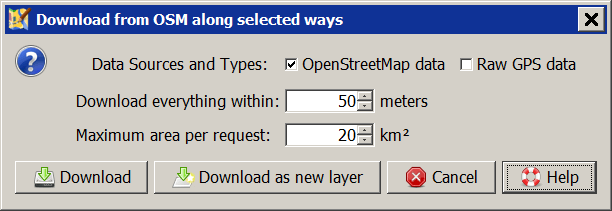
Available are OpenStreetMap data (objects, no nodes) and Raw GPS data from GPX tracks. Source of the data is an OSM API server.
The Download everything within value sets the minimal distance to both sides of the way. The default of 50 m will give a corridor width of 100 m.
The Maximum area per request size affects the amount of objects being downloaded. The default of 20 km² may result that all objects up to a distance of ~2,100 meters are downloaded.
See also


Attachments (1)
- scrDownloadAlongWayAction.png (8.8 KB ) - added by 7 years ago.
Download all attachments as: .zip
Note:
See TracWiki
for help on using the wiki.

