


Opened 4 years ago
Closed 4 years ago
#22754 closed defect (duplicate)
Ignoring Validation results doesn't work for some classes of bugs?
| Reported by: | mnalis | Owned by: | mnalis |
|---|---|---|---|
| Priority: | normal | Milestone: | |
| Component: | Core validator | Version: | tested |
| Keywords: | template_report ignore list | Cc: |
Description
What steps will reproduce the problem?
- start uploading of data which has some validation errors (like "Way end near other highway")
- notice validation errors and cancel
- ignore some of the errors
- start uploading of data again
What is the expected result?
All the elements which where manually ignored by clicking on "Ignore" button in "Validation results" pane will not show up as validation errors again.
What happens instead?
Some of them correctly disappear, but some of them will reappear again, like they were never ignored.
Please provide any additional information below. Attach a screenshot if possible.
This has been happening for a long time... Selecting whole group and clicking ignore "whole group" correctly ignores whole group. It seems that it happens only for some classes of bugs while other classes work fine (but I could be wrong and that might be random instead)
Relative:URL: ^/trunk
Repository:UUID: 0c6e7542-c601-0410-84e7-c038aed88b3b
Last:Changed Date: 2023-01-29 21:53:34 +0100 (Sun, 29 Jan 2023)
Revision:18646
Build-Date:2023-01-30 02:30:56
URL:https://josm.openstreetmap.de/svn/trunk

Identification: JOSM/1.5 (18646 en) Linux Debian GNU/Linux 11 (bullseye)
Memory Usage: 1674 MB / 2988 MB (489 MB allocated, but free)
Java version: 11.0.18+10-post-Debian-1deb11u1, Debian, OpenJDK 64-Bit Server VM
Look and Feel: javax.swing.plaf.metal.MetalLookAndFeel
Screen: :0.0 1920×1080 (scaling 1.00×1.00)
Maximum Screen Size: 1920×1080
Best cursor sizes: 16×16→16×16, 32×32→32×32
Environment variable LANG: hr_HR.UTF-8
System property file.encoding: UTF-8
System property sun.jnu.encoding: UTF-8
Locale info: en_US
Numbers with default locale: 1234567890 -> 1234567890
Desktop environment: ICEWM
Java package: openjdk-11-jre:amd64-11.0.18+10-1~deb11u1
libcommons-compress-java: libcommons-compress-java:-
fonts-noto: fonts-noto:all-20201225-1
liboauth-signpost-java: liboauth-signpost-java:-
Program arguments: [2023-02-18_08-38_Sat bic Jakovlje.gpx]
Dataset consistency test: No problems found

Plugins:
+ DirectUpload (35951)
+ FixAddresses (36011)
+ PicLayer (1.0.2)
+ apache-commons (36034)
+ apache-http (35924)
+ buildings_tools (36011)
+ conflation (0.6.9)
+ ext_tools (35893)
+ imagery_offset_db (35978)
+ jna (36005)
+ jts (36004)
+ openqa (v0.3.3)
+ pt_assistant (1ff2e15)
+ reverter (36043)
+ todo (30306)
+ turnrestrictions (36011)
+ utilsplugin2 (36011)
+ wikipedia (605)

Tagging presets:
+ https://<user.name>.com/prezentacije/OpenStreetMap/josm-preset.xml
+ https://raw.githubusercontent.com/OpenNauticalChart/josm/master/INT-1-preset.xml

Map paint styles:
- https://josm.openstreetmap.de/josmfile?page=Styles/PublicTransport&zip=1
+ http://bezdomni.net/Styles_HighlightedCapesBays-style.mapcss
+ https://josm.openstreetmap.de/josmfile?page=Styles/ColorWays&zip=1
- https://josm.openstreetmap.de/josmfile?page=Styles/Coloured_Streets&zip=1
- https://josm.openstreetmap.de/josmfile?page=Styles/Fixme&zip=1
- https://josm.openstreetmap.de/josmfile?page=Styles/Modified&zip=1

Validator rules:
+ https://josm.openstreetmap.de/josmfile?page=Rules/KeepRight&zip=1
+ https://josm.openstreetmap.de/josmfile?page=Rules/QAToolInspiredValidations&zip=1
+ https://josm.openstreetmap.de/josmfile?page=Rules/OSMLint&zip=1
+ https://josm.openstreetmap.de/josmfile?page=Rules/MissingWeekdays&zip=1
+ https://josm.openstreetmap.de/josmfile?page=Rules/SourceObjectTag&zip=1
+ https://josm.openstreetmap.de/josmfile?page=Rules/IndoorRules&zip=1

Last errors/warnings:
- 00004.956 E: Failed to locate image 'bus.png'
- 00799.004 W: java.net.SocketTimeoutException: Read timed out
- 03066.485 W: java.net.SocketTimeoutException: Read timed out
- 04479.392 W: java.net.SocketTimeoutException: Read timed out
- 05562.167 W: java.net.SocketTimeoutException: Read timed out
Attachments (4)
Change History (9)
by , 4 years ago
by , 4 years ago
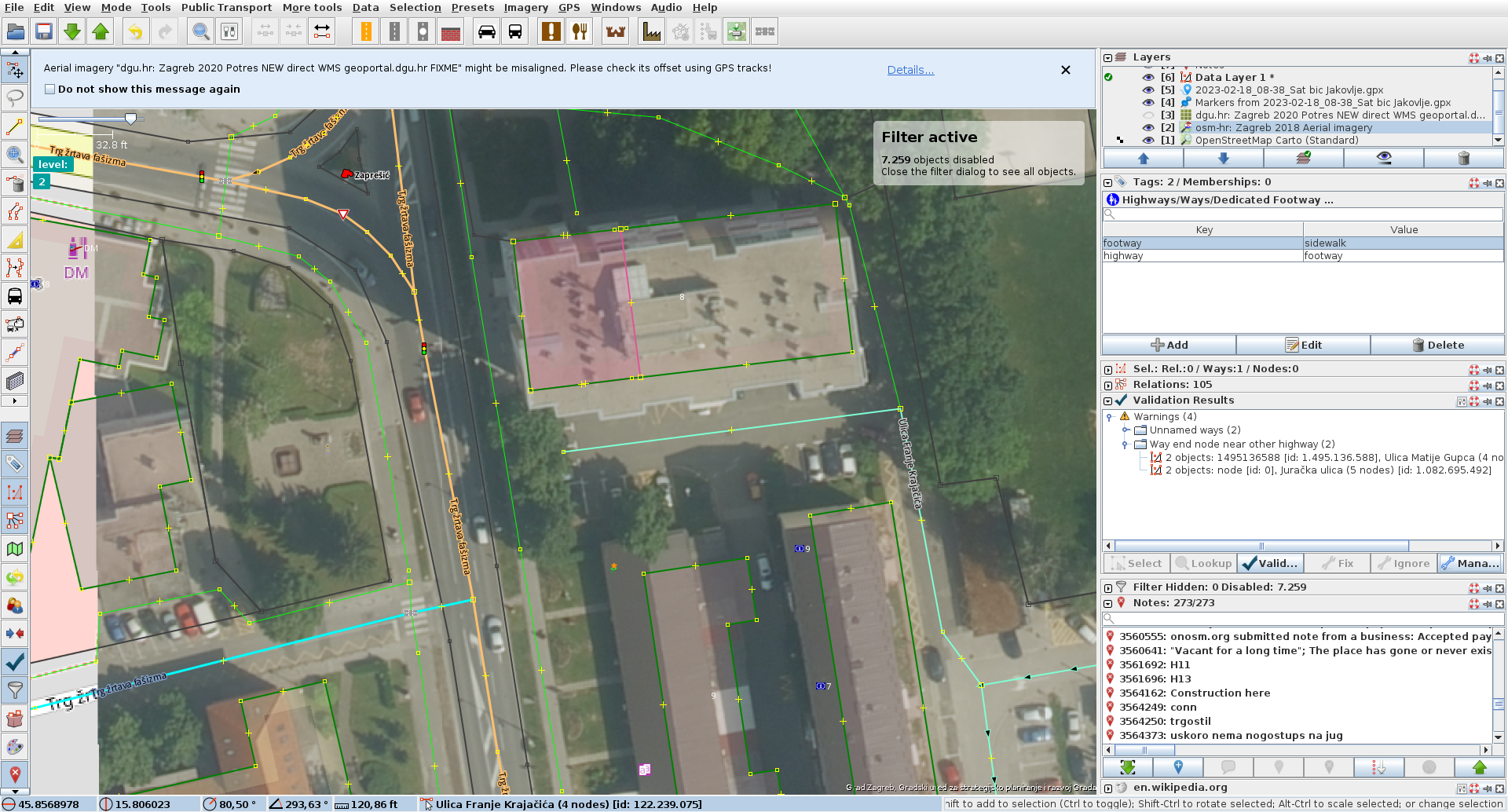
step 2: manually ignoring individual errors reduces number of warnings to 4
by , 4 years ago
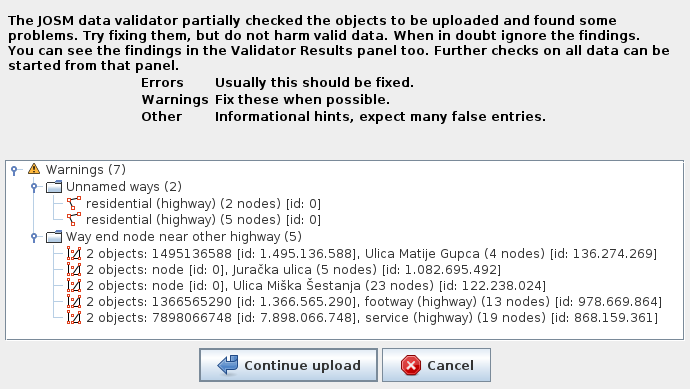
step 3: clicking upload again re-enabled those ignored warnings
by , 4 years ago
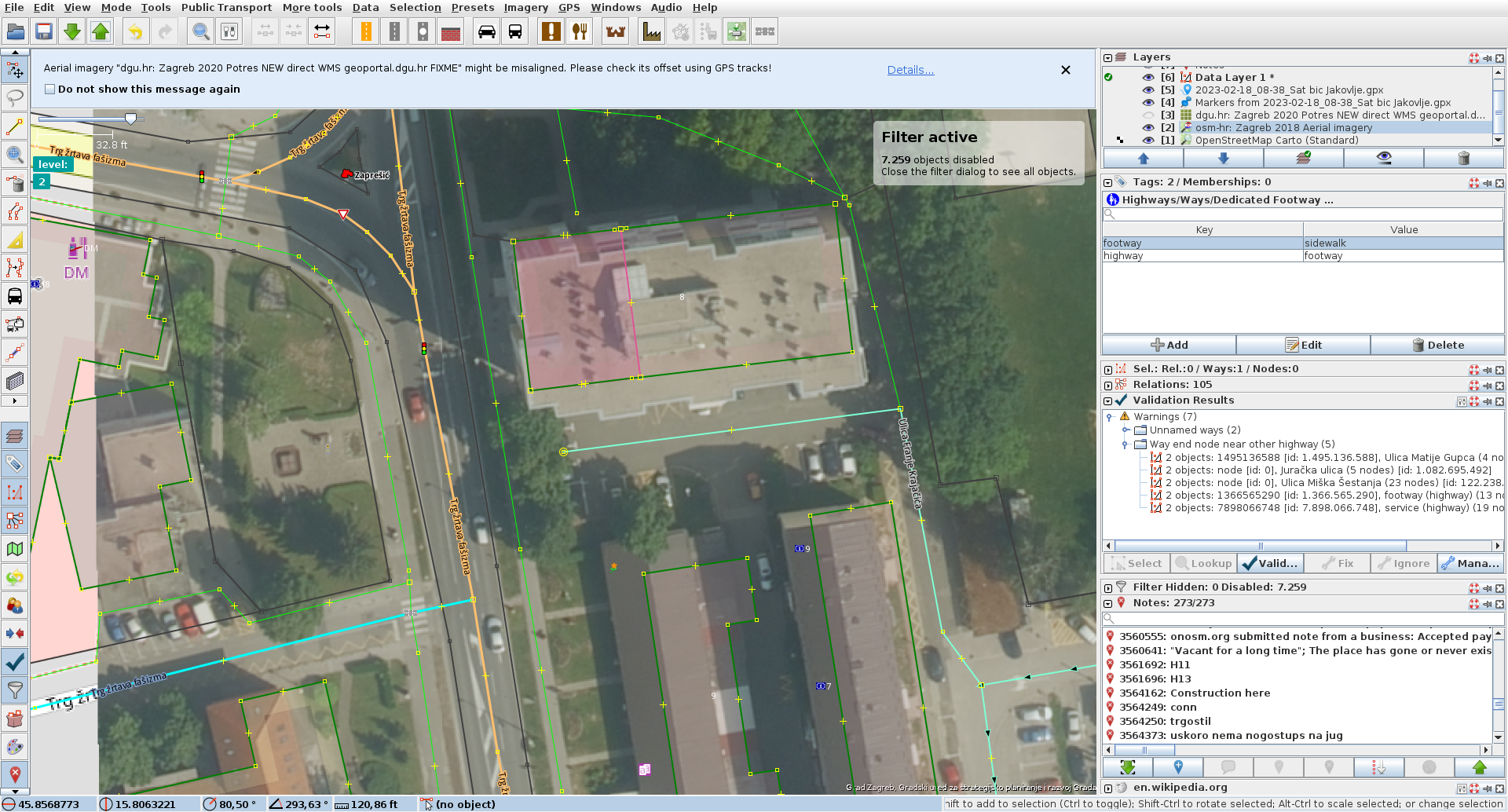
step 4: ater canceling upload, all 7 warnings are now back again
comment:1 by , 4 years ago
| Component: | Core → Core validator |
|---|---|
| Keywords: | ignore list added |
comment:2 by , 4 years ago
| Owner: | changed from to |
|---|---|
| Status: | new → needinfo |
| Version: | → tested |
Well, new objects (id:0) cannot be added to the ignore list. If you find an object with positive id, please, report the object's id and the warning, which can be copied from validator list with Ctrl+C, thanks.
comment:3 by , 4 years ago
Thanks for information about id:0 notes, @skyper, that is unfortunate but makes sense.
However, if you compare picture josm2.png (only 2 elements remain after ignoring) and josm4.png (when ignored elements are restored) you'll see that not only id:0, but also id:1.366.565.290 and id:7.898.066.748 got restored after they were ignored.
I'll get ctrl+c info too when I stumble upon the problem next time.
comment:4 by , 4 years ago
Ok, here is simple reproducable example. I load node 1366565290, and move it just a little.
Attempting to upload it produces Way end node near other highway warning.
I click on it in Validation Results pane, and click ignore, and it is gone from the list.
However clicking upload brings it up as a validation warning again.
Clicking on the warning, and then ctrl+c, copy buffer contains this:
TestError [tester=org.openstreetmap.josm.data.validation.tests.UnconnectedWays$UnconnectedHighways@a9702b, unique code=-1765317246, code=1311, message=Way end node near other highway]
The same thing happens if I click on the group and choose to ignore Whole group - it still pops up anyway on re-upload in this case. (although I seem to remember ignoring whole group did help in some examples I've had before). The ctrl-c message remains always the same.
hope this helps.
comment:5 by , 4 years ago
| Resolution: | → duplicate |
|---|---|
| Status: | needinfo → closed |
Closed as duplicate of #22712.
Thanks, the negative unique code is the problem but should already be fixed in latest.


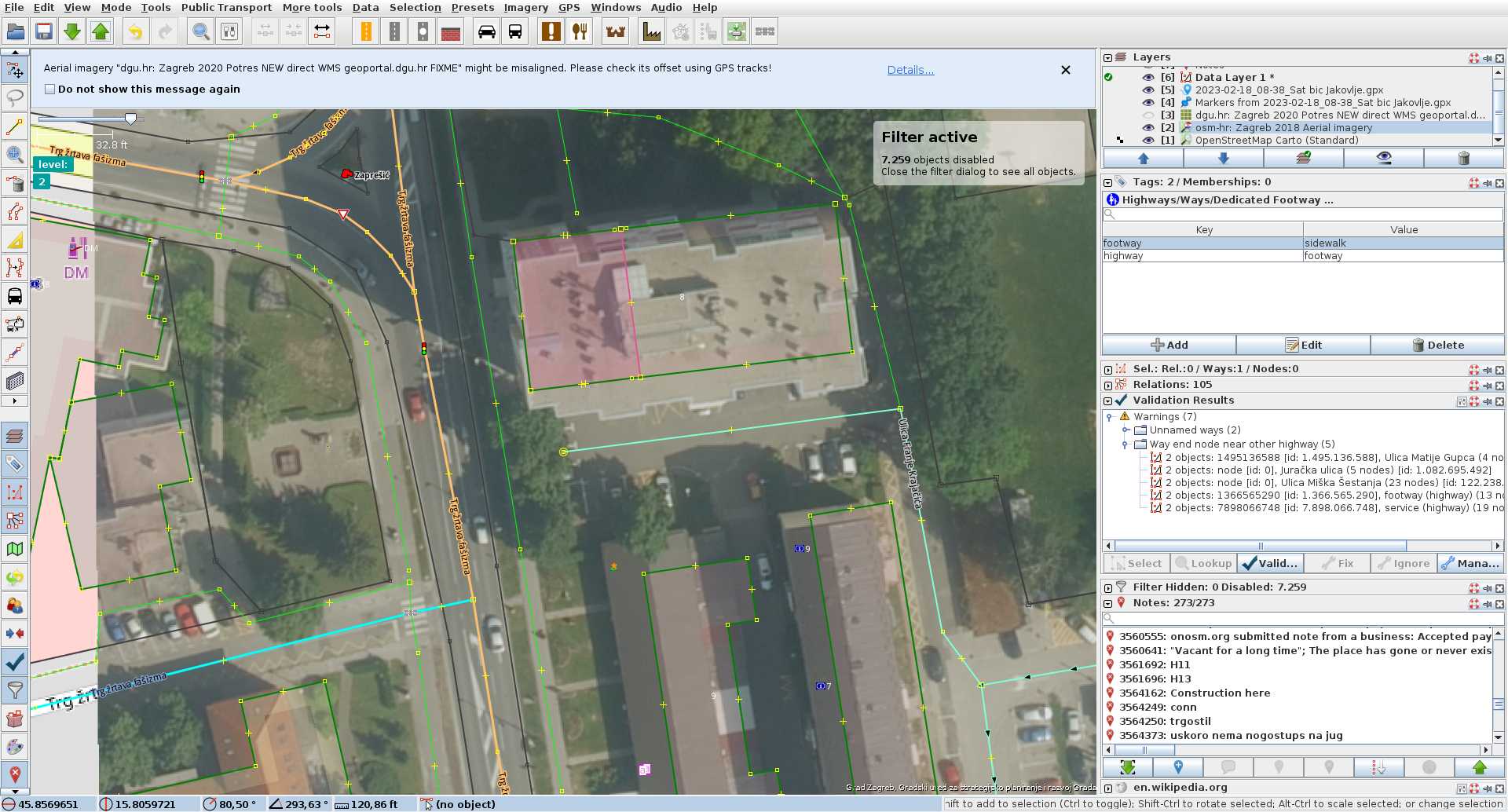



step1: 7 warnings after first aborted upload attempt