


Opened 6 years ago
Last modified 6 years ago
#19703 new defect
HiDPI issues (Windows) — at Version 11
| Reported by: | Klumbumbus | Owned by: | team |
|---|---|---|---|
| Priority: | normal | Milestone: | |
| Component: | Core | Version: | |
| Keywords: | template_report hidpi | Cc: |
Description (last modified by )
I tried Java 14 on 4k TV and noticed some small problems:
- The JOSM logo in the windows titlebars and the task bar is pixelated
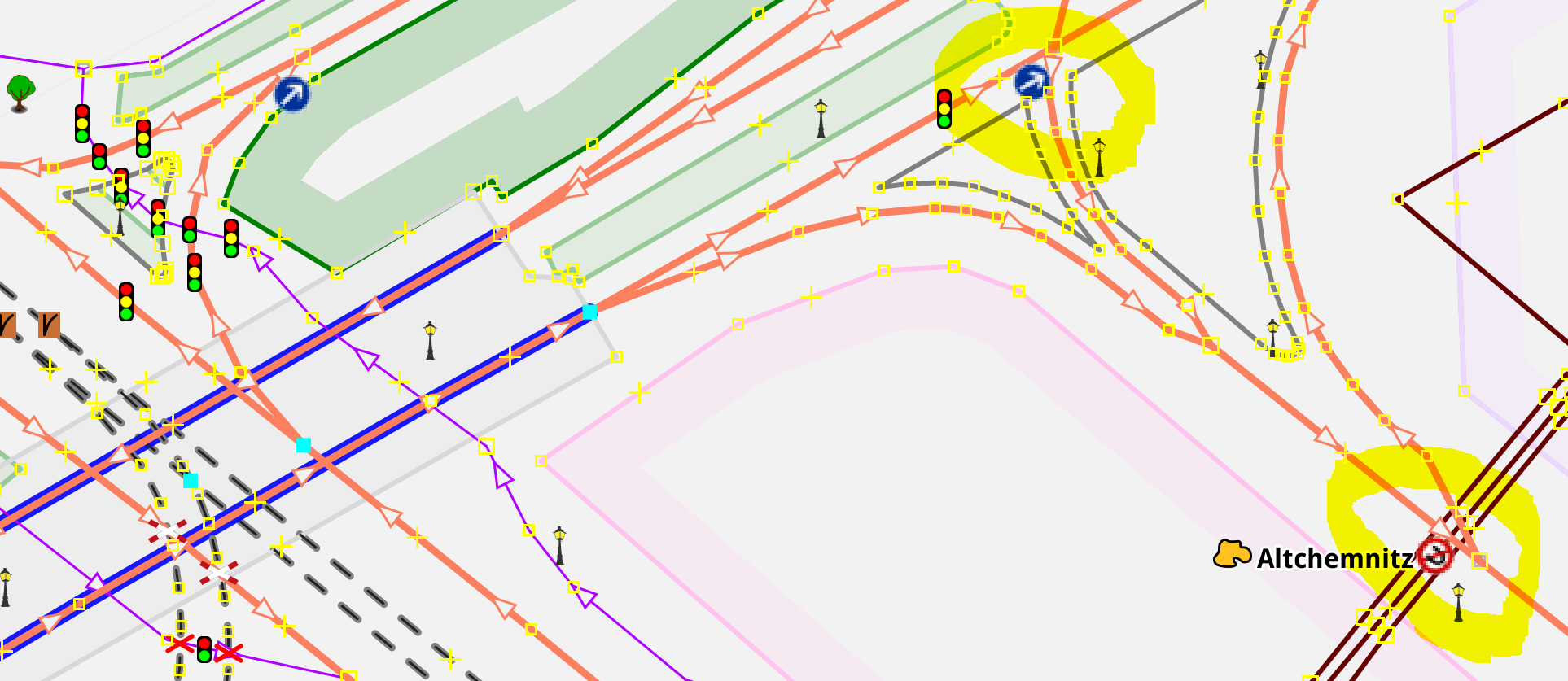
- Turn restriction icons in the mapview are pixelated (while all other icons in the mapview are fine sharp) → #19705 ✔
- Icons in some lists/tables are pixelated (e.g. tables in selection list panel, relationlist panel or relation editor) → #19706 ✔
- The text in lists/tables has sometimes a strange character included, similar to this one: ↱ → #19717
- A data layer with upload=never and download=never should show 2 warning triangles
 in the layers list, but we can only see a tiny bit of one triangle.

See the attached screenshots where the problems are highligthed.
Apart from these minor issues JOSM looked great overall :)
System scaling was set to 300%, the laptop screen disabed and windows account reloged after all this setup.
Relative:URL: ^/trunk
Repository:UUID: 0c6e7542-c601-0410-84e7-c038aed88b3b
Last:Changed Date: 2020-08-22 22:13:32 +0200 (Sat, 22 Aug 2020)
Revision:16903
Build-Date:2020-08-23 01:30:51
URL:https://josm.openstreetmap.de/svn/trunk

Identification: JOSM/1.5 (16903 de) Windows 10 64-Bit
OS Build number: Windows 10 Pro 2004 (19041)
Memory Usage: 899 MB / 2026 MB (437 MB allocated, but free)
Java version: 14.0.2+12-46, Oracle Corporation, OpenJDK 64-Bit Server VM
Look and Feel: com.sun.java.swing.plaf.windows.WindowsLookAndFeel
Screen: \Display0 3840x2160 (scaling 3.0x3.0)
Maximum Screen Size: 3840x2160
Best cursor sizes: 16x16 -> 96x96, 32x32 -> 96x96
Dataset consistency test: No problems found

Plugins:
+ DirectUpload (35499)
+ HouseNumberTaggingTool (35508)
+ OpeningHoursEditor (35414)
+ apache-commons (35524)
+ apache-http (35092)
+ buildings_tools (35500)
+ editgpx (35248)
+ ejml (35313)
+ imagery-xml-bounds (35313)
+ imagery_offset_db (35405)
+ jna (35092)
+ jogl (1.2.3)
+ jts (35122)
+ log4j (35092)
+ measurement (35405)
+ photo_geotagging (35499)
+ photoadjust (35405)
+ reltoolbox (35405)
+ reverter (35499)
+ rex (53)
+ tageditor (35258)
+ tagging-preset-tester (35267)
+ terracer (35499)
+ turnlanes-tagging (283)
+ turnrestrictions (35515)
+ undelete (35521)
+ utilsplugin2 (35487)

Tagging presets:
+ https://josm.openstreetmap.de/josmfile?page=Presets/OneClick&zip=1
+ https://josm.openstreetmap.de/josmfile?page=Presets/StolpersteineLight&zip=1
+ %UserProfile%\Documents\OSM\josm\data\defaultpresets.xml
+ %UserProfile%\Documents\OSM\TestNew\newpresets.xml
+ https://josm.openstreetmap.de/josmfile?page=Presets/PhilippinesAddresses&zip=1
+ https://josm.openstreetmap.de/josmfile?page=Presets/NewTags&zip=1

Map paint styles:
+ %UserProfile%\Documents\OSM\josm\styles\standard\elemstyles.mapcss
- https://josm.openstreetmap.de/josmfile?page=Styles/HiDPISupport&zip=1
- https://josm.openstreetmap.de/josmfile?page=Styles/NewHighwayColors&zip=1
- https://josm.openstreetmap.de/josmfile?page=Styles/Coloured_Streets&zip=1
- %UserProfile%\Documents\OSM\TestNew\newicons.mapcss
- https://josm.openstreetmap.de/josmfile?page=Styles/Modified&zip=1
- https://josm.openstreetmap.de/josmfile?page=Styles/Maxspeed&zip=1
- https://josm.openstreetmap.de/josmfile?page=Styles/Lane_and_Road_Attributes&zip=1
- https://josm.openstreetmap.de/josmfile?page=Styles/sac_scale&zip=1
- https://josm.openstreetmap.de/josmfile?page=Styles/ShowID&zip=1
- %UserProfile%\Documents\OSM\eigene styles\PriorityRoad\PriorityRoad_1.0.mapcss
- https://josm.openstreetmap.de/josmfile?page=Styles/LayerChecker&zip=1
- https://josm.openstreetmap.de/josmfile?page=Styles/Surface&style&zip=1
- https://josm.openstreetmap.de/josmfile?page=Styles/ParkingLanes&style&zip=1
- https://josm.openstreetmap.de/josmfile?page=Styles/Sidewalks&style&zip=1
- https://josm.openstreetmap.de/josmfile?page=Styles/Cycleways&style&zip=1
- https://josm.openstreetmap.de/josmfile?page=Styles/Osmc&style&zip=1
- https://raw.githubusercontent.com/species/josm-preset-wheelchair/master/sidewalks_kerbs.mapcss
- https://josm.openstreetmap.de/josmfile?page=Styles/LitObjects&zip=1
- https://josm.openstreetmap.de/josmfile?page=Styles/Lit&style&zip=1
- %UserProfile%\Documents\OSM\eigene styles\Tourenplanung.mapcss
- %UserProfile%\Documents\OSM\eigene styles\SpecificBuildingValues\SpecificBuildingValues.mapcss
- https://josm.openstreetmap.de/josmfile?page=Styles/Coloured_buildings&zip=1
- https://github.com/bastik/mapcss-tools/raw/osm/mapnik2mapcss/osm-results/mapnik.zip
- %UserProfile%\Documents\OSM\eigene styles\area-symbol.zip
- http://www.freietonne.de/ft_icons/josm/FreieTonne_rules_presets_zip.php
- http://www.openrailwaymap.org/styles/standard.zip
- https://josm.openstreetmap.de/josmfile?page=Styles/MaxspeedIcons&zip=1
- https://josm.openstreetmap.de/josmfile?page=Styles/DestinationSignRelation&zip=1
- https://josm.openstreetmap.de/josmfile?page=Styles/ParkingLanes&zip=1
- https://josm.openstreetmap.de/josmfile?page=Styles/Incline&zip=1
- https://josm.openstreetmap.de/josmfile?page=Styles/PTStops&zip=1
- https://josm.openstreetmap.de/josmfile?page=Styles/AdvertisingStyle&zip=1
- https://www.dropbox.com/s/qo3ai47fpv241jf/Styles_Fixme_and_Notes.zip?raw=1
- https://github.com/gmgeo/osmic-josm-style/archive/master.zip
- https://josm.openstreetmap.de/josmfile?page=Styles/hazmat&zip=1
- https://josm.openstreetmap.de/josmfile?page=Styles/Coloured_Suburb&zip=1
- https://josm.openstreetmap.de/josmfile?page=Styles/Coloured_Postcode&zip=1
- https://josm.openstreetmap.de/josmfile?page=Styles/RecyclingMaterials&zip=1
- %UserProfile%\Documents\OSM\eigene styles\maxspeed\maxspeed_2.9_01 basierend auf 2.7_02 Zahlen.mapcss
- https://josm.openstreetmap.de/josmfile?page=Styles/Bench&zip=1
- https://josm.openstreetmap.de/josmfile?page=Styles/PublicTransportV2&zip=1
- %UserProfile%\Documents\OSM\eigene styles\colourtag\colourtag_1.0.mapcss
- https://josm.openstreetmap.de/josmfile?page=Styles/ColourTag&zip=1
- %UserProfile%\Downloads\coloured_kerbs_style.zip
- https://josm.openstreetmap.de/josmfile?page=Styles/Admin_Boundaries&zip=1
- https://raw.githubusercontent.com/species/josm-preset-traffic_sign_direction/master/direction.mapcss

Validator rules:
+ https://raw.githubusercontent.com/<user.name>n-a-bauer/josm-validators/master/mtb.validator.mapcss
+ %UserProfile%\Documents\OSM\TestNew\new.validator.mapcss
+ https://josm.openstreetmap.de/josmfile?page=Rules/GermanySpecific&zip=1
- %UserProfile%\Documents\OSM\TestNew\germ.validator.mapcss
- https://josm.openstreetmap.de/josmfile?page=Rules/CzechRepublicAddressSystem&zip=1
+ https://github.com/Jungle-Bus/transport_mapcss/raw/master/transport.validator.zip

Last errors/warnings:
- E: java.io.IOException: Die angeforderte URL https://osmlab.github.io/editor-layer-index/imagery.xmlx wurde nicht gefunden
- E: Fehler beim Laden des Bildes 'presets/landmark/tower.svg'
- W:  Tower: Could not get presets icon presets/landmark/tower.svg
- E: Fehler beim Laden des Bildes 'presets/landmark/water_tower.svg'
- W:  Water Tower: Could not get presets icon presets/landmark/water_tower.svg
- E: Fehler beim Laden des Bildes 'presets/office/administrative.svg'
- W:  Administrative: Could not get presets icon presets/office/administrative.svg
- W: java.io.IOException: Die angeforderte URL https://github.com/Jungle-Bus/transport_mapcss/raw/master/transport.validator.zip wurde nicht gefunden
- W: Hinzufügen von https://github.com/Jungle-Bus/transport_mapcss/raw/master/transport.validator.zip zum Merkmalsprüfer fehlgeschlagen
- W: java.io.IOException: No file found for: https://github.com/Jungle-Bus/transport_mapcss/raw/master/transport.validator.zip
Change History (15)
by , 6 years ago
| Attachment: | hidpijava14win.PNG added |
|---|
by , 6 years ago
| Attachment: | relation editor.PNG added |
|---|
by , 6 years ago
| Attachment: | listsandicon.PNG added |
|---|
by , 6 years ago
| Attachment: | turnrestrictions.PNG added |
|---|
comment:1 by , 6 years ago
| Description: | modified (diff) |
|---|
comment:2 by , 6 years ago
| Description: | modified (diff) |
|---|
comment:4 by , 6 years ago
comment:5 by , 6 years ago
Replying to Klumbumbus:
- Turn restriction icons in the mapview are pixelated (while all other icons in the mapview are fine sharp)
→ #19705 ✔
comment:6 by , 6 years ago
Replying to Klumbumbus:
- Icons in some lists/tables are pixelated (e.g. tables in selection list panel, relationlist panel or relation editor)
→ #19706 ✔
comment:7 by , 6 years ago
Thanks for the fixes.
Replying to Klumbumbus:
- A data layer with upload=never and download=never should show 2 warning triangles
This affects much likely all occurrences of ImageOverlay()
comment:8 by , 6 years ago
| Description: | modified (diff) |
|---|
comment:9 by , 6 years ago
Replying to Klumbumbus:
- The text in lists/tables has sometimes a strange character included, similar to this one: ↱
→ #19717 ✔
comment:10 by , 6 years ago
| Description: | modified (diff) |
|---|
comment:11 by , 6 years ago
| Description: | modified (diff) |
|---|
Note:
See TracTickets
for help on using tickets.



Replying to Klumbumbus:
→ #18131
I think those characters originate from r7305