Opened 6 years ago
Last modified 6 years ago
#19668 closed defect
download.svg icon missing on StartupPage — at Version 1
| Reported by: | mdk | Owned by: | team |
|---|---|---|---|
| Priority: | normal | Milestone: | 20.09 |
| Component: | Core | Version: | latest |
| Keywords: | template_report | Cc: | simon04, Don-vip |
Description (last modified by )
What steps will reproduce the problem?
- Start JOSM
What is the expected result?
StartupPage shows Icon Download.svg in the text.
What happens instead?
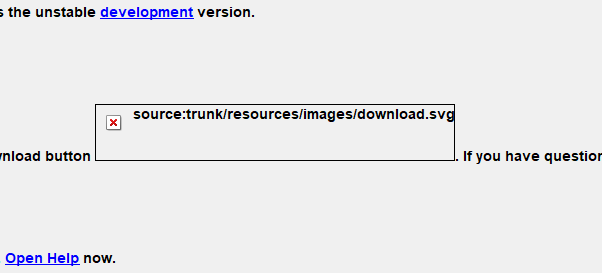
The icon is replaced by an error placeholder:

Please provide any additional information below. Attach a screenshot if possible.
The Wiki shows the icon correctly:
https://josm.openstreetmap.de/wiki/StartupPageSource
Same happens on my Ubuntu machine.
URL:https://josm.openstreetmap.de/svn/trunk
Repository:UUID: 0c6e7542-c601-0410-84e7-c038aed88b3b
Last:Changed Date: 2020-08-11 22:26:29 +0200 (Tue, 11 Aug 2020)
Build-Date:2020-08-12 01:30:47
Revision:16871
Relative:URL: ^/trunk

Identification: JOSM/1.5 (16871 en_GB) Windows 10 64-Bit
OS Build number: Windows 10 Pro 1909 (18363)
Memory Usage: 1206 MB / 3616 MB (605 MB allocated, but free)
Java version: 1.8.0_201-b09, Oracle Corporation, Java HotSpot(TM) 64-Bit Server VM
Look and Feel: com.sun.java.swing.plaf.windows.WindowsLookAndFeel
Screen: \Display0 1920x1200 (scaling 1.0x1.0), \Display1 1920x1200 (scaling 1.0x1.0)
Maximum Screen Size: 1920x1200
Best cursor sizes: 16x16 -> 32x32, 32x32 -> 32x32

Plugins:
+ buildings_tools (35500)

Last errors/warnings:
- E: Region [TMS_BLOCK_v2] : Problem loading keys for file TMS_BLOCK_v2
Change History (2)
by , 6 years ago
| Attachment: | MissingIcon.png added |
|---|
comment:1 by , 6 years ago
| Description: | modified (diff) |
|---|
Note:
See TracTickets
for help on using tickets.