


Opened 7 years ago
Last modified 7 years ago
#18289 closed defect
Download map is misaligned — at Version 5
| Reported by: | maarten | Owned by: | maarten |
|---|---|---|---|
| Priority: | normal | Milestone: | 19.11 |
| Component: | JMapViewer | Version: | latest |
| Keywords: | regression zoom download bounds | Cc: | wiktorn |
Description (last modified by )
In JOSM 15492 when I press the download button (ctrl-shift-down), no map is shown. When I zoom out a lot, the zoom 0 map is shown completely at the right side of the screen. So it appears that the map is misaligned when you want to download something.
See screenshot.
Also, when pasting a link from the openstreetmap site to go to a download area, the map moves away again, even when you are zoomed in to roughly the correct area.

Change History (6)
by , 7 years ago
| Attachment: | misaligned_map.png added |
|---|
comment:1 by , 7 years ago
| Description: | modified (diff) |
|---|
comment:2 by , 7 years ago
| Description: | modified (diff) |
|---|
comment:3 by , 7 years ago
comment:4 by , 7 years ago
| Description: | modified (diff) |
|---|---|
| Owner: | changed from to |
| Priority: | major → normal |
| Status: | new → needinfo |
comment:5 by , 7 years ago
| Description: | modified (diff) |
|---|
Note:
See TracTickets
for help on using tickets.

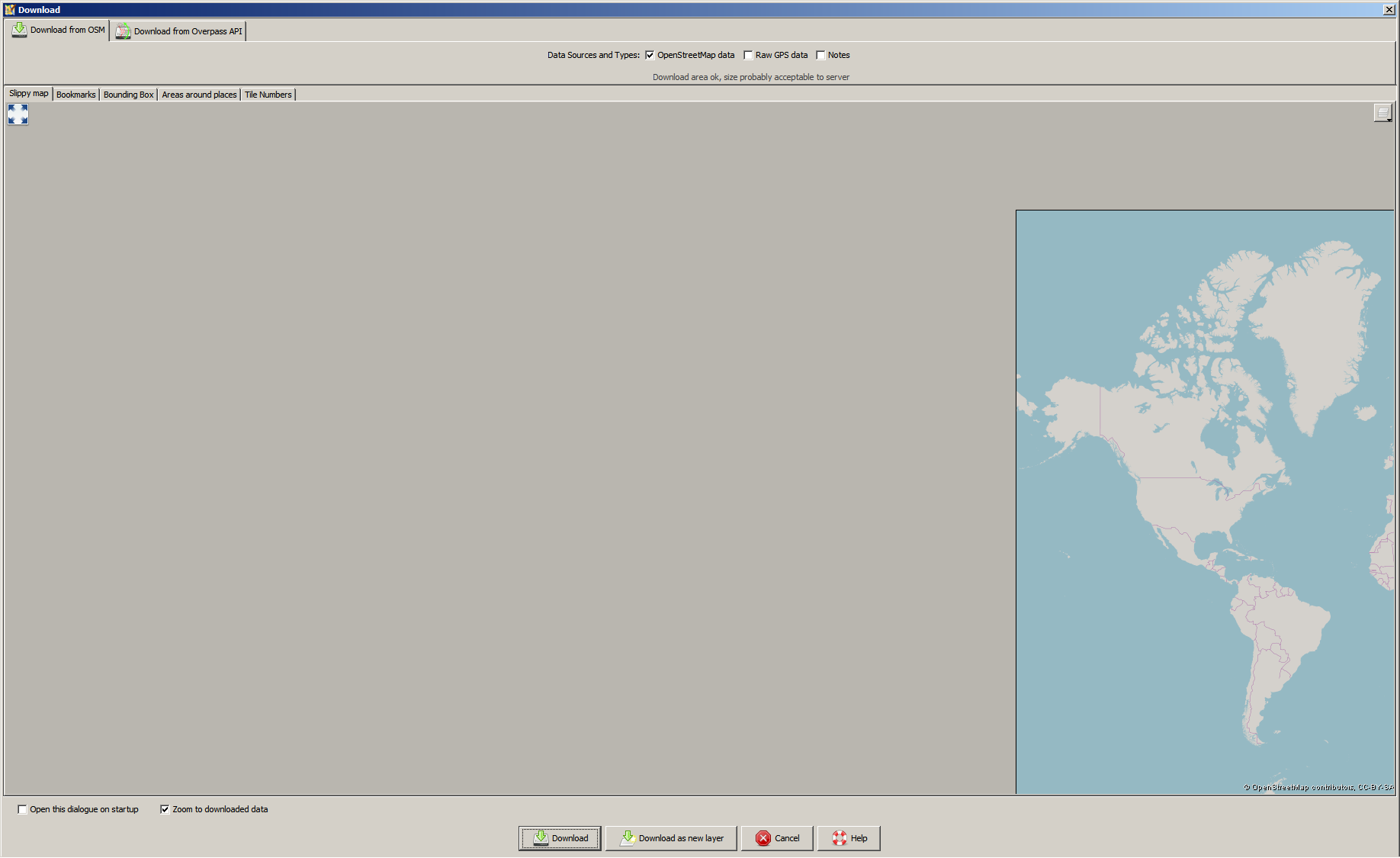
JOSM remembers the last bounding box you used in this dialog. Next time you open this dialog, the last bounding box is shown. For me it looks like JOSM uses a "strange" bBox for this.
This setting is stored in the preference file. Can you please go to "Preferences" -> "Setting Preference entries directly. Use with caution!". This panel is only visible, if you activate the "Expert Mode" (Checkbox at the button of "Preference" window). Search for "osm-download.bounds" and post the value here (it should be lat and lon for lower left and upper right corner).