


Opened 8 years ago
Last modified 5 years ago
#16847 closed defect
Tooltips glitches — at Initial Version
| Reported by: | Owned by: | team | |
|---|---|---|---|
| Priority: | normal | Milestone: | |
| Component: | Core | Version: | tested |
| Keywords: | tooltips, UI, user interface javabug | Cc: |
Description
What steps will reproduce the problem?
- Open JOSM for Windows (josm.jnlp, josm-tested.jar or Windows installer, it's the same)
- Hold the mouse anywhere to make a tooltip appear (especially in the relation edit panel with downloaded members)
- Move the mouse around to show much tooltips as possible (or wait enough, usually from 10 to 30 minutes of normal use)
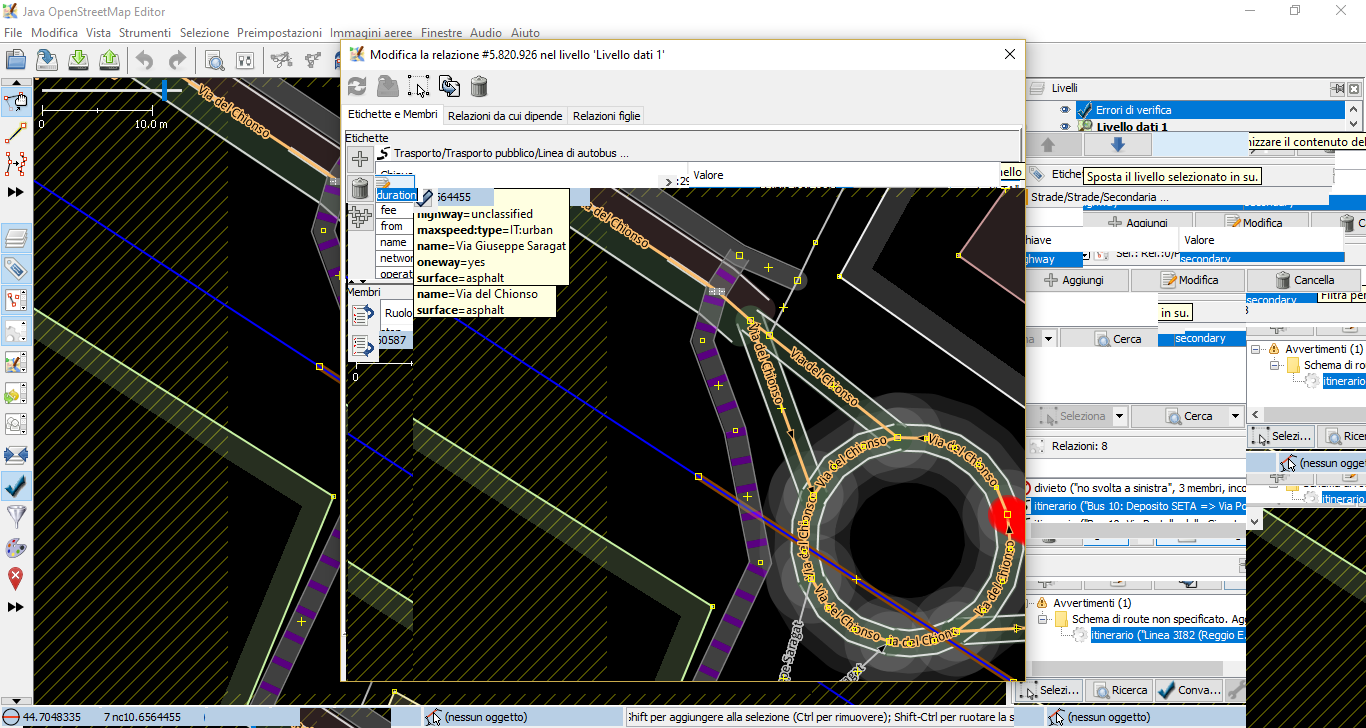
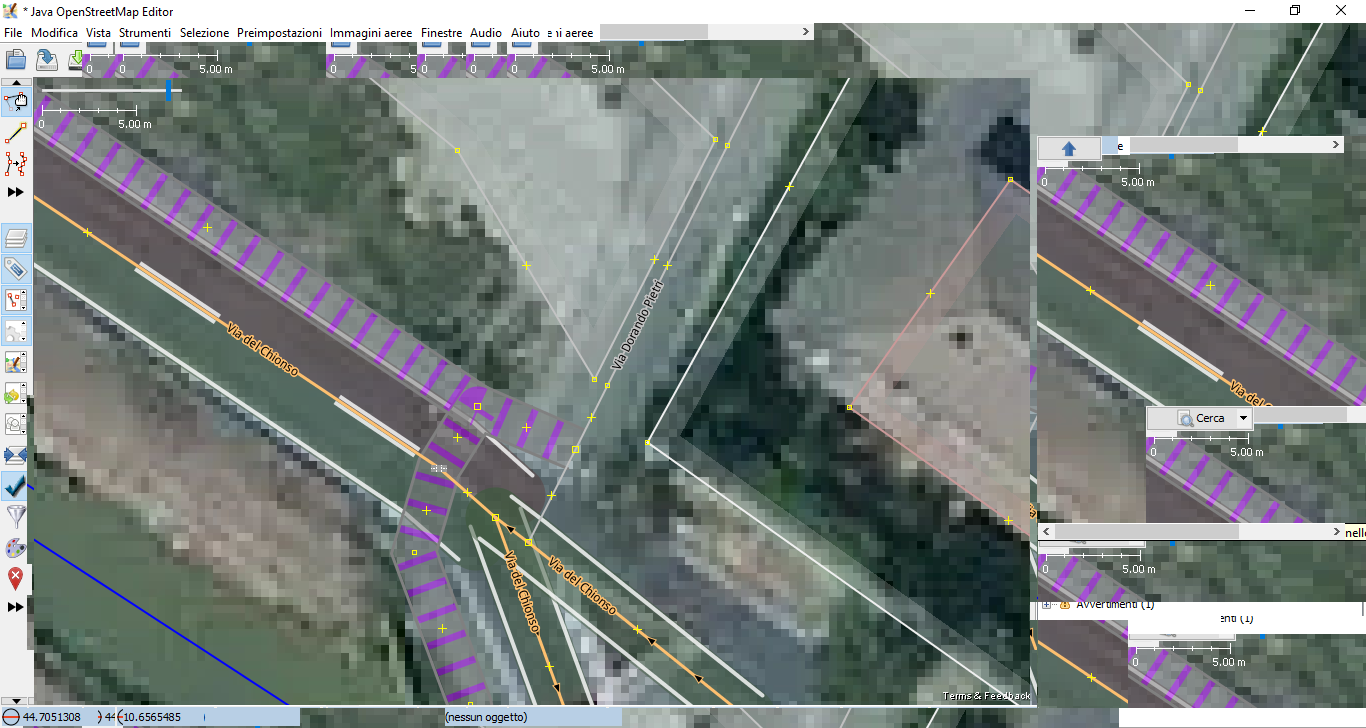
- All the interface will be a mess of repeated UI
What is the expected result?
The UI should always be usable.
What happens instead?
JOSM must be restarted to be used again because the UI is repeated randomly in every window when you pass the cursor over a button.
Please provide any additional information below. Attach a screenshot if possible.
On Debian and Ubuntu everything works right, even on two others Windows 10 PC (one of which with a dual monitor too). I've already tried to purge and re-install Java and also JOSM (deleting all files under the AppData directory). I've tried also with a clean version of JOSM (fresh download, without adding plugins or styles), but the glitch always appears.
URL:https://josm.openstreetmap.de/svn/trunk
Repository:UUID: 0c6e7542-c601-0410-84e7-c038aed88b3b
Last:Changed Date: 2018-10-01 23:59:36 +0200 (Mon, 01 Oct 2018)
Build-Date:2018-10-01 22:08:47
Revision:14289
Relative:URL: ^/trunk

Identification: JOSM/1.5 (14289 it) Windows 10 64-Bit
OS Build number: Windows 10 Enterprise 1803 (17134)
Memory Usage: 247 MB / 989 MB (129 MB allocated, but free)
Java version: 1.8.0_191-b12, Oracle Corporation, Java HotSpot(TM) Client VM
Screen: \Display0 1366x768, \Display1 1366x768
Maximum Screen Size: 1366x768
Dataset consistency test: No problems found

Map paint styles:
+ https://josm.openstreetmap.de/josmfile?page=Styles/Lane_and_Road_Attributes&zip=1

Last errors/warnings:
- W: No configuration settings found.  Using hardcoded default values for all pools.
Note:
See TracTickets
for help on using tickets.



Glitch without aerial imagery