| Version 5 (modified by , 17 years ago) ( diff ) |
|---|
Languages:
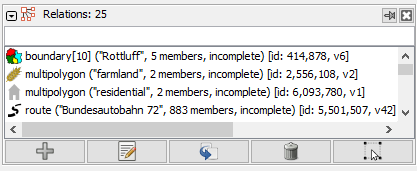
Relations List Dialog
The Relation List Dialog displays the list of relations in the current data layer.

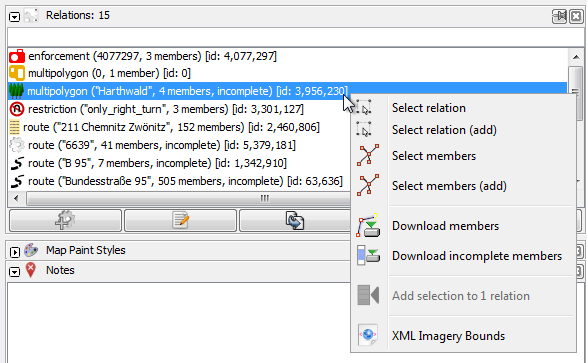
The popup menu
There's a popup menu in the Relation List Dialog:

 Download all members - downloads all members of the selected relations, except for new relations
 Select members - sets the current selection in JOSM to all members of relations currently selected in the Relation List Dialog


- It is possible to select multiple relations: Hold down Ctrl-Key to select one by one or press Shift to select a range. Then you can download / select members for all highlighted relations at once.
See also
Attachments (2)
- relation-list-dialog-popup.png (28.7 KB ) - added by 10 years ago.
- relation-list-dialog.png (8.9 KB ) - added by 6 years ago.
Download all attachments as: .zip
Note:
See TracWiki
for help on using the wiki.