| Version 41 (modified by , 8 years ago) ( diff ) |
|---|
Languages:
HowTo
Si spera che questa pagina ti fornisca alcuni suggerimenti su come eseguire attività comuni in JOSM.
Come modificare un'intersezione in una rotonda
Diciamo, qualcuno ha disegnato un incrocio, ma tu sai meglio e preferisci avere una rotatoria. Se è un piccolo incrocio, aggiungi il tag highway=mini_roundabout e il gioco è fatto. In caso contrario, procediamo...
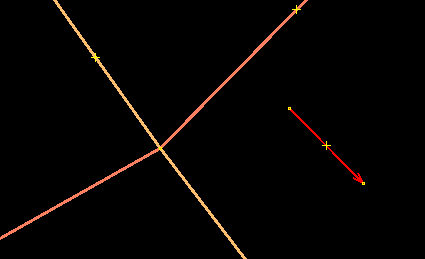
- Disegna una linea singola, approssimativamente lunga quanto il diametro della rotatoria..

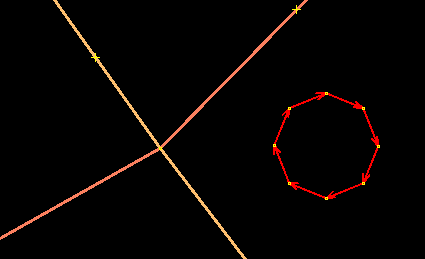
- Seleziona la linea e usa Tools -> Create Circle.

- Se pensi, non è abbastanza rotondo, aggiungi più nodi e usa Tools -> Align Nodes in Circle.
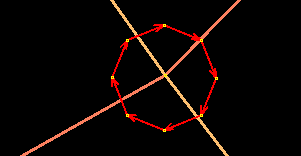
- Move the circle on top of the crossing.

- You can rotate the circle holding CTRL+SHIFT in Select mode.
Now we dismember the junction :)
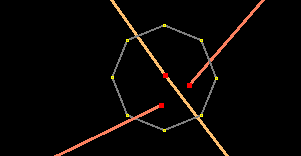
- Select the node in the center and unglue it by pressing G (Tools -> UnGlue Ways)
- Click into some empty area to clear the selection. Select the central node again (there are two of them on top of each other now), and move it a bit. The two ways should be separated now.

- Select one of the two nodes an press P (Tools -> Split Way). Select the same node again, unglue it (shortcut G), reselect it and move it a little.

- Repeat with the other way; you should have four loose ends now.
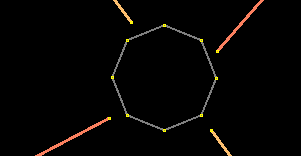
- Move these ends approximately to where they should dock to the circle.

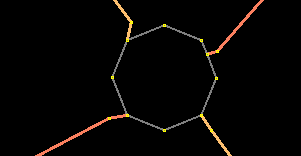
- Click on one of the ends and press A.
- Click on the circle to add the way to the roundabout. (Either snap to one of the existing nodes or click on the segment to add another node.)

- Select the same node again and press the Delete key to remove it.
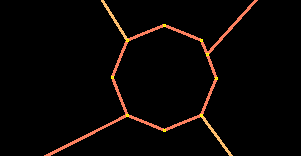
- Repeat for the other three ends.
- Done!

Notes:
- Check that the circle has the right orientation. (Use Tools -> Reverse Ways to change it.)
- Check whether the ways are part of some relation. If you don't care for relations, then please don't destroy them. It's nice to have neat roundabouts, but relations are actually useful :) .
- See Tag:junction=roundabout for more details.
- Back to Main Help
Attachments (8)
- roundabout1.png (2.5 KB ) - added by 17 years ago.
- roundabout2.png (3.0 KB ) - added by 17 years ago.
- roundabout3.png (2.1 KB ) - added by 17 years ago.
- roundabout4.png (2.0 KB ) - added by 17 years ago.
- roundabout5.png (1.9 KB ) - added by 17 years ago.
- roundabout6.png (1.4 KB ) - added by 17 years ago.
- roundabout7.png (1.6 KB ) - added by 17 years ago.
- roundabout8.png (1.6 KB ) - added by 17 years ago.
Download all attachments as: .zip
Note:
See TracWiki
for help on using the wiki.