| Version 10 (modified by , 15 years ago) ( diff ) |
|---|
Languages:
Contourmerge Plugin

In a nutshell
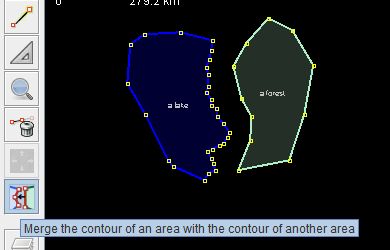
The contourmerge plugin helps you to align the contours of areas in JOSM.
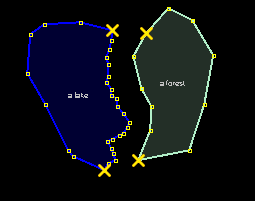
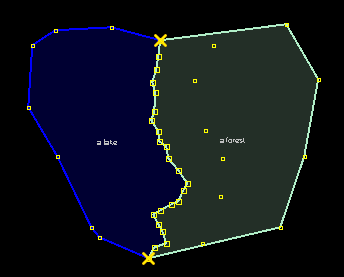
 Here's a typical example: a lake with a detailled shoreline and a forest.
The contour of the forest should be aligned with the lakes shoreline.
Select the contourmege map mode in the toolbar for map modes and perform the steps below.
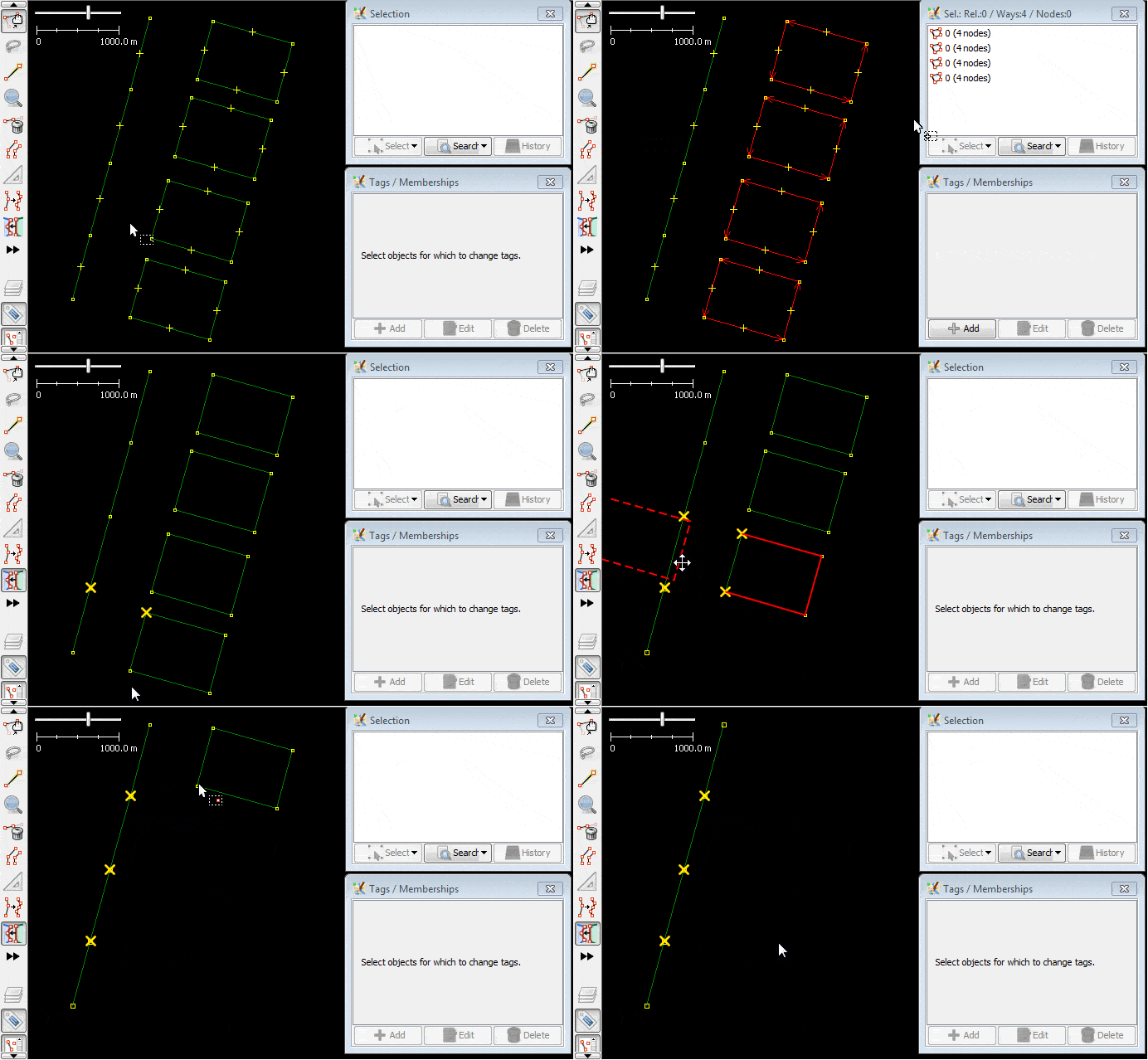
Step 1 - Select the "cut-nodes"

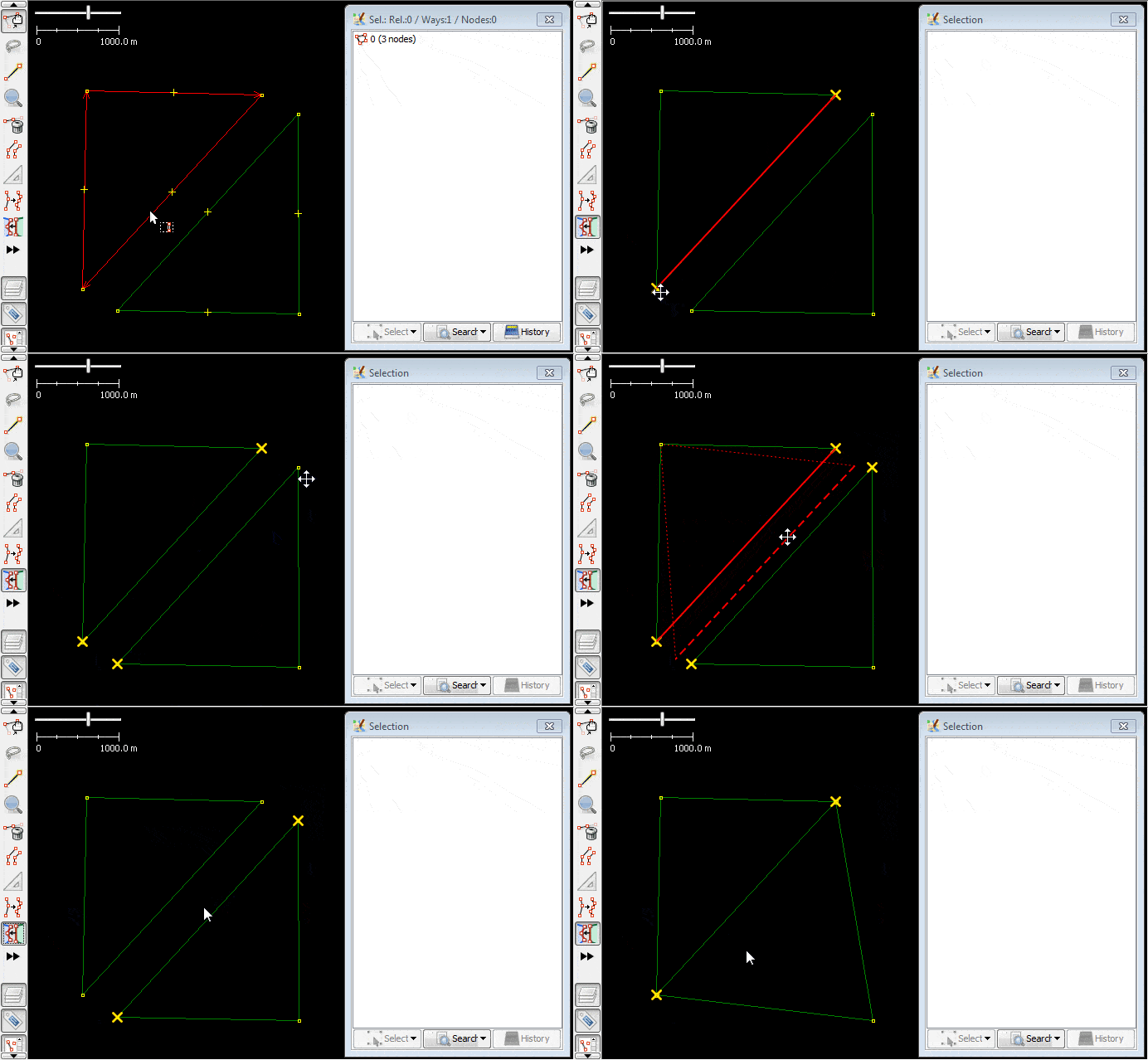
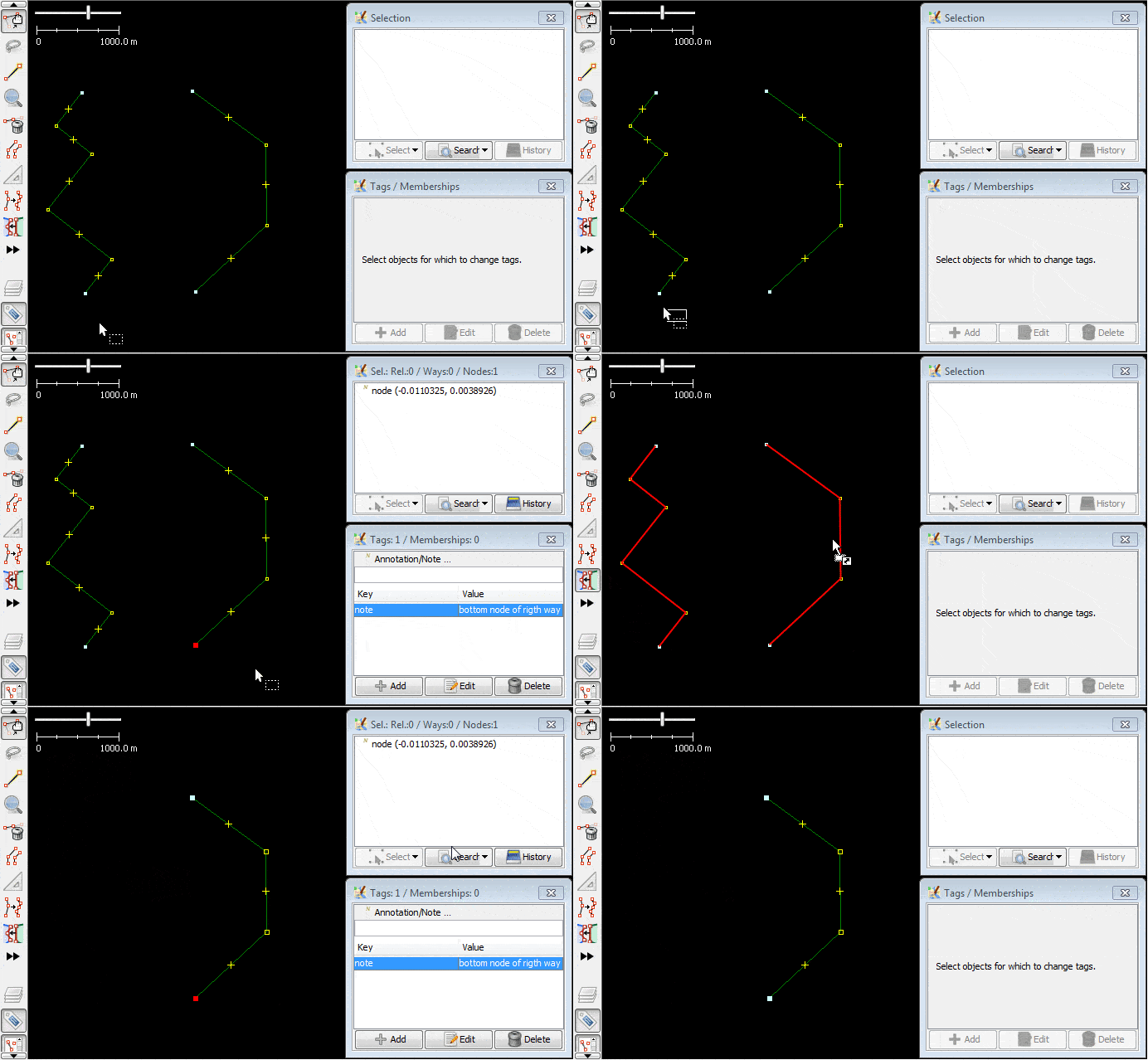
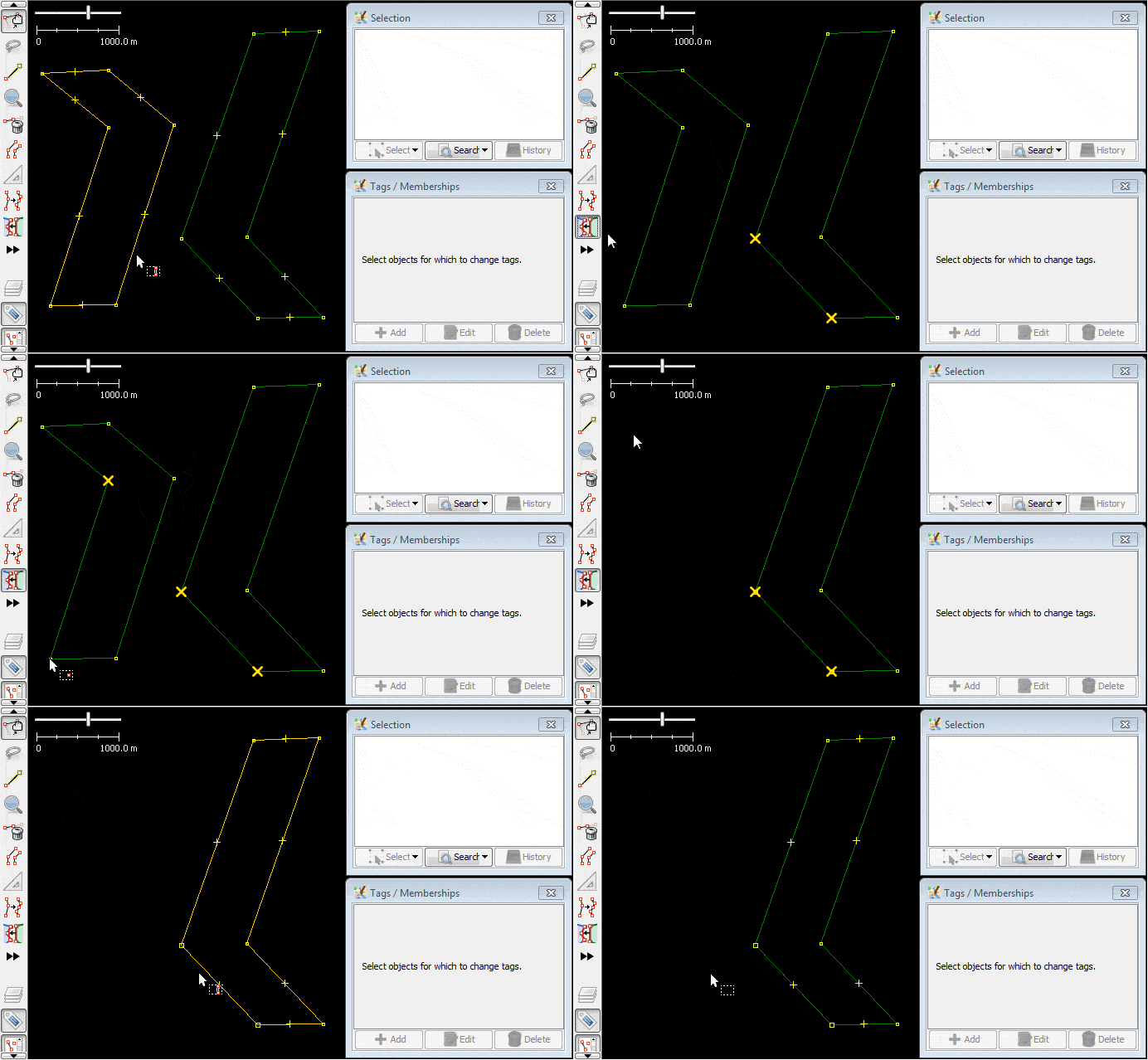
- Select the part of the contour you want to merge, in both the areas for the lake and the forest. Left-Click on the respective nodes to mark them as selected.
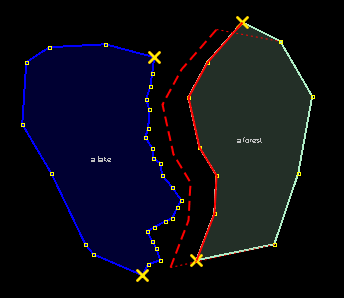
Step 2 - Drag the source contour

- Drag the source contour between two "cut-nodes"

- When you drag it over a possible target contour, the source contour is aligned with the target contour.
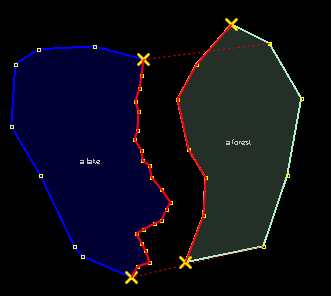
Step 3 - Align the contours

- Drop the source contour. The contours of the lake and the forest are merged.
If the merge doesn't happen as expected, reversing one of the ways helps.
Back to Plugin Help
Back to Main Help
Attachments (10)
- lake-and-forest.0.png (4.5 KB ) - added by 16 years ago.
- lake-and-forest.2.png (5.9 KB ) - added by 16 years ago.
- lake-and-forest.1.png (17.1 KB ) - added by 16 years ago.
- lake-and-forest.3.png (14.0 KB ) - added by 16 years ago.
- lake-and-forest.4.png (13.9 KB ) - added by 16 years ago.
- lake-and-forest.5.png (6.9 KB ) - added by 16 years ago.
- ex1-merge-contour-with-another-countour-usage-on-areas.gif (132.7 KB ) - added by 10 years ago.
- ex2-merge-contour-with-another-countour-usage-on-ways.gif (257.5 KB ) - added by 10 years ago.
- ex3-merge-contour-with-another-countour-usage-on-areas.gif (114.9 KB ) - added by 10 years ago.
- ex4-merge-contour-with-another-countour-usage-on-areas.gif (139.0 KB ) - added by 10 years ago.
Download all attachments as: .zip
Note:
See TracWiki
for help on using the wiki.