| Version 9 (modified by , 15 years ago) ( diff ) |
|---|
Languages:
Authors Dialog
 Keyboard shortcut:
 Alt+Shift+A
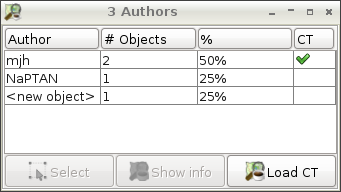
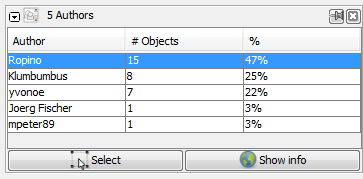
The authors dialog window shows the last authors of current selected objects.

The total number of authors is shown in the header.
The list contains:
- the authors
- the number of selected objects of each author,
- this number as percentage of the total number of selected objects
- the author's decision on the new license.
 Select selects the currently selected objects of selected authors.
 Show information opens the OSM users' pages of selected users in the web browser.
Load CT reloads the authors' decisions on the new license.
Back to Toggle Dialogs
Back to Main Help
Attachments (2)
-
AuthorsDialog_screenshot.png
(192.4 KB
) - added by 15 years ago.
even better screenshot
-
AuthorsDialog_screenshot2.png
(10.8 KB
) - added by 12 years ago.
new screenshot without CT
Download all attachments as: .zip
Note:
See TracWiki
for help on using the wiki.