


Opened 12 years ago
Last modified 6 years ago
#9995 closed defect
Icons and fonts too small with HIDPI displays — at Version 23
| Reported by: | Owned by: | team | |
|---|---|---|---|
| Priority: | normal | Milestone: | 17.09 |
| Component: | Core | Version: | tested |
| Keywords: | retina high dpi screen resolution windows 4k hidpi | Cc: | RicoElectrico |
Description (last modified by )
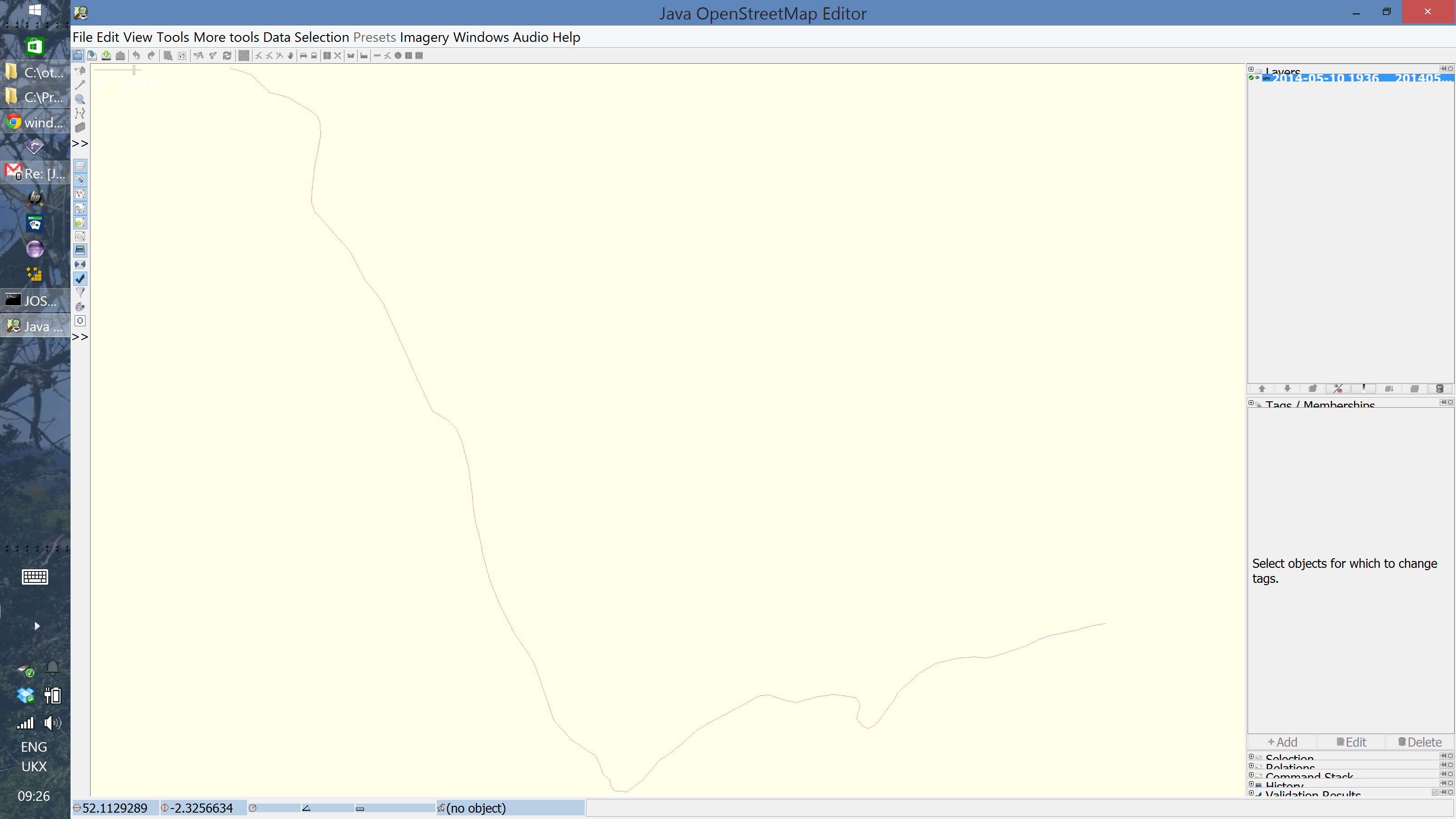
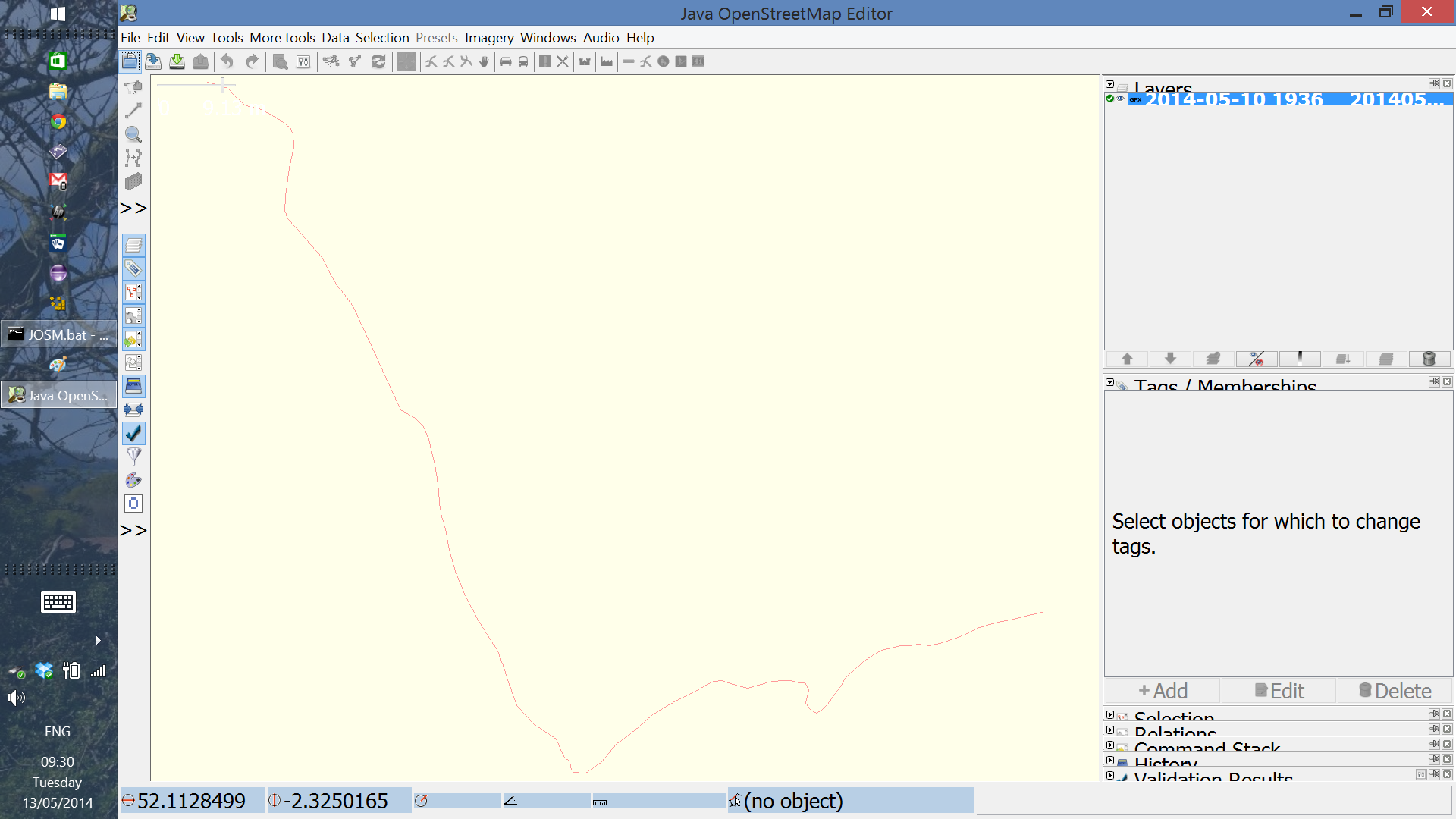
On a 13.3 inch super-high-resolution QHD+ (3200 x 1800) display using windows 8.1 and java version "1.7.0_55" to icons are much to small and some of the layout does not work:
Update:
For a temporary solution to scale the node symbol and text sizes in the map view see the style Styles/HiDPISupport (JOSM version 10018 or newer is required.)
1920x1080:

3200x1800:

Change History (25)
comment:1 by , 12 years ago
| Owner: | changed from to |
|---|---|
| Status: | new → needinfo |
comment:2 by , 12 years ago
2 screenshots added with the screen resolution to 3200x1800 and 1920x1080.
1920x1080 is workaround for the icon size but the fonts on the right hand side are still wrong.
comment:3 by , 12 years ago
| Description: | modified (diff) |
|---|---|
| Owner: | changed from to |
| Status: | needinfo → new |
thanks.
comment:5 by , 12 years ago
Replying to stoecker:
Will fix it when someone gives me a matching monitor :-)
+1 :D
In the meantime, I'll see if we can reproduce/test this by changing DPI settings with a standard monitor...
comment:6 by , 12 years ago
Looks like High-DPI screens on Windows are not officialy supported by Java itself: see bug 8029087.
We should wait for proper support first to see if we need to do something or not.
comment:7 by , 12 years ago
| Keywords: | retina high dpi screen resolution windows added |
|---|
comment:9 by , 11 years ago
I just tried the external manifest work around mentioned in comment #60 on this Eclipse bug, and it seems to resolve the icon sizes -> https://bugs.eclipse.org/bugs/show_bug.cgi?id=421383 (I create a java.exe.manifest for the JRE used to run josm-tested.jar)
comment:10 by , 11 years ago
I'm not able to solve the problem.
JOSM is using Javaw should I create the manifest for such exe?
Could you please attach your manifest here?
comment:11 by , 11 years ago
I would appreciate more detailed steps how to proceed with the custom manifest, it is not working for me (win10).
anyway, out of curiosity I tried this approach: unpacked the jar, resized all the icons by 200% and packed it together into a new jar -- but it has not helped me either.
comment:12 by , 11 years ago
comment:13 by , 11 years ago
Latest snapshots of Java 9 contain hidpi support for Linux and Windows, you could give it a try: https://jdk9.java.net/download/
comment:14 by , 11 years ago
#12274 is also about font size on start page and advanced preference table. (Windows and HiDPI display).
comment:15 by , 11 years ago
Note there are expert options "iconsize...." now, which set the icon sizes. On HIDPI increasing them may help. Font size should also be modifyable in expert settings already.
I have a HIDPI Linux PC now, so I'll probably take a look at some of the related issues. The final implementation will probably be a HIDPI setting which increases a zoom factor. Let's say HIDPI means 200%, so each font, icon, ... is doubled, but the settings values will remain on the old values. That's much easier than adapting each value individually.
My current idea is to detect any screen > 2000x2000 as HIDPI and set scaling to 200% in this case.
Warning: Any configuration changes you do not will result in REALLY large icons when that is implemented :-) But as I have little time that can be some releases in future.
comment:18 by , 11 years ago
| Summary: | Icons too small on windows 8.1 with a 'retina' display → Icons and fonts too small with HIDPI displays |
|---|
comment:19 by , 10 years ago
For a temporary solution to scale the node and text sizes in the map view see the style Styles/HiDPISupport (JOSM version 10018 or newer is required.)
comment:22 by , 10 years ago
| Description: | modified (diff) |
|---|---|
| Keywords: | 4k hidpi added |
comment:23 by , 10 years ago
| Description: | modified (diff) |
|---|

Could you please attach a screenshot? Thanks.