


Opened 13 years ago
Last modified 7 years ago
#9702 closed defect
Can not change language — at Version 6
| Reported by: | pl71 | Owned by: | pl71 |
|---|---|---|---|
| Priority: | normal | Milestone: | |
| Component: | Core | Version: | tested |
| Keywords: | Cc: |
Description (last modified by )
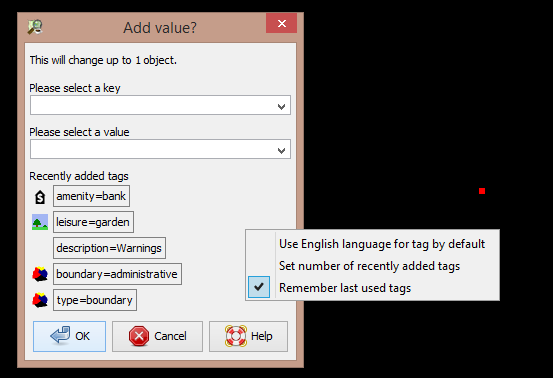
When entering tags, for example name tag, default language is English. I change my input language in Windows with Alt+Shift, and can enter the value for the tag in my native language. Interestingly, sometimes, my language can not be switched with Alt+Shift.
Windows (7, 64 bit) changes the language icon in the notification area, but JOSM continue to show English letters. That is valid for all input fields - select file, etc. After restarting of JOSM, the normal working of the application restores. JOSM version 6767.
Change History (7)
comment:1 by , 13 years ago
| Owner: | changed from to |
|---|---|
| Status: | new → needinfo |
comment:2 by , 13 years ago
Sorry, I will try to explain again.
So, I'm entering a name tag. Key is "name:bg" for name tag in Bulgarian language, or simply "name". Down I have to enter the value as text in Bulgarian. At that point I press Alt+Shift to change the input language from English to Bulgarian in my system as I usually do. Most of the time this works, so I can enter a text such as "име на обекта", but sometimes JOSM sticks to English as input language and nothing can change this, except restart. But as I said above, Windows changes the language icon in the notification area.
I find this as an annoying bug. In Preferences/Look and Feel language is set to 'Bulgarian', but this is not connected with my problem I think.
Hope it was more clearer now.
comment:5 by , 13 years ago
JAVA: Version 7 Update 51
Yes, it looks like connected with JAVA. But happens with older versions of JAVA and JOSM also. Strange, that it occurs randomly and I can not find any pattern.
comment:6 by , 13 years ago
| Description: | modified (diff) |
|---|


JOSM does not automagically knows that you change the operating system language. Is it that what you complain about? You need to restart josm when in "auto" mode or you change the language in settings in the preferences. There is no on-the-fly language switch in josm.