


Opened 5 months ago
Last modified 5 months ago
#24737 new defect
EPSG:2272 vector data imported into JOSM appears offset from correctly aligned imagery
| Reported by: | Owned by: | team | |
|---|---|---|---|
| Priority: | normal | Milestone: | |
| Component: | Core bugreport | Version: | |
| Keywords: | projection | Cc: |
Description
We are using JOSM with the PASDA Philadelphia 2022 orthoimagery WMS:
The imagery is native EPSG:2272 / NAD83 Pennsylvania South StatePlane, US feet.
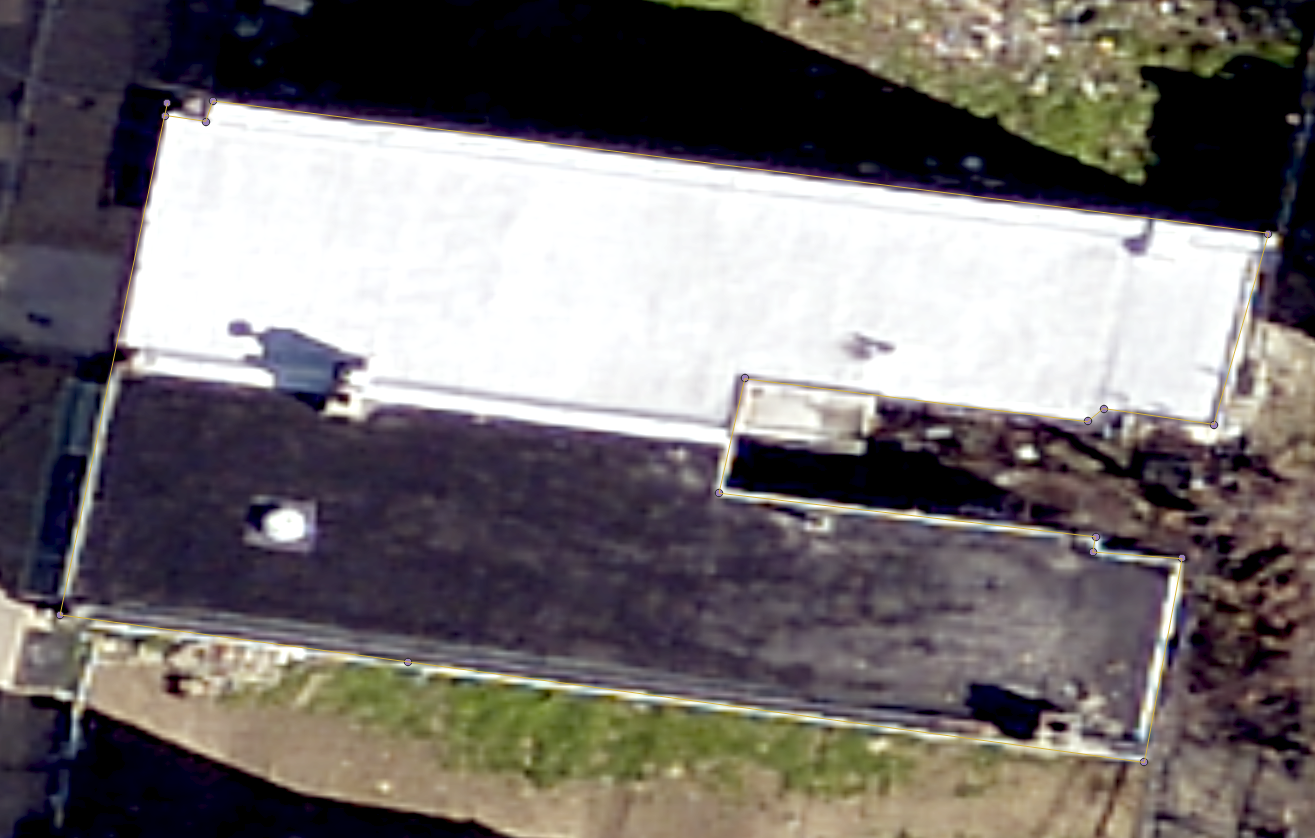
Annotations created directly in JOSM against this imagery export correctly: when opened in QGIS over the same imagery, they align pixel-perfect.
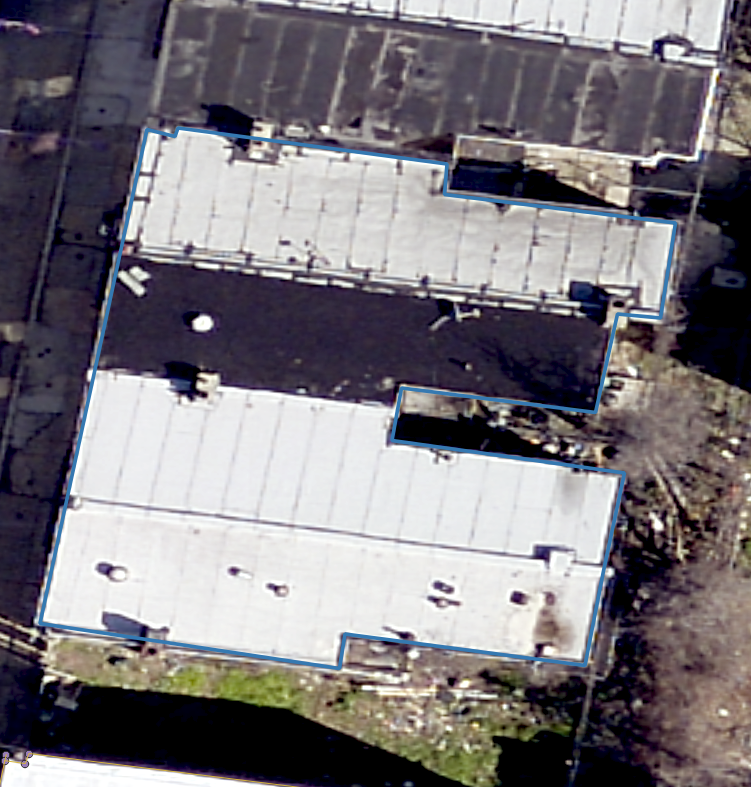
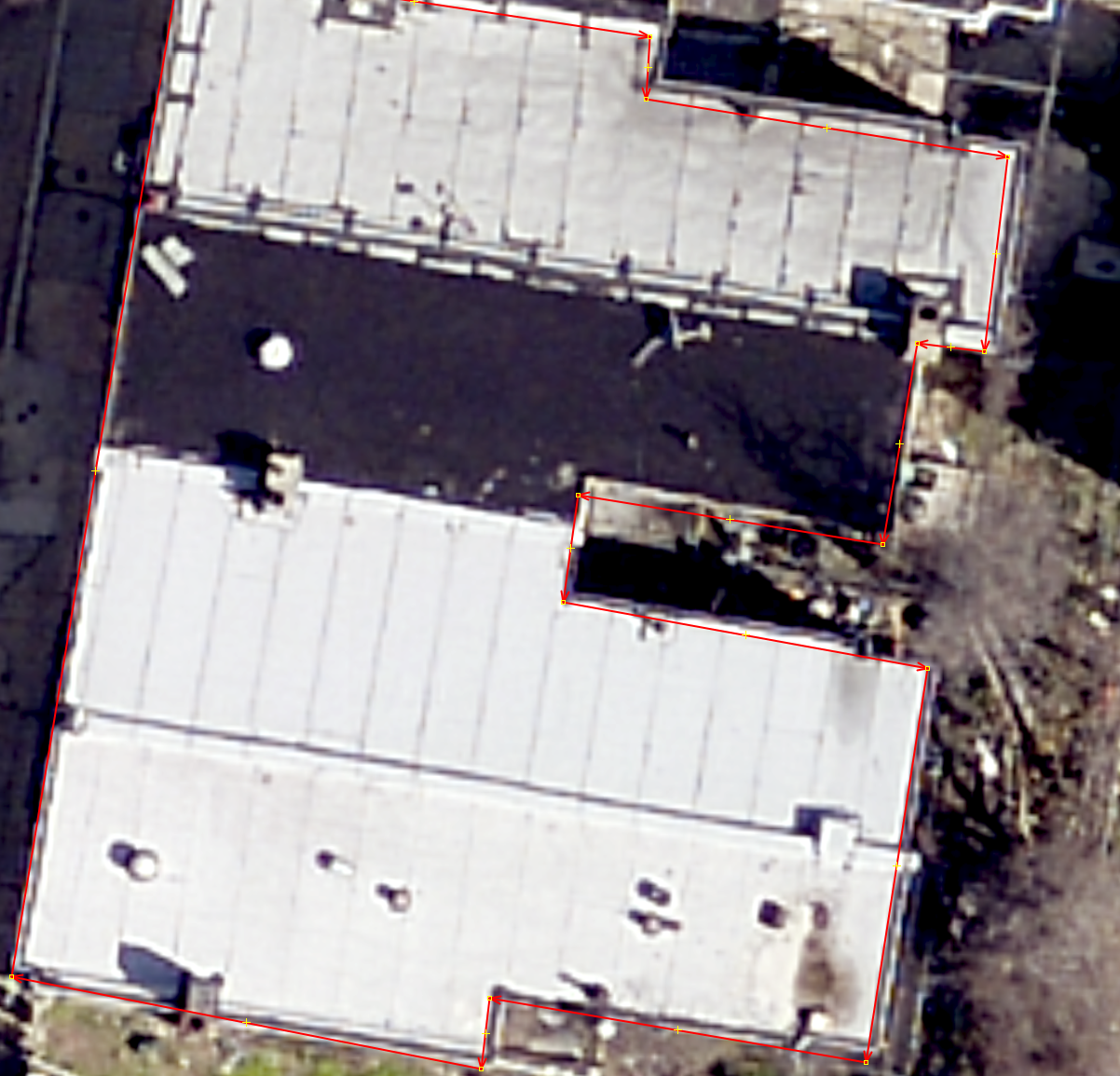
However, vector data created in QGIS in EPSG:2272 and aligned to the same imagery appears offset when loaded into JOSM. The offset is visually noticeable, on the order of several meters, and appears slightly skewed/distorted rather than a simple uniform shift.
Expected behavior
Vector data created in QGIS in EPSG:2272 and aligned to the PASDA Philadelphia imagery should appear in the same location when loaded into JOSM against that imagery.
Actual behavior
The QGIS-created EPSG:2272 vector data appears offset from the imagery when loaded into JOSM.
Screenshot 1: QGIS-created EPSG:2272 vector aligned with imagery

Screenshot 2: same vector offset when loaded into JOSM
Important negative test
Annotations created directly in JOSM against the same imagery, exported as .osm, and opened in QGIS align correctly with the imagery.
This suggests the issue is not with the WMS imagery alignment in JOSM and not with JOSM’s .osm export. The issue appears specific to importing or transforming externally created EPSG:2272 vector data into JOSM.
Screenshot 3: JOSM-created annotation opened in QGIS and aligned correctly
Relevant warning
When loading a shapefile using this CRS (2272), JOSM displays:
JOSM was unable to find a strict mathematical transformation between
'NAD_1983_StatePlane_Pennsylvania_South_FIPS_3702_Feet' and WGS84.
Do you want to try a lenient method, which will perform a non-precise
transformation (with location errors up to 1 km)?
Reproduction outline
Load the PASDA Philadelphia 2022 WMS imagery in QGIS.
Create a vector point or line in QGIS in EPSG:2272, aligned to a visible imagery feature.
Load the same imagery WMS in JOSM.
Import the QGIS-created EPSG:2272 vector data into JOSM.
Observe that the vector appears offset from the imagery.
Control test:
Digitize an annotation directly in JOSM against the imagery.
Export it from JOSM as .osm.
Open the .osm in QGIS over the same imagery.
Observe that the annotation aligns correctly.
Environment
JOSM version: 19555
Java version: 21.0.11
Operating systems tested: Windows 11 and macOS
JOSM projections tested: EPSG:3857 and EPSG:2272
Imagery source: PASDA PhiladelphiaImagery2022 WMS
Source imagery CRS: EPSG:2272 / NAD83 Pennsylvania South StatePlane, US feet
Vector source software: QGIS 3.44.10
Vector CRS: EPSG:2272
Attachments (4)
Change History (5)
by , 5 months ago
| Attachment: | vector_in_q.png added |
|---|
by , 5 months ago
| Attachment: | annotation_in_q.png added |
|---|
by , 5 months ago
| Attachment: | vector_in_josm.png added |
|---|
by , 5 months ago
| Attachment: | osm-to-qgis-error.png added |
|---|





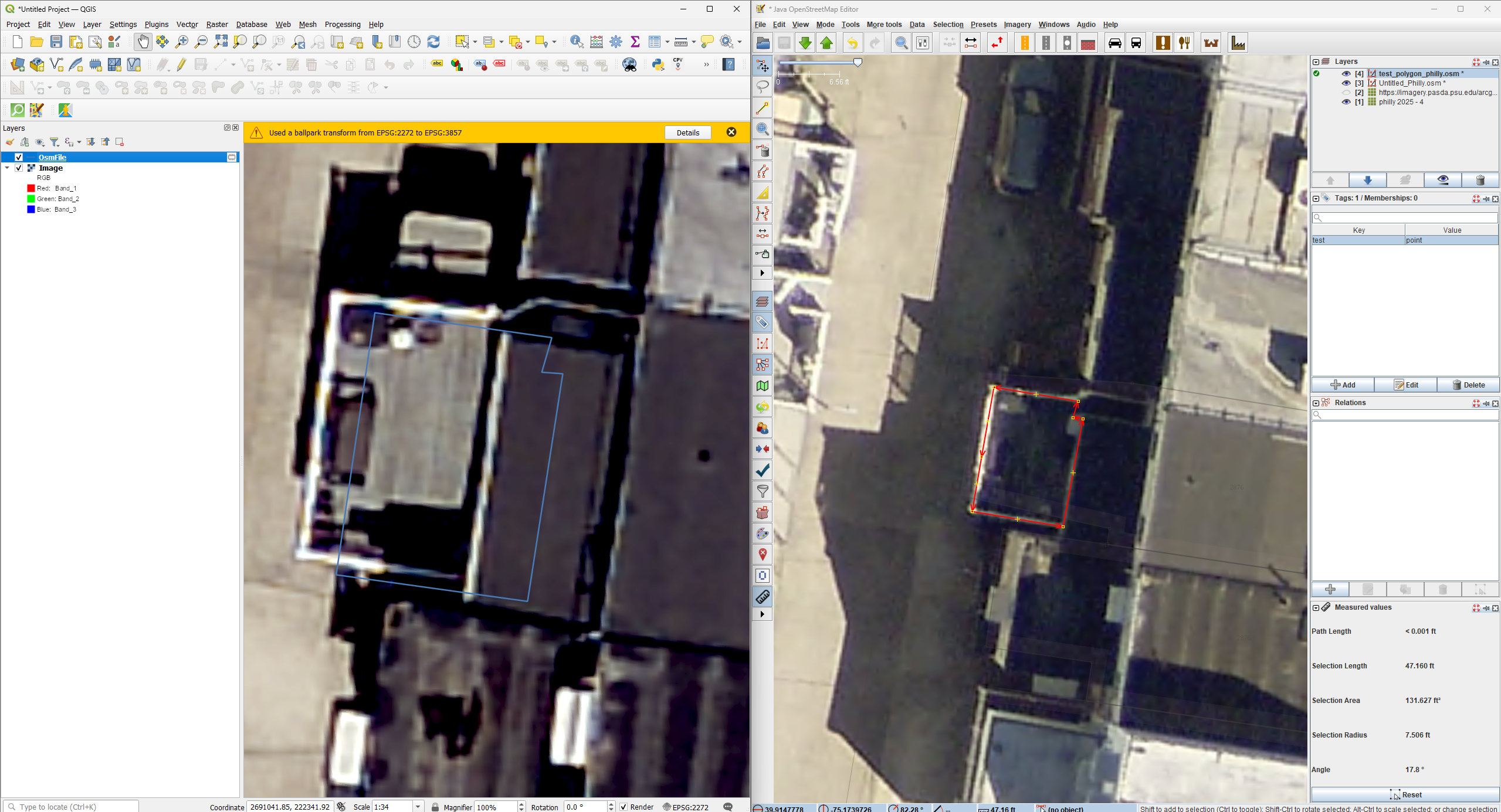
Here is more on the error. A sample annotation was made in JOSM and immediately exported as a .osm file and loaded into QGIS. Substantial offset was introduced somewhere along the way here.