


Opened 12 months ago
Last modified 12 months ago
#24526 new enhancement
Adding line segments at a fixed interval.
| Reported by: | solenoid_jam | Owned by: | team |
|---|---|---|---|
| Priority: | normal | Milestone: | |
| Component: | Plugin utilsplugin2 | Version: | |
| Keywords: | Cc: |
Description
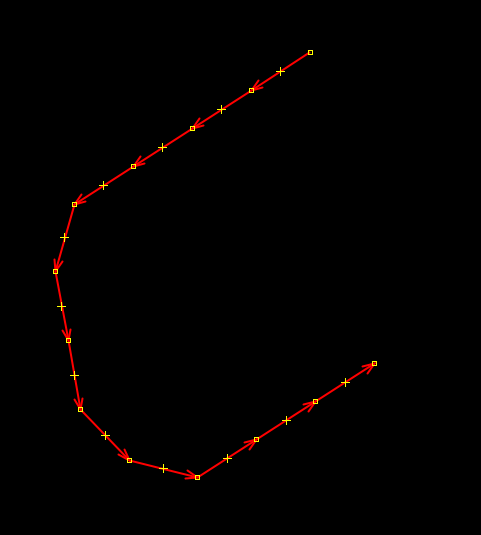
To accurately work with geometry, you need to create a function for adding segments of a specified length. This is similar to how the Fast Draw plugin splits a line, but with the difference that the split length must be specified with exact numeric values. For example, 1 meter (feet), 12.4 meters (feet), 150 meters (feet). The exact segment length is specified as a number in the value input field. When this mode is enabled, all subsequent segments will have a length multiple of the specified length until it is disabled. For example, 1m, 2m, 3m, 15m, 141m, or if the segment is a multiple of 9.5m, then 19m, 28.5m, 133m, 636.5m, etc.
This feature should be a great addition to the snap-line drawing feature, as cities have many similarly sized elements, from the dimensions of typical buildings to the regular grid of streets or park paths.
Attachments (2)
Change History (9)
by , 12 months ago
comment:1 by , 12 months ago
follow-up: 4 comment:2 by , 12 months ago
| Component: | Core → Plugin utilsplugin2 |
|---|
comment:3 by , 12 months ago
Or do you want to set the offset first and then, while drawing a line, the cursor will always snap to next multiple of the given length?
by , 12 months ago
comment:4 by , 12 months ago
Replying to GerdP:
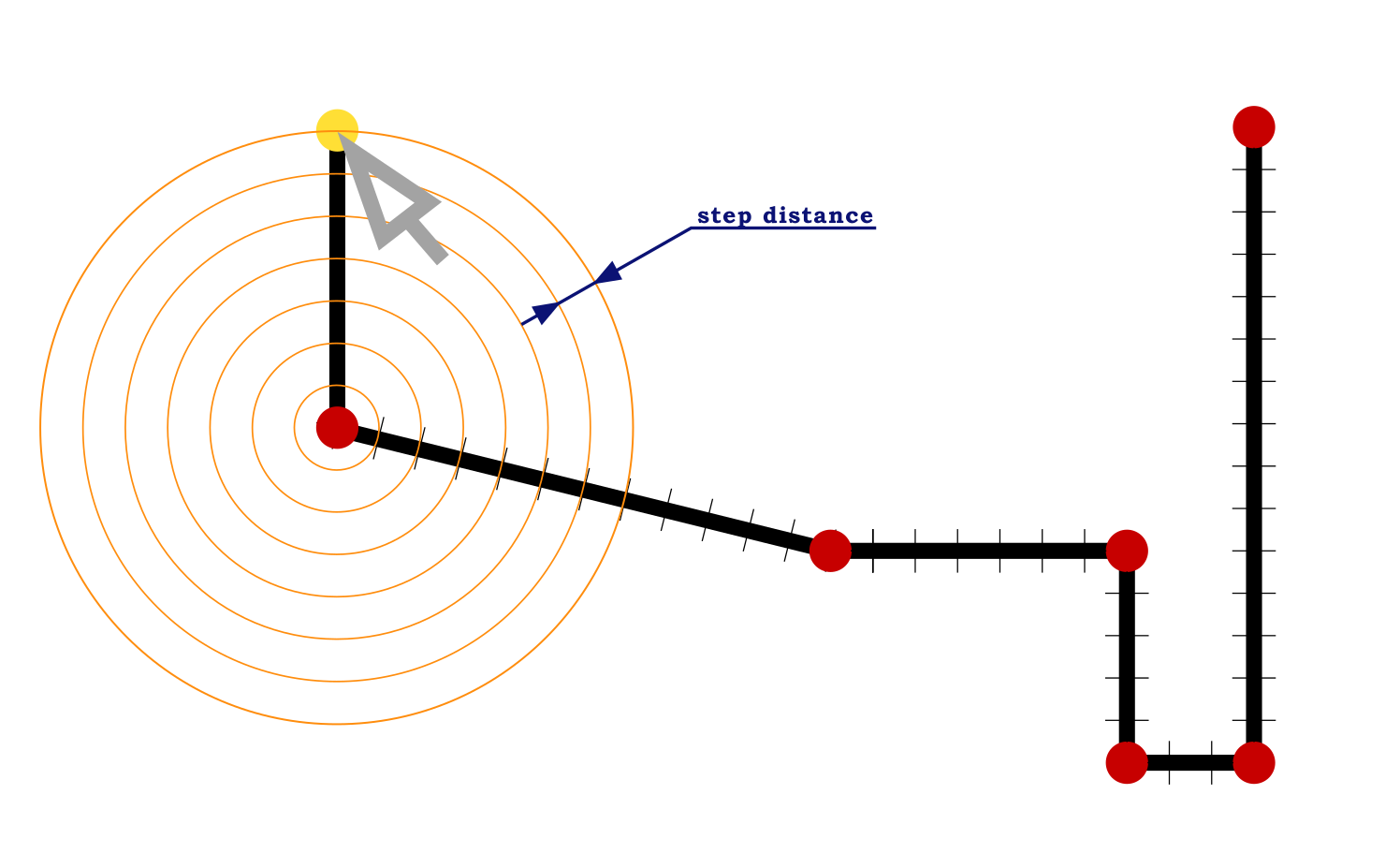
I want the line segment length to be a multiple of a specified value. When we move the cursor, the next point can be added within a specified radius at a certain step. This is similar to snapping angles (AA mode), but it affects lengths rather than angles. Both modes should work separately and together.
Imagine you need to draw a building that is 75 meters long and 15 meters wide. No more, no less. Then you could set the divisions to 1 meter, or 5 meters, or 15 meters to achieve the appropriate size. Or you could create intersections for 17 paths in a park, every 27.6 meters (or the distance you specified).
Please see the second attachment.
follow-up: 7 comment:5 by , 12 months ago
I think I understand what you want. I just never know the length or width of an object unless I draw the line and check the value in the status line. I assume you have a source that gives the distances and you want to use this knowledge as precise as possible?
comment:6 by , 12 months ago
OK, I know one use case for me: I sometimes map pipeline markers and those give one or two distances to locate a place where I want to draw a node of the pipeline. These distances are given in multiples of 10cm, so I can imagine that it could help to draw the help line(s) that I need to find the exact place relative to the marker node.
comment:7 by , 12 months ago
Replying to GerdP:
Yes, this will allow us to use precise values if they are known. It will also help with the placement of typical buildings or in marking out blocks if we know the distance between adjacent streets is the same.
Below are examples of places that can be improved using this tool.
https://www.openstreetmap.org/#map=18/25.168980/55.420918
https://www.openstreetmap.org/#map=18/32.130741/112.262067
https://www.openstreetmap.org/#map=15/-5.17326/-36.73926
https://www.openstreetmap.org/#map=18/48.806344/2.114165



I probably don't understand what you need. Can you give a real world example were you first draw a line and then decide to add a nodes with exactly the same distance? I only do this with straight lines and only to distribute n nodes equally (Shift+B)