


Opened 16 months ago
Last modified 7 months ago
#24331 new enhancement
render styles (optionally) for inactive layers
| Reported by: | dieterdreist | Owned by: | team |
|---|---|---|---|
| Priority: | normal | Milestone: | |
| Component: | Core | Version: | |
| Keywords: | layer, visibility, active | Cc: |
Description (last modified by )
Currently, only one data layer is rendered "visibly", the others are very faint and almost invisible, especially with a lot of data in the active layer which covers it.
It would be great to be able to have inactive data layers "visible" (maybe even above the current layer, i.e. respecting layer order in the layer menu), but with the features not selectable (it could be another setting whether you want the layer to be taken into account for snapping or not).
The usecase is when you are using data overlays in OSM format with select information, e.g. hiking paths or area boundaries, etc.
Attachments (2)
Change History (4)
comment:1 by , 16 months ago
| Description: | modified (diff) |
|---|
by , 7 months ago
| Attachment: | active.png added |
|---|
comment:2 by , 7 months ago
Seems sort of like a duplicate of https://josm.openstreetmap.de/ticket/17497 - that would allow you to style inactive layers.
I would also love that.
I made a style to make text more readable. I want to use it on a GPX layer converted to a data layer:
node {
  text: name;
  font-family: "Arial";
  font-size: 12;
  font-weight: bold;
  text-color: #ffffff;
  text-halo-color: #000000;
  text-halo-radius: 2;
}
When this data layer is active, it is all displayed nicely:

But when I desactivate it (after all I use it just for display of notes, I do my edits on the downloaded Data layer and merging is discouraged for good reasons), it is very illegible:



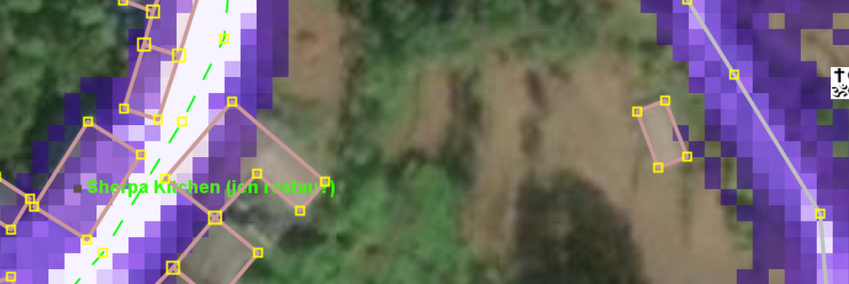
Map style applies to active layer