


Modify ↓
Opened 7 years ago
Closed 7 years ago
#19110 closed defect (invalid)
PicLayer sidebar controls cannot be selected or added to sidebar
| Reported by: | Owned by: | rebsc | |
|---|---|---|---|
| Priority: | normal | Milestone: | |
| Component: | Plugin piclayer | Version: | tested |
| Keywords: | template_report | Cc: |
Description
What steps will reproduce the problem?
- Install PicLayer from JOSM Preferences
- Load image from imagery
- Try to select any control at all.
What is the expected result?
Controls are selected and either added to sidebar or activated in main editor window.
What happens instead?
It is as if I never clicked the item.
Please provide any additional information below. Attach a screenshot if possible.
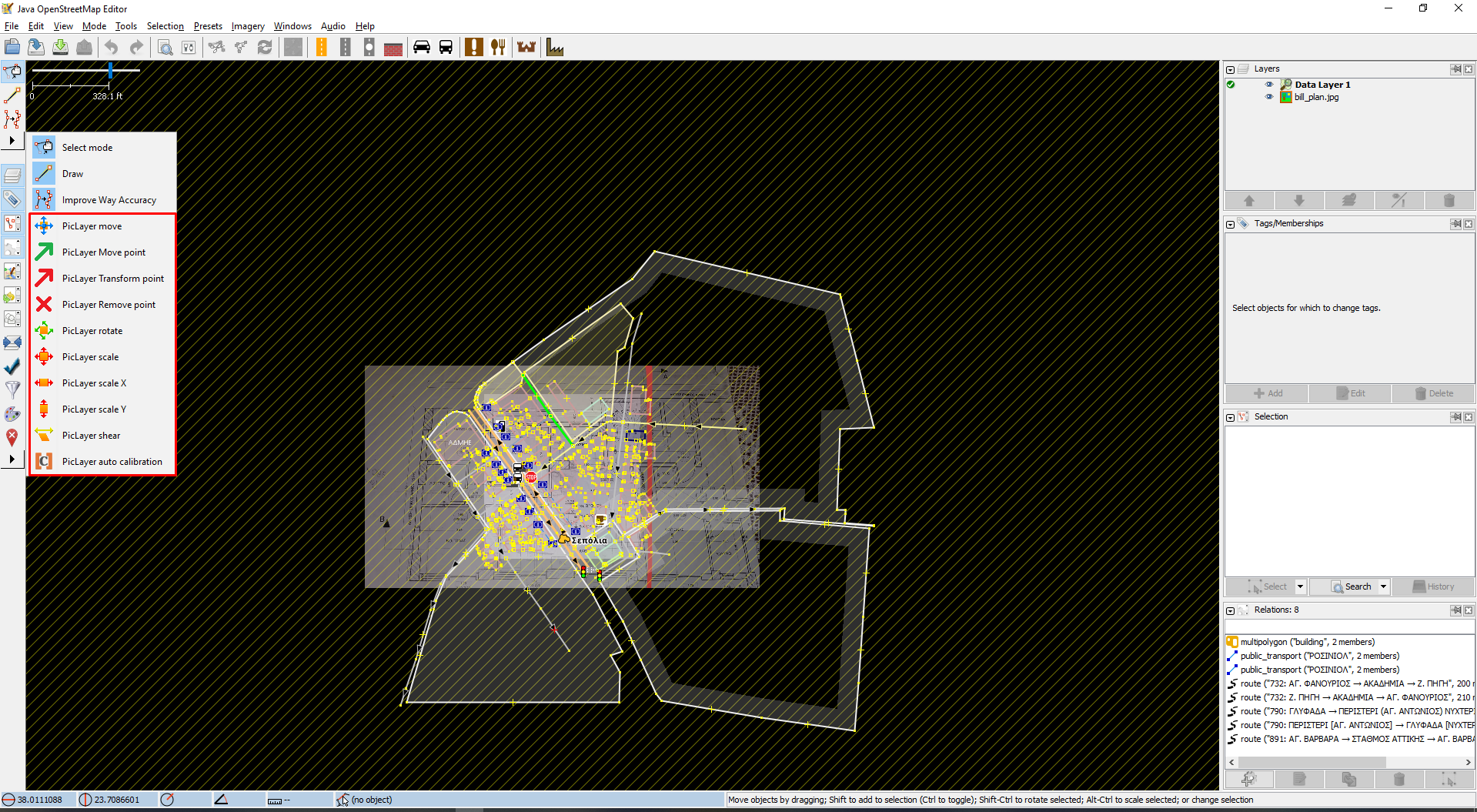
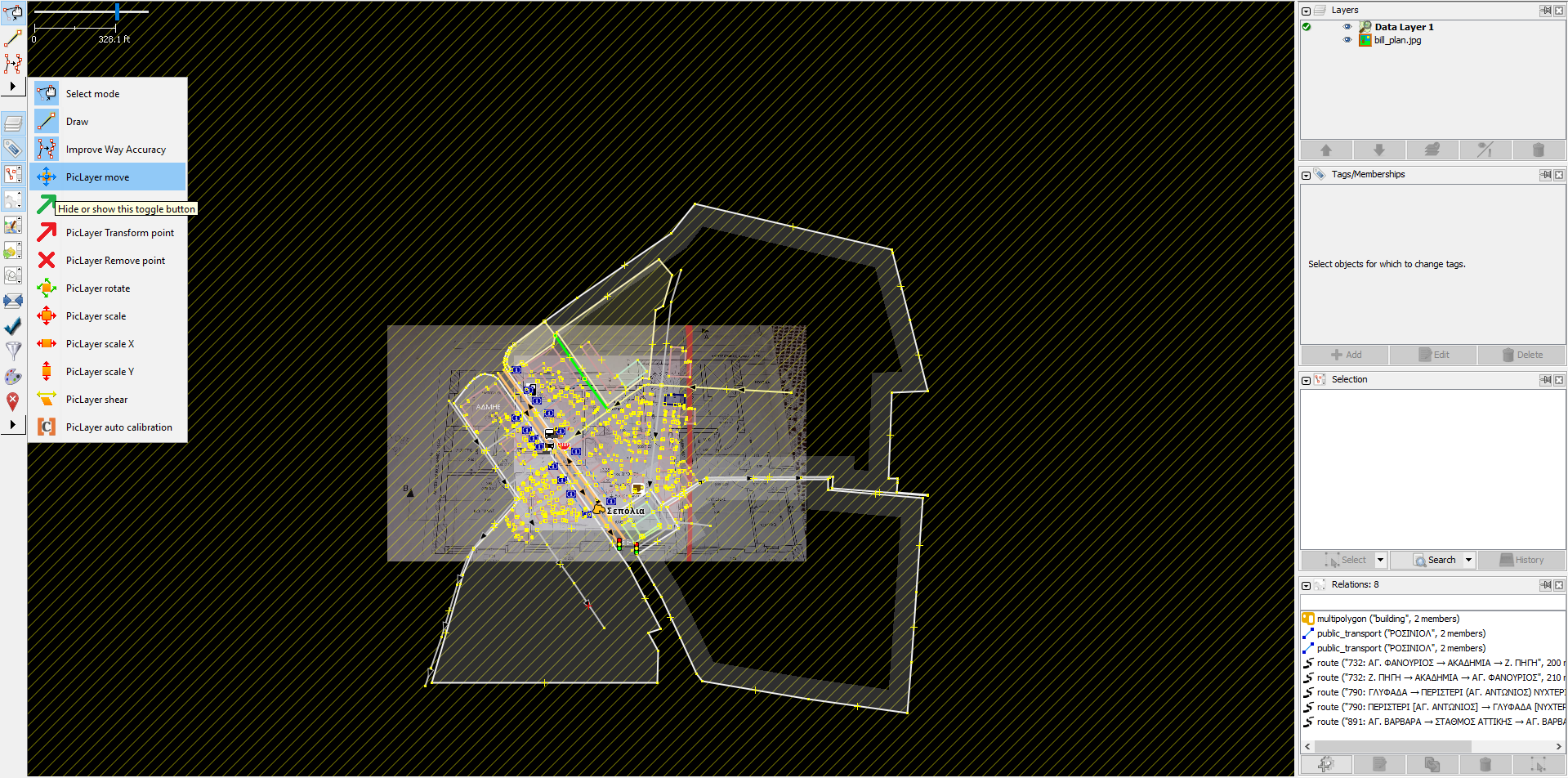
I can select sidebar items (or add them to the sidebar using the dropdown), but it doesn't work with PicLayer tools. Check the screenshots, it is as if I never clicked them. I did a fresh install but it all stayed the same.
Relative:URL: ^/trunk
Repository:UUID: 0c6e7542-c601-0410-84e7-c038aed88b3b
Last:Changed Date: 2020-02-26 10:50:27 +0100 (Wed, 26 Feb 2020)
Revision:15937
Build-Date:2020-02-26 09:52:41
URL:https://josm.openstreetmap.de/svn/trunk

Identification: JOSM/1.5 (15937 en) Windows 10 64-Bit
OS Build number: Windows 10 Pro 1909 (18363)
Memory Usage: 279 MB / 2032 MB (101 MB allocated, but free)
Java version: 13.0.2+8, Oracle Corporation, Java HotSpot(TM) 64-Bit Server VM
Screen: \Display0 1920x1080
Maximum Screen Size: 1920x1080
Dataset consistency test: No problems found

Plugins:
+ PicLayer (35405)

Last errors/warnings:
- W: extended font config - overriding 'filename.Mongolian_Baiti=monbaiti.ttf' with 'MONBAITI.TTF'
- W: javax.net.ssl.SSLException: Read timed out. Cause: java.net.SocketTimeoutException: Read timed out
- W: javax.net.ssl.SSLException: Read timed out. Cause: java.net.SocketTimeoutException: Read timed out
- W: javax.net.ssl.SSLException: Read timed out. Cause: java.net.SocketTimeoutException: Read timed out
- W: javax.net.ssl.SSLException: Read timed out. Cause: java.net.SocketTimeoutException: Read timed out
- W: javax.net.ssl.SSLException: Read timed out. Cause: java.net.SocketTimeoutException: Read timed out
- W: javax.net.ssl.SSLException: Read timed out. Cause: java.net.SocketTimeoutException: Read timed out
- W: javax.net.ssl.SSLException: Read timed out. Cause: java.net.SocketTimeoutException: Read timed out
Attachments (2)
Change History (3)
by , 7 years ago
| Attachment: | picLayer1.png added |
|---|
by , 7 years ago
| Attachment: | picLayer2.png added |
|---|
comment:1 by , 7 years ago
| Resolution: | → invalid |
|---|---|
| Status: | new → closed |
Note:
See TracTickets
for help on using tickets.



Turns out I needed to enable the layer on the side!