


Modify ↓
Opened 7 years ago
Closed 7 years ago
#18677 closed enhancement (fixed)
Add "download" and "locked" status to osm data layer info
| Reported by: | skyper | Owned by: | Don-vip |
|---|---|---|---|
| Priority: | trivial | Milestone: | 20.02 |
| Component: | Core | Version: | |
| Keywords: | template_report data layer info status | Cc: |
Description (last modified by )
What steps will reproduce the problem?
- Have a .osm file with download or with locked in osm header.
- Open Info about layer through context menu of layer toggle dialog.
What is the expected result?
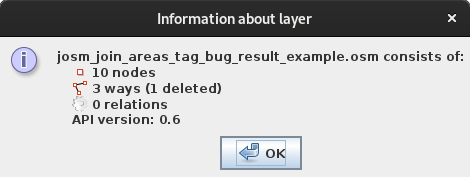
Like "upload" the status of the layer/file is shown
What happens instead?
No info about status
Please provide any additional information below. Attach a screenshot if possible.

How about having a information shown similar to filtered objects if a layer with special status is activated ?
The only indicator, so far, is the small icon in layer toggle dialog and there is no additional information if you want to make any change in a locked layer.
Relative:URL: ^/trunk
Repository:UUID: 0c6e7542-c601-0410-84e7-c038aed88b3b
Last:Changed Date: 2020-02-03 22:02:21 +0100 (Mon, 03 Feb 2020)
Revision:15813
Build-Date:2020-02-04 02:30:59
URL:https://josm.openstreetmap.de/svn/trunk
Attachments (1)
Change History (6)
comment:1 by , 7 years ago
| Description: | modified (diff) |
|---|
comment:2 by , 7 years ago
| Description: | modified (diff) |
|---|
by , 7 years ago
| Attachment: | josm_osm_data_layer_info.png added |
|---|
comment:3 by , 7 years ago
| Description: | modified (diff) |
|---|
comment:4 by , 7 years ago
| Milestone: | → 20.02 |
|---|---|
| Owner: | changed from to |
| Priority: | normal → trivial |
| Status: | new → assigned |
Note:
See TracTickets
for help on using tickets.

screenshot