


Opened 11 years ago
Last modified 11 years ago
#11808 closed defect
Worse WMS imagery resolution in 8677 then in 8491 — at Version 1
| Reported by: | slodki | Owned by: | team |
|---|---|---|---|
| Priority: | normal | Milestone: | |
| Component: | Core imagery | Version: | tested |
| Keywords: | wms imagery zoom max-zoom regression | Cc: | wiktorn |
Description (last modified by )
What steps will reproduce the problem?
- Run JOSM
- Load some OSM data in new layer in Poland
- Refresh Imagery presets
- Load "Geoportal 2: Ortofotomapa (aerial image)" WMS layer
- Zoom in to view details of ortofoto map
What is the expected result?
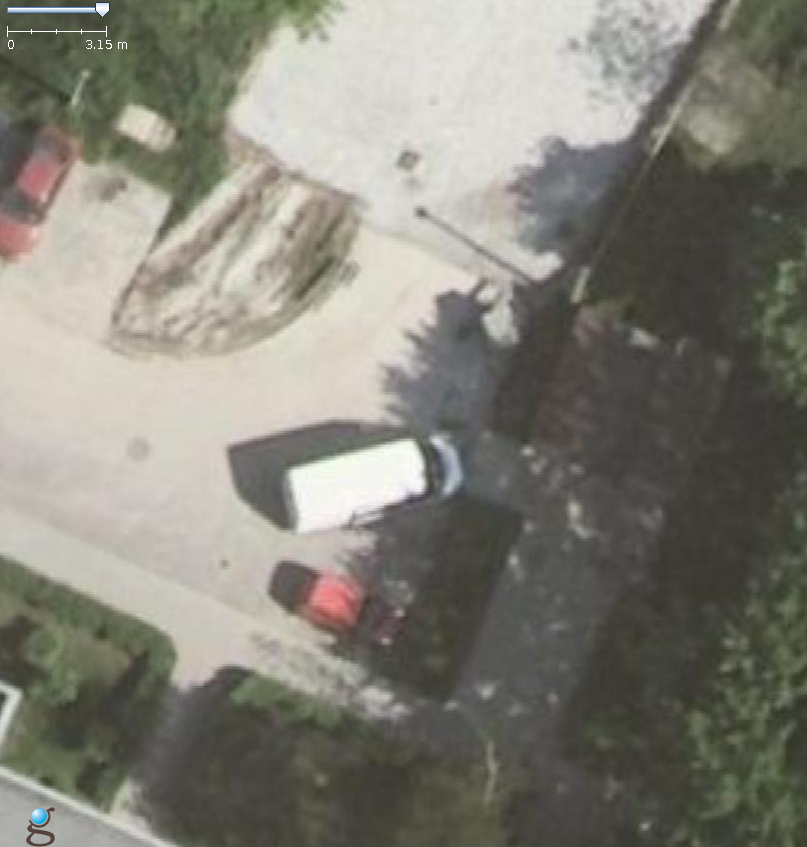
In 8491 "wms:http" preset can load more detailed images. See attached example.
Using geoportal ortofoto gives following images resolutions:
[zoom in JOSM as show in main GUI ruler] -> [WMS image resolution as given by properties of WMS layer]
3.15m -> 2.39m
2.23m -> 2.39m
1.58m -> 1.19m
1.11m -> 1.19m
0.79m -> 0.6m
0.56m -> 0.6m
0.39m -> 0.6m
...
0.14m -> 0.6m
The "zoom to native resolution" command is not working for this WMS layer in 8491 version.
What happens instead?
In 8677 version "wms:http" preset is treated as "wms[20]:http" by default. This blocks images from WMS in higher resolutions. See attached example of the same settings in new JOSM version - you can see worse images resolution.
Clean 8677 JOSM gives:
[zoom in JOSM as show in main GUI ruler] -> [WMS image resolution as given by properties of WMS layer]
3.15m -> 20 (zoomlevel?)
2.23m -> 20
1.58m -> 20
1.11m -> 20
0.79m -> 20
0.56m -> 20
0.39m -> 20
...
0.14m -> 20
The "zoom to native resolution" command for WMS layer in "20" resolution sets main JOSM GUI ruler at 9.58m.
Changing WMS definition (see https://josm.openstreetmap.de/wiki/Maps/Poland?action=diff&version=41) gives better results:
3.15m -> 21 (zoomlevel?)
2.23m -> 22
1.58m -> 22
1.11m -> 22
0.79m -> 22
0.56m -> 22
0.39m -> 22
...
0.14m -> 22
Validator at https://josm.openstreetmap.de/wiki/Maps not allows max-zoom value >22.
After creation custom WMS preset directly in JOSM for geoportal ortofoto with "wms[24]:http" results are better:
3.15m -> 21 (zoomlevel?)
2.23m -> 22
1.58m -> 22
1.11m -> 23
0.79m -> 23
0.56m -> 24
0.39m -> 24
...
0.14m -> 24
It's hard to validate datails at such high zoom levels - maybe 24 zoom level is not avaiable for geoportal...
Setting native resolution for WMS images in JOSM 8677 gives following ruler value:
20 -> 9.58m
21 -> 4.79m
22 -> 2.39m
23 -> 1.2m
24 -> 0.6m
Please provide any additional information below. Attach a screenshot if possible.
8491:

8677:

Changes required:
- Remove hidden restriction of WMS preset definition (without max-zoom parameter) to 20 zoom level
- Remove restriction of JOSM wiki validator for map presets https://josm.openstreetmap.de/wiki/Maps to allow define max-zoom parameters >22 where available
- Change zoom treshold to load hi-res images at lover zooms (as in previous version)
- Optional: update map presets at wiki - add max-zoom parameter where required
Repository Root: http://josm.openstreetmap.de/svn
Build-Date: 2015-08-21 23:32:08
Last Changed Author: Don-vip
Revision: 8677
Repository UUID: 0c6e7542-c601-0410-84e7-c038aed88b3b
Relative URL: ^/trunk
URL: http://josm.openstreetmap.de/svn/trunk
Last Changed Date: 2015-08-21 22:18:03 +0200 (Fri, 21 Aug 2015)
Last Changed Rev: 8677

Identification: JOSM/1.5 (8677 pl) Linux Slackware 14.1
Memory Usage: 432 MB / 897 MB (311 MB allocated, but free)
Java version: 1.7.0_79, Oracle Corporation, OpenJDK Server VM
Dataset consistency test: No problems found
Change History (3)
by , 11 years ago
| Attachment: | geoportal-8491.png added |
|---|
by , 11 years ago
| Attachment: | geoportal-8677.png added |
|---|
pixelized WMS image from current JOSM version
comment:1 by , 11 years ago
| Description: | modified (diff) |
|---|---|
| Keywords: | regression added |

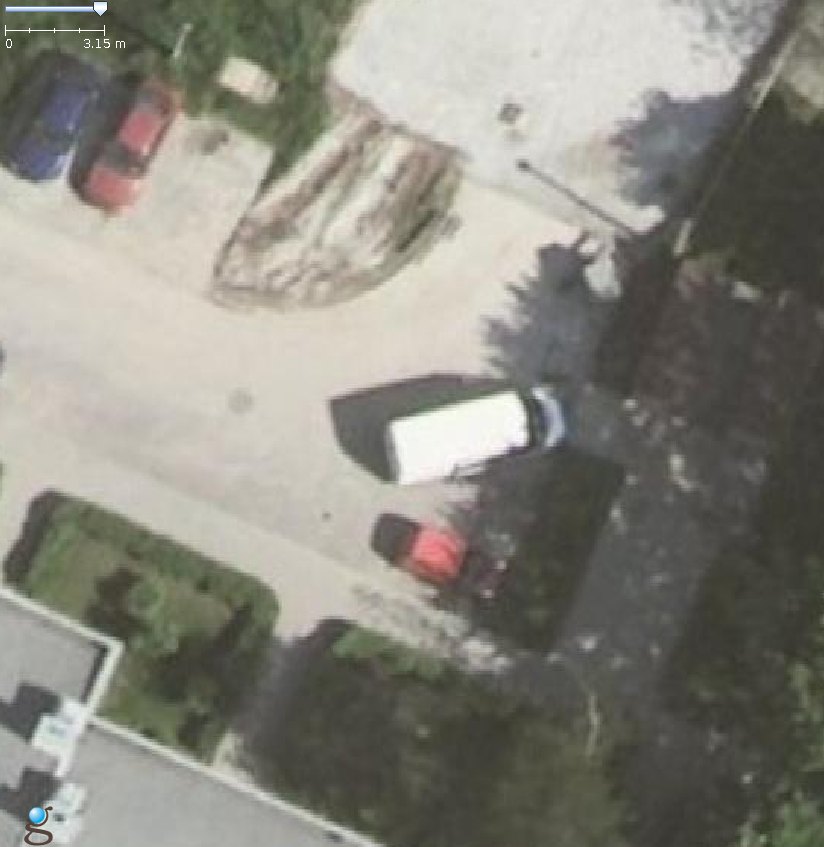
more detailed WMS image from previous JOSM version