| Version 11 (modified by , 10 years ago) ( diff ) |
|---|
File > Download from Overpass API
 Keyboard shortcut:
 Alt+Shift+↓ (expert mode only)
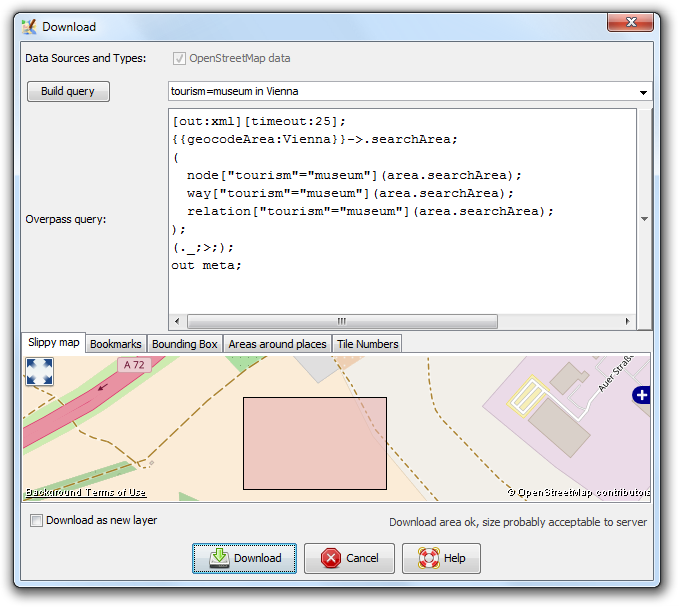
Download data from Overpass API.

Usage
- Optional: Use the Overpass Turbo wizard (the first text box) to generate a query. See https://wiki.openstreetmap.org/wiki/Overpass_turbo/Wizard for its syntax and features.
- Enter or modify the generated Overpass query. See https://wiki.openstreetmap.org/wiki/Overpass_API/Overpass_QL for its syntax.
- Choose the Overpass server.
- Choose the area to download.
- Click on Download.
- Click on the arrow right beside the query text box, to open a list with recently used queries.
- Leave Overpass query empty to download all data within the area (mirrored download).
See also


Attachments (1)
- download-overpass-dialog.png (69.0 KB ) - added by 10 years ago.
Download all attachments as: .zip
Note:
See TracWiki
for help on using the wiki.