


Opened 14 years ago
Last modified 14 years ago
#7575 closed defect
Non-scrollable menu for Imagery offset — at Version 1
| Reported by: | shoorick | Owned by: | Upliner |
|---|---|---|---|
| Priority: | normal | Milestone: | |
| Component: | Core imagery | Version: | latest |
| Keywords: | menu, interface, scrolling, accessibility | Cc: |
Description (last modified by )
Imagery offset menu have no scrolling. When I have many offset bookmarks I can use only part of them and I can’t use rest of these bookmarks.
For example (see attached picture): I see only “Imagery offset” and first 31 bookmarks on my laptop which have 800px height screen.

Note:
See TracTickets
for help on using tickets.

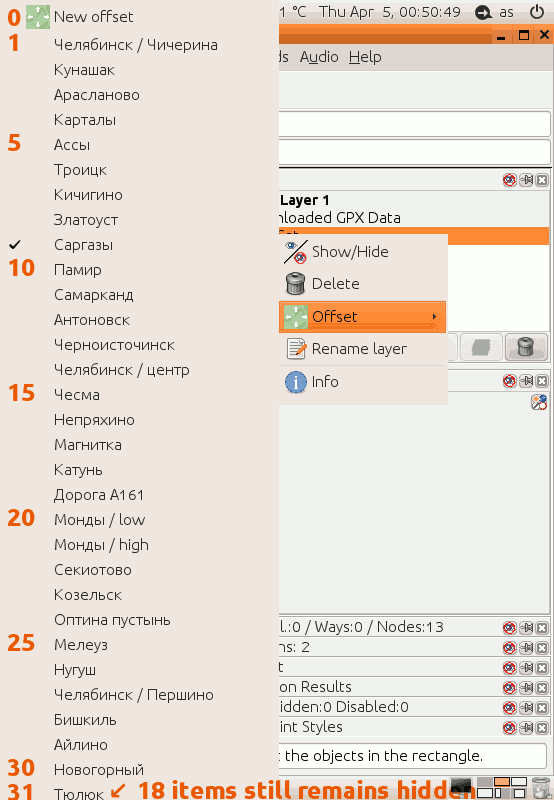
Screenshot taken on laptop with 800px height screen: Imagery offset menu