Opened 10 years ago
Last modified 10 years ago
#13320 closed enhancement
use restart text and icon in unsaved changes dialog — at Initial Version
| Reported by: | Klumbumbus | Owned by: | team |
|---|---|---|---|
| Priority: | normal | Milestone: | 16.10 |
| Component: | Core restart | Version: | |
| Keywords: | template_report | Cc: |
Description
What steps will reproduce the problem?
- have an unsaved data layer
- trigger josm restart (by file menu or plugin installation or preference change or...)
- unsaved changes dialog appears
I always think "why only exit? I wanted to restart!"
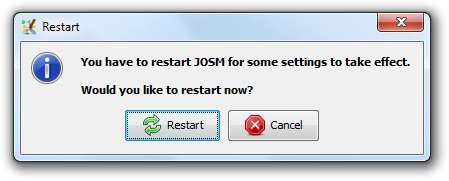
If JOSM is about to restart the two left buttons in the unsaved changes dialog should display "restart" instead of "exit" together with the restart icon.


URL:http://josm.openstreetmap.de/svn/trunk
Repository:UUID: 0c6e7542-c601-0410-84e7-c038aed88b3b
Last:Changed Date: 2016-08-10 23:42:43 +0200 (Wed, 10 Aug 2016)
Build-Date:2016-08-11 01:35:54
Revision:10779
Relative:URL: ^/trunk

Identification: JOSM/1.5 (10779 en) Windows 7 32-Bit
Memory Usage: 339 MB / 742 MB (164 MB allocated, but free)
Java version: 1.8.0_101-b13, Oracle Corporation, Java HotSpot(TM) Client VM
VM arguments: [-Djava.security.manager, -Djava.security.policy=file:<java.home>\lib\security\javaws.policy, -DtrustProxy=true, -Djnlpx.home=<java.home>\bin, -Djnlpx.origFilenameArg=C:\Program Files\josm-latest-bla.jnlp, -Djnlpx.remove=false, -Djava.util.Arrays.useLegacyMergeSort=true, -Djnlpx.heapsize=256m,768m, -Djnlpx.splashport=49898, -Djnlpx.jvm=<java.home>\bin\javaw.exe, -Djnlpx.vmargs=LURqYXZhLnV0aWwuQXJyYXlzLnVzZUxlZ2FjeU1lcmdlU29ydD10cnVlAA==]
Dataset consistency test: No problems found
Change History (2)
by , 10 years ago
| Attachment: | restart.png added |
|---|
by , 10 years ago
| Attachment: | unsaved_changes.png added |
|---|
Note:
See TracTickets
for help on using tickets.